One clear adult face
Use a well-lit authorized portrait without an obstruction.
AI TRENDS / FOOTBALL & CELEBRATION
Make your own fictional golden-football moment with EveryGen AI: react in the audience, walk to the stage, receive the trophy and enjoy the final close-up. Start in Inspiration to plan your recipient and image, edit a fresh take in Normal, or use Template to follow the included award-night video.
Made with EveryGen AI · https://everygenai.live/
Generated videos are stored for 24 hours, then deleted. Download files you want to keep.
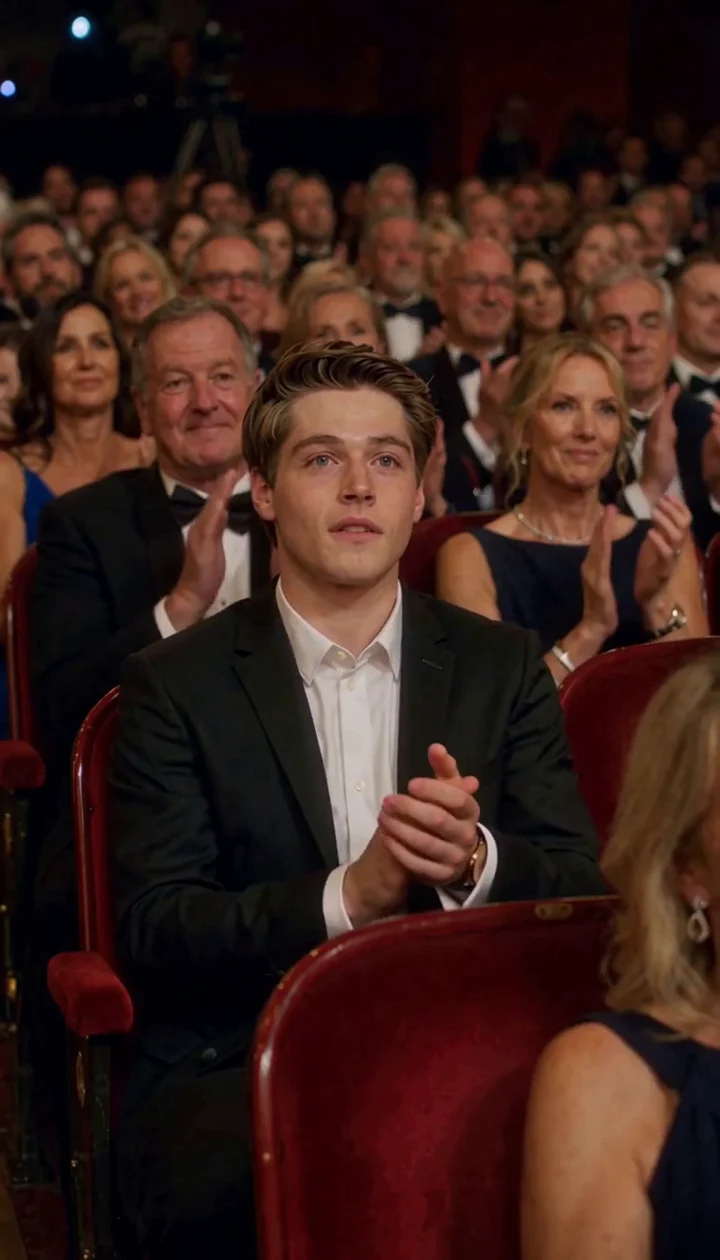
Ballon d'Or AI · about 12s · 768 × 1344 original · Sound on play. Compact preview; native 768p sources available below.Recorded source demo · MiniMax H3
Open the video editor with the prepared prompt. Review credits before generating; guest checkout is available.
The accepted AI demonstration was generated with MiniMax H3:12 seconds requested,12.25 seconds returned at native 768×1344 with generated sound. Template uses a 720p derivative of this EveryGen AI clip with Seedance 2.0 at12 seconds/720p/9:16. Faces, hand contact, exact cuts and sound can vary; this is independent fictional fan content, not an official award recording.
Template accepts an adult subject description or authorized appearance photos of the same person. The included EveryGen AI award-night video guides the ceremony, camera and presenter. Normal offers an editable topic direction and supported native model controls. Identity, timing and sound may vary.
One adult award recipient in a formal suit, visibly pleased and proud, with a clear unobstructed face.
Normal generation lets you edit the starting prompt and choose a model. Template follows this example using Seedance 2.0 at 12s / 9:16 / 720p with audio. Review the quote before generating. Original prompts do not guarantee identical results.
THE SCENE / YOUR CREATIVE DIRECTION
The included EveryGen AI clip supplies a four-shot ceremony. Personalize the adult recipient while preserving the scene’s broad story; a new take may change exact identity, timing or gestures.
The recipient reacts from a red theater seat, then stands and adjusts the jacket.
A rear tracking view follows the red-carpet stairs.
The presenter greets the recipient and transfers the trophy.
The recipient holds the trophy at chest height, briefly kisses it and smiles.
This separate video guides the action, camera and timing. Your subject photos change the featured character; this theme preserves its existing setting.
Prepare the identities and framing before opening a new take in EveryGen AI.
Use a well-lit authorized portrait without an obstruction.
One recipient across photos; avoid contradictory clothing descriptions.
Understand what the source brief controls before you edit it in EveryGen AI.
A surprised reaction, a stage walk, a readable trophy handoff and a chest-held trophy kiss give the short scene a clear beginning and payoff.
Inspiration supports conversation and image preparation. Normal gives you an editable topic prompt and compatible models. Template uses this topic’s own included scene and a separate private direction.
Plan applause and ceremony ambience without a supplied commercial recording. Review model-native settings, all reference charges and the complete quote before confirming generation.
Start in Inspiration to shape your idea, or choose Normal to edit the prompt and model. Template follows the example. Review the quote before generating.
Open Inspiration above and describe an adult recipient, outfit and award-night mood. Normal is available for direct prompt editing and native model selection.
Prepare a well-lit adult portrait if you want an appearance reference. Confirm any required model/settings changes. Template keeps the presenter and ceremony; photos guide the award recipient only.
Confirm duration, native resolution, sound and reference charges. Open the task in Creations, inspect identity, hands and trophy geometry, then download private results within 24 hours.
Use the finished video to choose one useful change for your next EveryGen AI take.
Check every shot; another take requires a new confirmed quote.
Share the result as a fictional AI fan scene.
Prompts, reference inputs, source models and your new video.
It is a fictional golden-football award-night video workflow. Plan a recipient, prepare an authorized image and generate a new ceremony with supported models. It does not predict an actual winner.
Use an authorized adult portrait in a compatible image or reference mode. Template photos guide the recipient’s appearance; the included video guides the theater, presenter and action. Exact likeness is not guaranteed.
Yes. Normal exposes supported native models and controls. If a model change affects duration, resolution, framing or references, review the proposal before applying it. Template has separate fixed model/settings.
Video generation requires an eligible paid allowance or sufficient shared credits. The quote shows all charges before confirmation, including chargeable references. A free Inspiration trial does not include a completed video. Theme subject wording has no separate text charge.
The demo includes generated audio. Review the selected model’s sound capability and plan original ceremony ambience. No competitor recording or original commercial song is supplied.
No. This is independent AI fan content, not an official ceremony, real-winner announcement or endorsement. Label shared scenes as fictional AI content.
Follow each task in Creations. After completion, review the full result and download private generated files within 24 hours.