One identity per group
A and B are separate people. Extra photos within a group must show that same adult.
AI TRENDS / DANCE & MUSIC
Make a Can I Ride Dance AI video with two clearly assigned performers. Start in Inspiration to plan the pair, switch to Normal for an editable scene and native model controls, or use Template to follow our rooftop dance with separate appearance photos.
Generated videos are stored for 24 hours, then deleted. Download files you want to keep.
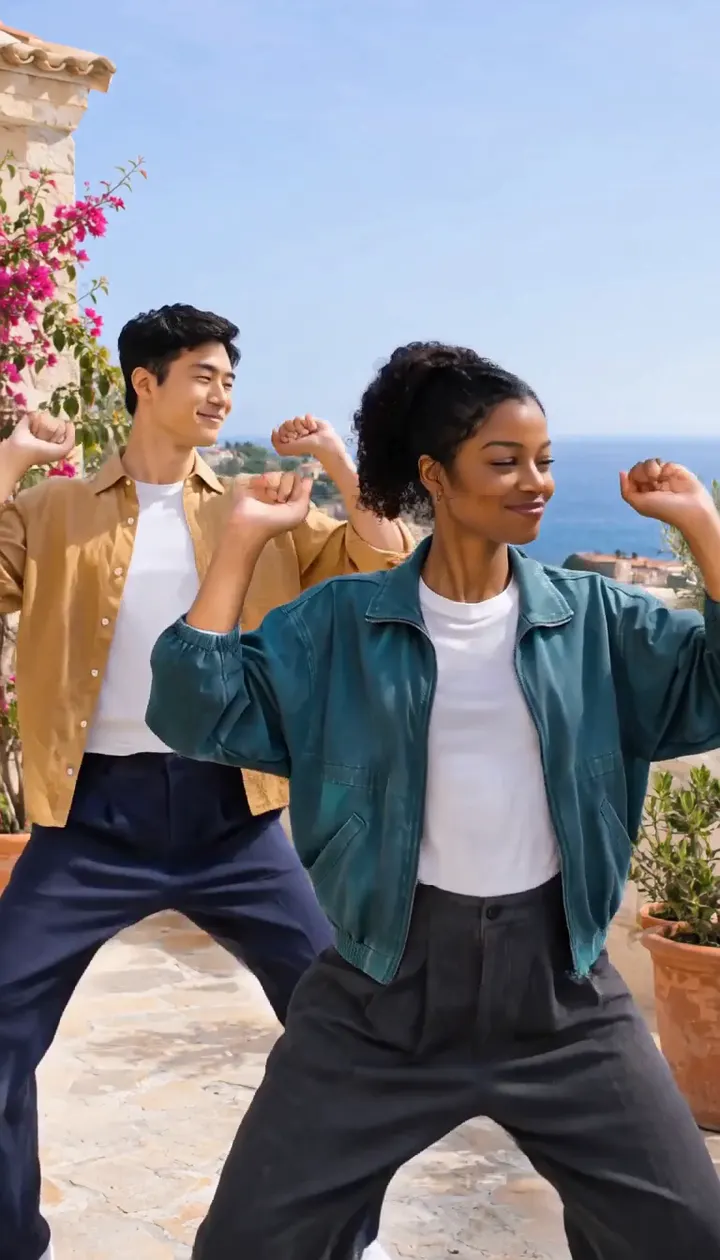
Can I Ride Dance AI · about 9s · 768 × 1344 original · Sound on play. Compact preview; native 768p sources available below.Recorded source demo · MiniMax H3
Open the video editor with the prepared prompt. Review credits before generating; guest checkout is available.
This original MiniMax H3 image-to-video demonstration requested 9 seconds at 768p and returned 9.44 seconds at 768 × 1344, with generated sound. The take emphasizes raised fist pulses, open palms and low arm rolls; clap contact and exact source hand timing vary. It uses original prepared artwork, not the reference site's performers or recording. Template follows our silent 9-second motion derivative; identity, movement and sound may vary.
The template personalizes two separately assigned dancers while retaining the rooftop scene and the reviewed hand-gesture groove. Normal has an editable full-scene prompt and supported native inputs. Template requires separate A/B photos, one for each adult.
Two fictional adult dancers: a woman in a teal jacket in the right foreground and a man in an ochre overshirt behind left, with distinct faces and outfits.
Normal generation lets you edit the starting prompt and choose a model. Template follows this example using MiniMax H3 at 9s / 9:16 / 768p with audio. Review the quote before generating. Original prompts do not guarantee identical results.
THE SCENE / YOUR CREATIVE DIRECTION
The template personalizes two separately assigned dancers while retaining the rooftop scene and the reviewed hand-gesture groove.
Raise compact chest-height gestures with a shoulder bounce.
Alternate forearm movements, claps and small body pulses.
Return to a relaxed low-arm groove without swapping the two roles.
This separate video guides the action, camera and timing. Your subject photos change the featured character; this theme preserves its existing setting.
Prepare the identities and framing before opening a new take in EveryGen AI.
A and B are separate people. Extra photos within a group must show that same adult.
Use a clear face and upper-body view, consistent clothing and separated limbs.
Understand what the source brief controls before you edit it in EveryGen AI.
Keep dancer A in the right foreground and dancer B behind left. Compact arm gestures and shoulder bounces stay readable without exchanging identities.
Inspiration helps prepare the idea and images. Normal lets you change the setting and movement; Template follows this topic's own reviewed motion and keeps the rooftop scene.
The demonstration requests original house percussion and claps. Generated music and hand timing can vary; the trend name does not include a commercial song license.
Start in Inspiration to shape your idea, or choose Normal to edit the prompt and model. Template follows the example. Review the quote before generating.
Describe each outfit and assign foreground A and rear B. Use authorized images, with one person per photo and no confusing background cast.
Use Normal to redesign the location. For Template, supply separate A/B photos; they guide appearance while the included motion clip guides positions, camera and setting.
Confirm model, 9-second duration, 768p tier and any reference-video charges. Inspect both identities, hands and generated sound; download private results within 24 hours.
Use the finished video to choose one useful change for your next EveryGen AI take.
Simplify outfits and remove crowded group photos; keep the A/B assignment explicit.
Review claps frame by frame and keep the gesture brief compact. Exact choreography is not guaranteed.
Prompts, reference inputs, source models and your new video.
Make a Can I Ride Dance AI video with two clearly assigned performers. Start in Inspiration to plan the pair, switch to Normal for an editable scene and native model controls, or use Template to follow our rooftop dance with separate appearance photos.
The template personalizes two separately assigned dancers while retaining the rooftop scene and the reviewed hand-gesture groove. Photos guide appearance; they do not replace the setting.
No commercial recording or lyrics are supplied. The demo requests original generated sound. Fixed-motion input is silent, and new generated audio and timing can vary.
Use Normal for editable scene direction and compatible native models. Template retains its reviewed model, motion and settings. Review and confirm any proposed native-setting change.
Review the complete live quote, including output duration, chargeable photo or motion references and the selected funding method. An eligible pass or sufficient shared credits must fund the unchanged draft. Describing a template subject has no separate text charge.
Open Creations to follow the task and save its completed result. Private generated downloads expire after 24 hours.
Published EveryGen AI examples explain the inputs, settings and limits for different scenes.
Prepare separate two-dancer identities or one coherent pet and inspect the actual motion.