Clear faces or features
Choose authorized photos with good light and no heavy filters. Keep each role visually distinct.
AI TRENDS / DANCE & REACTIONS
Make a Bully Maguire Dance AI video from one adult full-body photo. Cast yourself in an original comic swagger routine with short strutting steps, a loose arm swing and a final pose. The template keeps the dancer in a single vertical shot.
Generated videos are stored for 24 hours, then deleted. Download files you want to keep.
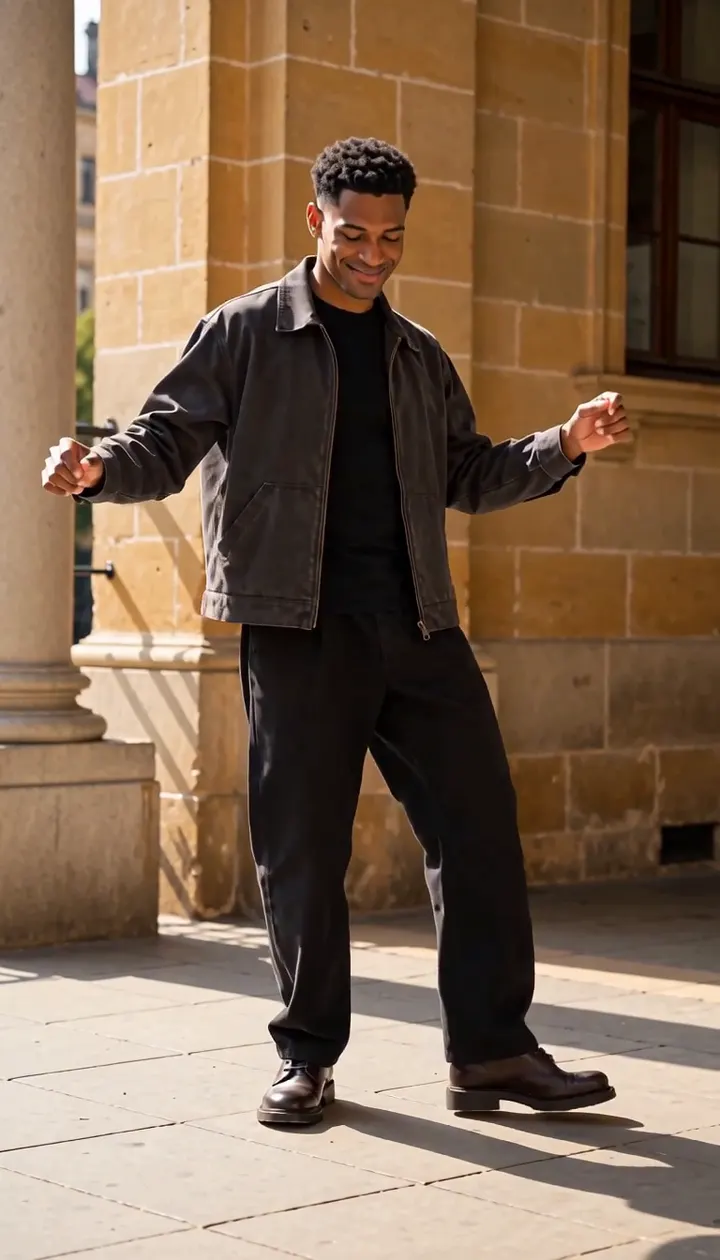
Bully Maguire Dance AI · about 8s · 768 × 1344 original · Sound on play. Compact preview; native 768p sources available below.Recorded source demo · MiniMax H3
Open the video editor with the prepared prompt. Review credits before generating; guest checkout is available.
Original EveryGen AI demo generated with MiniMax H3 at 768 × 1344 with generated audio. One full-body view holds the same adult in a charcoal jacket and dark trousers. He steps side to side, swings his bent arms to the rhythm and finishes with both boots planted. Template uses the reviewed silent motion to guide a new take.
Template photo roles: Solo dancer. Normal supports editable prompts and compatible native inputs.
Cast me as the only dancer. Keep my face, hairstyle, clothes and shoes from the photo and give the movement a playful swagger.
Normal generation lets you edit the starting prompt and choose a model. Template follows this example using MiniMax H3 at 8s / 9:16 / 768p with audio. Review the quote before generating. Original prompts do not guarantee identical results.
THE SCENE / YOUR CREATIVE DIRECTION
Make a Bully Maguire Dance AI video from one adult full-body photo. Cast yourself in an original comic swagger routine with short strutting steps, a loose arm swing and a final pose. The template keeps the dancer in a single vertical shot.
Start with two compact steps and an amused look.
Open the arms in a loose flourish, then shift sideways on the beat.
Plant both feet and hold a confident finish.
This separate video guides the action, camera and timing. Your subject photos change the featured character; this theme preserves its existing setting.
Prepare the identities and framing before opening a new take in EveryGen AI.
Choose authorized photos with good light and no heavy filters. Keep each role visually distinct.
Understand what the source brief controls before you edit it in EveryGen AI.
Use one head-to-toe portrait with clear shoes and face. The reference guides your likeness and wardrobe. Dark streetwear is optional.
A steady shot gives the shoulders, hands and feet enough room for the strut and short side-step. The ending holds a self-assured pose.
This template uses EveryGen AI’s own dancer, movement and setting. You can direct a different room, outfit or tempo through the editable Normal prompt.
Start in Inspiration to shape your idea, or choose Normal to edit the prompt and model. Template follows the example. Review the quote before generating.
Choose a well-lit view with feet on the ground and no cropped arms or obstructed face.
Upload the photo to Solo dancer. Review the 8-second vertical settings and the live credit quote before submitting.
Check the jacket, face and shoes through the arm movement. Save the result from Creations within 24 hours.
Use the finished video to choose one useful change for your next EveryGen AI take.
Review the full clip, especially the middle transition and ending. Simplify the action in Normal or supply a cleaner photo for a difficult role.
Prompts, reference inputs, source models and your new video.
Yes. The template uses one authorized adult photo and the included EveryGen AI reference motion. It supplies the strut, arm movement and finish.
A dark jacket gives the routine a familiar look, but you can upload the outfit you want the dancer to wear. Review the result for wardrobe consistency.
This is an original meme-inspired dance. The video uses your dancer, a new setting and original audio direction.
Start with one full-body photo with floor space below both shoes. Keep the head-to-toe framing instruction in Normal and check the preview.
Check the live quote before starting. It reflects the selected model, output time, included reference seconds and any chargeable inputs. Normal settings and Template may have different quotes.
Use Normal to edit the starter prompt and compatible native settings. Template follows the reviewed example's movement and assigns your photos to named roles.
Track the task in Creations and download the private video before its 24-hour availability ends.