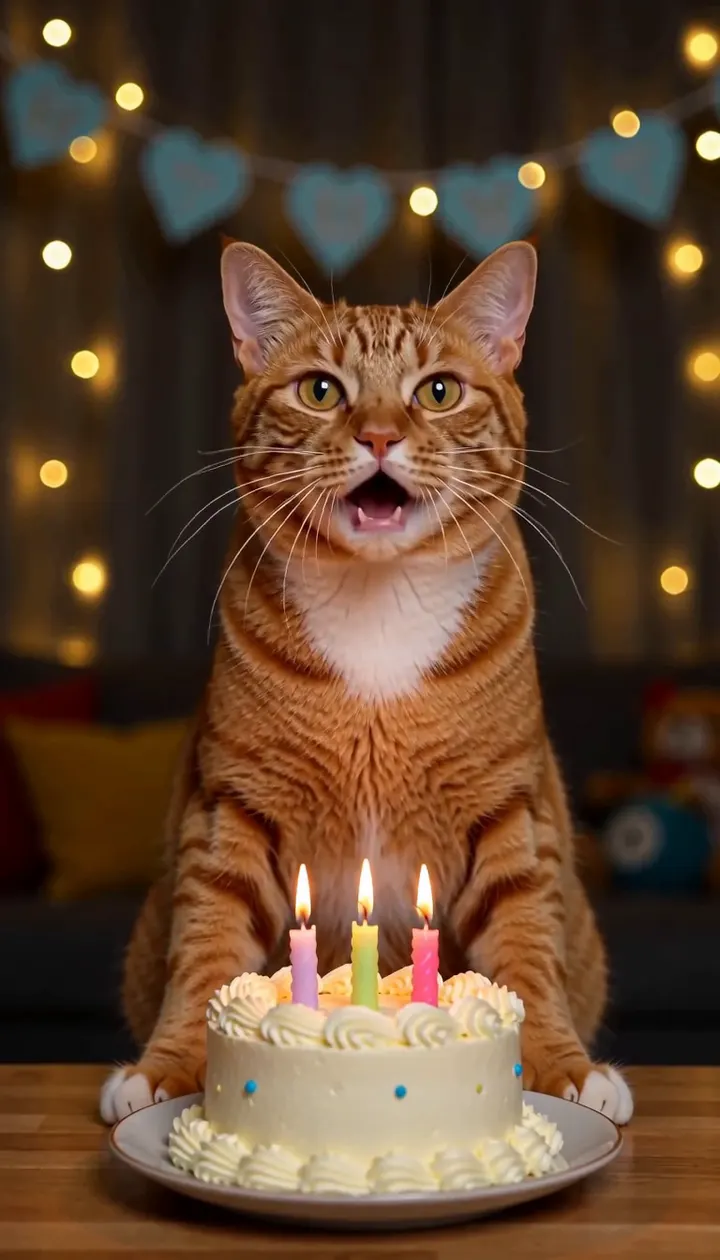
Compact playback preview · Open native 768p video ↗
MiniMax H3 · 768p · about 10 seconds · original audio
Try Singing Birthday Cat AI with Every Gen AIChoose a photo based on what your video needs to show. A singing cat needs sharp eyes, ears and a clear muzzle. A stunt-free dance needs the face, hands and both shoes. The two reference images can have the same aspect ratio and still give the model very different information.
These examples show how to match one photo to one action in EveryGen AI. Use the birthday cat as a close-performance example and the swagger dance to check what happens when framing matters more than facial detail alone.
Start with the detail that has to stay visible
| Action | Reference photo | Check on playback |
|---|---|---|
| A sung birthday greeting | One well-lit cat facing camera, ears and muzzle clear | Face and coat stay recognizable, mouth moves naturally and the vocal is audible |
| A solo swagger dance | One authorized full-body adult photo with hands and shoes in view | Steps, swings and final pose stay inside the frame |
Treat your photo as a source of visual details. The background can be simple when you want the model to place the subject in another set. In an explicit first-frame mode the photo instead defines the shot’s opening composition. Choose the mode before deciding how much background to keep.
Leave the cat’s muzzle clear above the cake
Pick a photo with both ears and eyes visible. Even light makes the muzzle and coat pattern easier to read. A view that includes the chest and front paws gives the model more information for a cake scene. A very tight headshot can work for a face-focused greeting, but more of the body will be inferred.
In the birthday scene, let a table support the cake. Place it low enough to keep the cat’s nose and mouth visible. Keep the camera still and use one short line with a natural end. Play the full clip with sound and check the voice, mouth and final blink. If the mouth looks exaggerated, use a shorter line and ask for smaller movement in Normal.
Keep the full body and floor in the dance shot
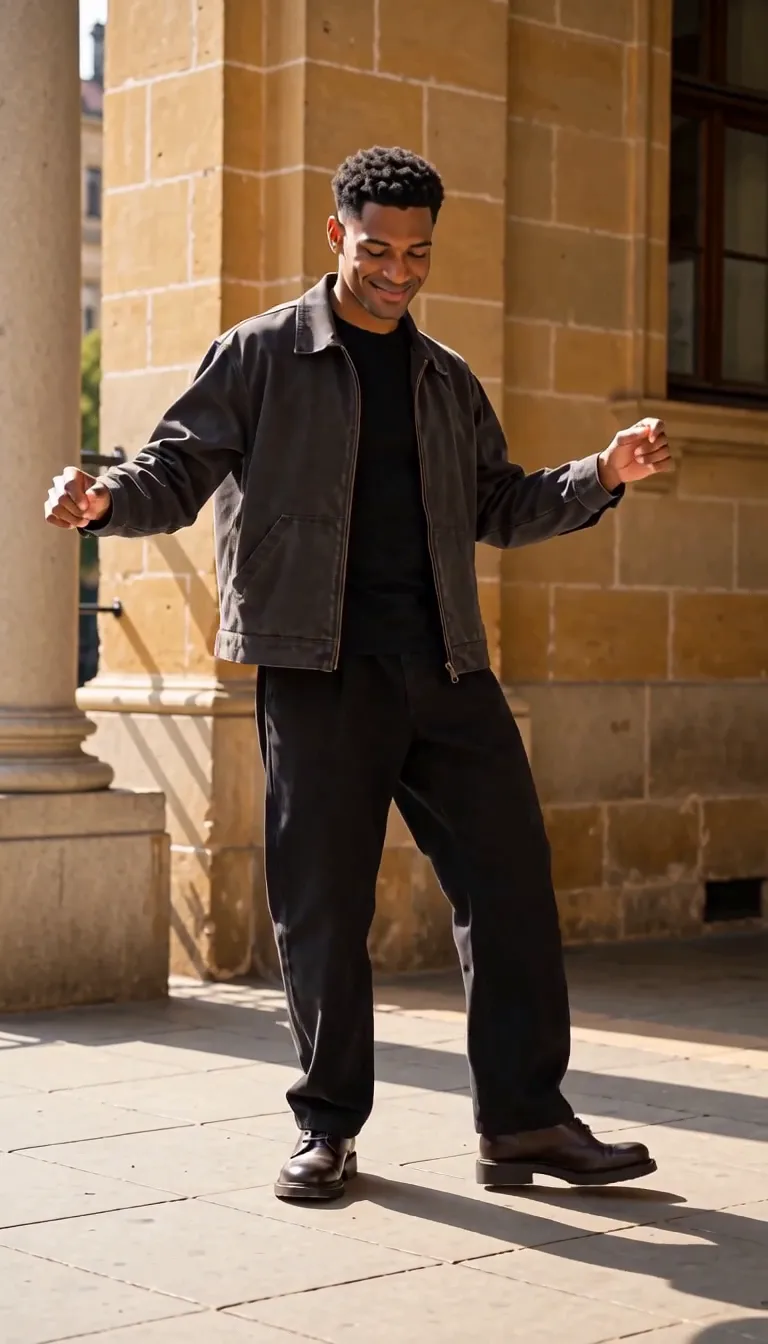
Start with a full-body photo. Leave visible space below the shoes and around both hands. Give the model a simple movement sequence and a readable ending. Short steps and one clear arm flourish work well in a narrow vertical frame because the dancer has room to move without repeatedly leaving the shot.
Review the video at the largest arm movement and through the change of direction. Look at the shape of the hands, the jacket and whether the sole meets the floor. If a foot leaves the frame, widen the view before adding another step. Use photos of yourself or adults who agreed to appear.
Review the quote, then watch the whole take
Template uses the reviewed movement and one named appearance slot. Its quote includes the output settings and the supplied motion where that model bills it. Normal lets you edit the action and select compatible native settings. Check the exact price before starting instead of carrying over a quote from another scene.
Watch once for the action and again for the parts that need to stay consistent. Listen to the birthday audio, or pause the dance at the biggest arm movement. A usable result should still make sense in the last second. Download your private result from Creations within 24 hours.
Models discussed in this workflow
Check the native inputs and limitations before changing a draft. These links describe workflow compatibility, not a quality ranking.
Sources and review scope
External pages support the statements identified below. Reading a public product page is separate from testing its paid output.
- EveryGen AI reference images guide — checked 2026-11-23. Appearance references and first or last frames have different roles.
- EveryGen AI generation costs guide — checked 2026-11-23. The quote depends on the selected model, duration and chargeable reference inputs.
Questions about Singing Birthday Cat AI
Can the same photo work for a close-up and a full-body dance?
A well-lit full-body image can supply both, provided the face is still readable. A cropped face photo gives the model little evidence for footwear or body movement.
Does an uploaded photo set the AI video’s opening frame?
An appearance reference guides how the subject looks. Choose a supported first-frame mode to control which image appears at the start.
How do I check whether a singing clip works?
Play it with sound and check whether the voice is audible, the greeting is understandable and the cat’s face and mouth stay readable.
Try Singing Birthday Cat AI with Every Gen AI
Bring your idea and the reference photos for your chosen tool. Choose your settings, check the quote and create a clip you can review.