Separate species and roles
Use a single dog in A and a single adult in B; avoid group photos and children.
AI TRENDS / REVEALS & REACTIONS
Plan a fictional Dog Elevator Prank AI scene with two distinct roles: a pet beside the button and an adult beside the doors. Inspiration helps prepare the pair; Normal edits the whole scene, while Template personalizes the reviewed pet-and-adult motion.
Generated videos are stored for 24 hours, then deleted. Download files you want to keep.
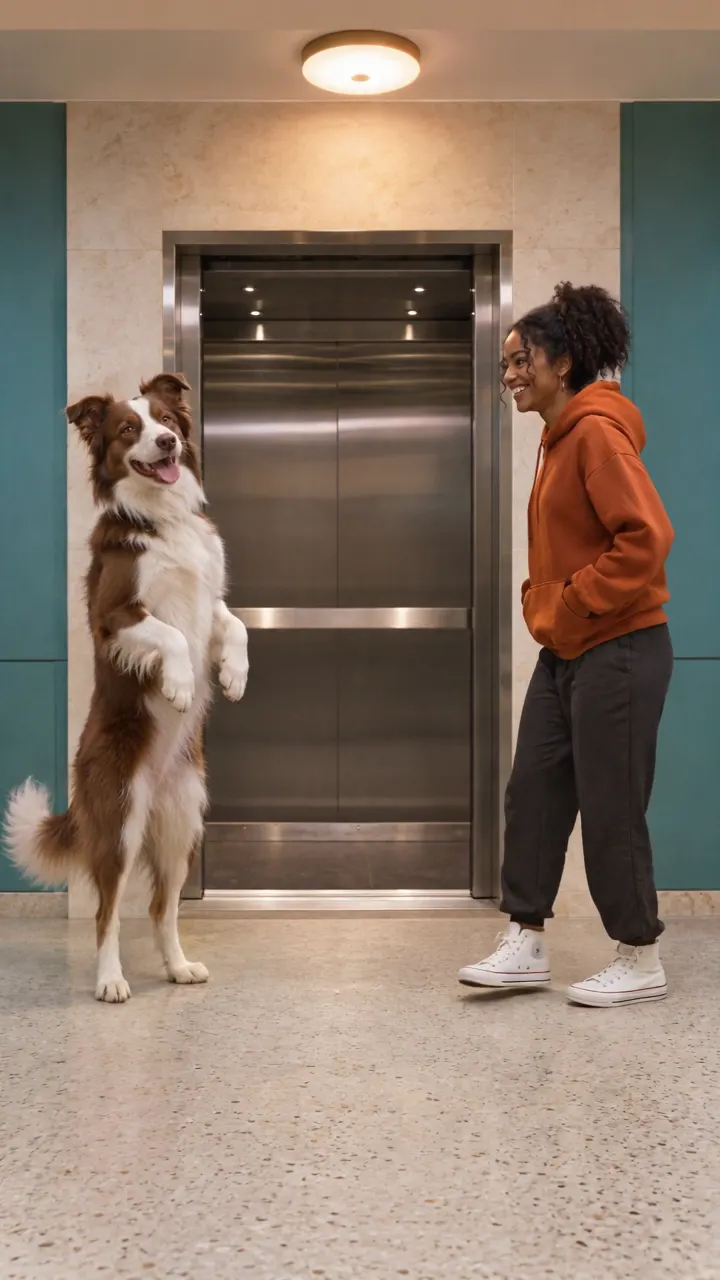
Dog Elevator Prank AI · about 15s · 720 × 1280 original · Sound on play. Compact preview; native 720p sources available below.Recorded source demo · Seedance 2.5
Open the video editor with the prepared prompt. Review credits before generating; guest checkout is available.
Original Seedance 2.5 image-to-video demonstration: requested 15s at 720p; returned 15.072s at 720 × 1280, with generated sound. The Seedance replacement keeps the border collie, adult and lobby consistent, with a button gesture, opening doors, a small no-contact leg gesture, the adult seated in the cab and the dog leaving. The shoe transfer is brief and stylized, rather than a clearly shown paw pickup. The earlier identity-drifting MiniMax take is not published. Original prepared characters and settings replace the reference-site identities. Template uses MiniMax H3 at 768p with our own silent motion derivative; Normal offers editable native controls. Choreography, appearance and sound may vary.
Template changes the left pet A and right adult B using separate appearance photos. It retains this reviewed lobby, camera and motion. Normal has an editable full-scene prompt and supported native inputs.
Pet A is a brown-and-white border collie on the left. Adult B is a fictional woman in an orange hoodie, charcoal trousers and white high-top shoes on the right.
Normal generation lets you edit the starting prompt and choose a model. Template follows this example using MiniMax H3 at 15s / 9:16 / 768p with audio. Review the quote before generating. Original prompts do not guarantee identical results.
THE SCENE / YOUR CREATIVE DIRECTION
Template changes the left pet A and right adult B using separate appearance photos. It retains this reviewed lobby, camera and motion.
Establish the pair, button gesture and opening elevator.
Use a non-contact gesture and a cooperating adult’s backward step or hop.
Review what the actual take shows of shoe handling, waving and leaving.
This separate video guides the action, camera and timing. Your subject photos change the featured character; this theme preserves its existing setting.
Prepare the identities and framing before opening a new take in EveryGen AI.
Use a single dog in A and a single adult in B; avoid group photos and children.
Keep paws, shoes and the floor area readable rather than hiding the action behind the doors.
Understand what the source brief controls before you edit it in EveryGen AI.
Use one pet photo and one authorized adult photo in separate groups. Template keeps their left/right action roles rather than treating them as interchangeable dancers.
Keep the call button, opening doors, adult reaction, shoe pair and dog’s departure in one readable frame. Our direction uses staged non-contact comedy.
Check the whole video for paws, shoes, doorway continuity and role preservation. Requested story beats can simplify or change in a generated take.
Start in Inspiration to shape your idea, or choose Normal to edit the prompt and model. Template follows the example. Review the quote before generating.
Put the pet in A and the adult in B. Supply a clear separate photo for each before using Template; extra photos in a group must show that same subject.
Use Normal for a different lobby or action order. Template retains the reviewed lobby, timing and model and uses photos for appearance only.
Confirm the full quote, then inspect the button, safe reaction, shoes and ending. Keep generated downloads within their 24-hour availability.
Use the finished video to choose one useful change for your next EveryGen AI take.
Check the full take. A detailed multi-action gag may simplify; Normal can prioritize the missing beat in a new confirmed request.
Restate pet A and adult B with distinct appearances, never use both photos as one identity.
Prompts, reference inputs, source models and your new video.
Plan a fictional Dog Elevator Prank AI scene with two distinct roles: a pet beside the button and an adult beside the doors. Inspiration helps prepare the pair; Normal edits the whole scene, while Template personalizes the reviewed pet-and-adult motion.
Template requires one pet photo in group A and one authorized adult photo in group B. Extra photos within each group must show that same subject.
Use Normal for a fully editable scene and supported native controls. Template retains the reviewed motion and settings; confirm any proposed settings change before applying it.
No. We request original generated sound. No existing commercial recording, copied lyrics or music license is included, and audio timing can vary.
Review the live quote for the exact model, output seconds, reference seconds and chargeable photos. Confirm compatible funding before starting. Describing a template subject is not a separate text charge.
Follow each task in Creations and save the completed private download within 24 hours.
Published EveryGen AI examples explain the inputs, settings and limits for different scenes.
Prepare separate pet/adult roles, track story props and inspect a gradual piano close-up.