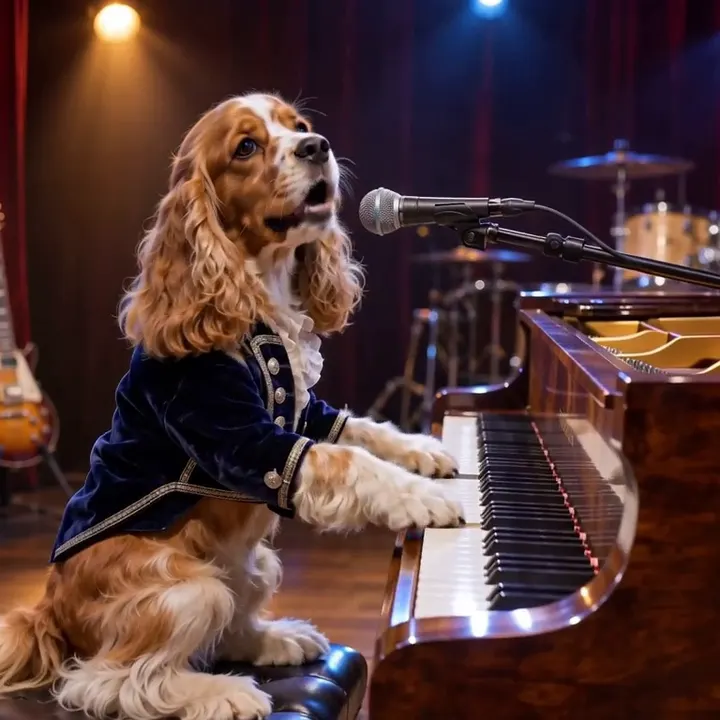
Compact playback preview · Open native 768p video ↗
MiniMax H3 · 768p · about 15 seconds · original audio
Try Dog Bohemian Rhapsody AI with Every Gen AIA pet video becomes easier to plan when each photo and each action has one job. A two-character elevator gag asks the model to track a dog, an adult, doors and shoes. A piano performance asks it to keep one animal recognizable while the camera moves closer. They share an animal subject but solve different visual problems.
This guide compares our original Dog Elevator Prank AI and Dog Bohemian Rhapsody AI examples. Use their generator pages to create, and this page to prepare the roles and review the result. A concept image can establish a cast and setting; only the completed video can show whether the action survived.
Choose a short story or a gradual performance
| Planning question | Elevator story | Piano performance |
|---|---|---|
| How many identities? | Pet A and adult B, separate photo groups | One recognizable pet |
| What anchors the scene? | Button, open cab and one shoe pair | Piano keys, microphone and stage lights |
| What moves? | Characters and props in ordered story beats | Slow camera push and expressive head/mouth gestures |
| What fails easily? | Role swaps, lost shoes and missing actions | Changing muzzle, human fingers and abrupt close-ups |
Limit the brief to the beats a short clip can show. Establish the subjects and setting before asking for a reaction. For the elevator, a button gesture and opening doors must be readable before the adult enters. For the concert, show paws at keys before the camera closes in on the face.
Keep the pet and adult in separate photo groups
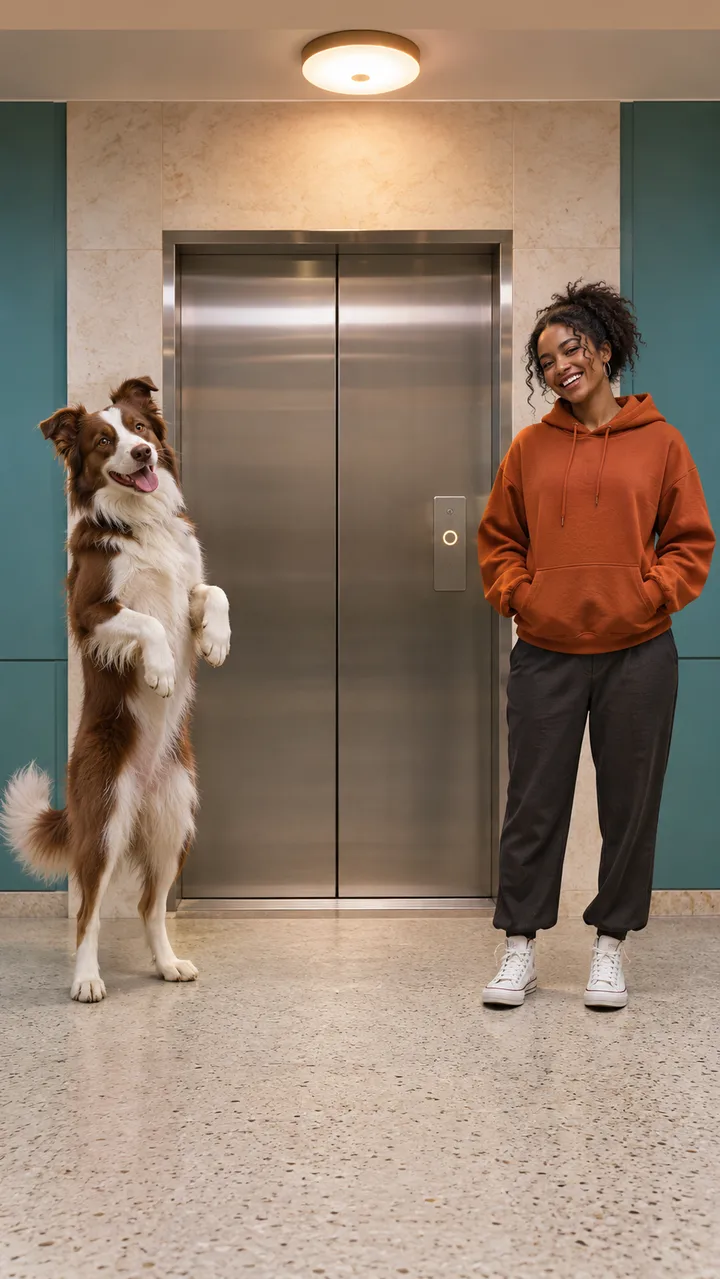
In the elevator workflow, A is the dog on the left and B is the adult on the right. Template requires one clear pet photo and one separate authorized adult photo. Extra photos in A’s group must show A again; they are not additional cast. Do the same for B. Do not put a pet photo and a person photo into a single identity group.
- Keep the pet’s face and coat markings clear; avoid multiple animals in one photo.
- Use an authorized adult appearance, with readable face and outfit, for the person’s group.
- Leave visible floor space and keep paws, shoes and the doorway separate in prepared artwork.
- Use fictional staged non-contact comedy, with the adult moving independently and remaining safe.
The planning artwork above deliberately differs from the external reference’s cast and lobby. It is labeled as artwork because a good opening image does not prove a later shoe toss, stable identity or complete ending.
Review the elevator story one beat at a time
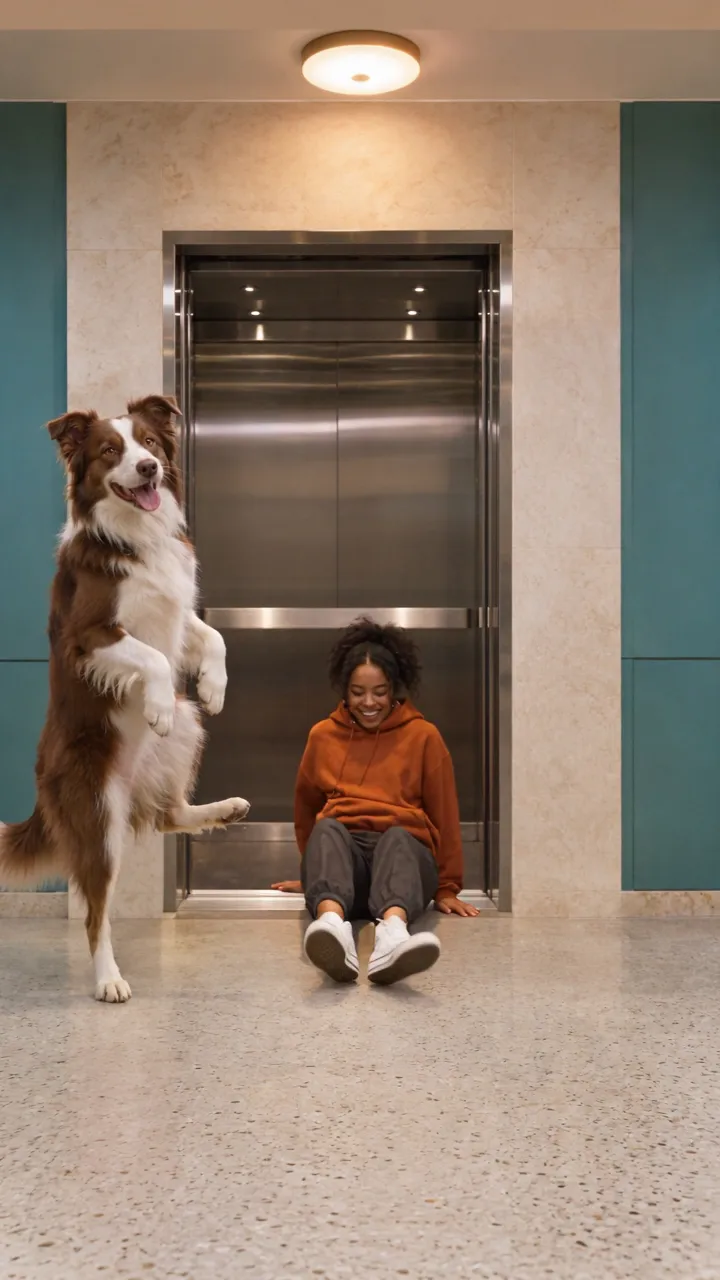
The intended sequence is a button gesture, doors opening, a harmless staged reaction, shoes going into the cab and the dog leaving. Inspect the actual clip in that order. A model can preserve the beginning yet skip a prop interaction or change an identity halfway through. Do not accept the opening alone as proof of the whole story.
Our first MiniMax attempt changed the pet from a border collie to a husky and drifted toward the reference lobby. It was rejected for the public example. The published generator uses the separately reviewed replacement demonstration and states its actual model and visible limits. This is why motion and appearance need separate checks, even when the starting artwork is clear.
For the piano shot, inspect the face as the framing tightens
The piano example begins in a medium view of a spaniel at a walnut grand piano, with a microphone and amber/blue lights. The camera moves gradually toward the face while the dog tilts its head and makes singing-like mouth movements. The new stage, costume and animal differ from the external Chihuahua reference.
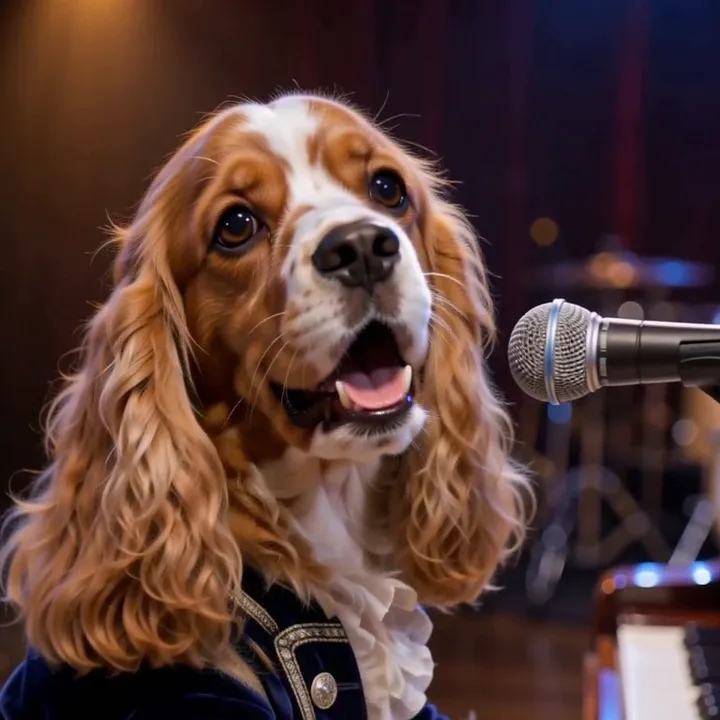
- Check the wide opening for animal paws on keys, coherent limbs and a stable piano edge.
- Compare ears, eye shape, muzzle and coat markings before and after the push-in.
- Keep the microphone near the face without letting it merge with the muzzle.
- Listen to the actual soundtrack; an audio stream does not prove a particular melody or perfect lip synchronization.
The Dog Bohemian Rhapsody keyword names the intended theatrical pet-video style. The demonstration requests an original piano-rock arrangement and wordless vocalizing. It does not include Queen’s recording, recognizable melody or lyrics. Arrange any separately chosen commercial music rights yourself before publishing.
Choose flexible direction or the reviewed motion
Inspiration helps plan the subjects and prepare an image. Normal exposes an editable full-scene brief and supported native inputs. Template is a separate fixed-motion route: subject photos guide appearance while the included EveryGen AI clip supplies the reviewed motion and setting. Changing a photo background does not redesign the fixed template.
For a different lobby, piano, camera path or story order, choose Normal and explicitly confirm the new model/settings and complete quote. Template keeps its reviewed native settings. A demonstration’s source model and the selected generation workflow are shown separately where they differ; a sample is not a promise of identical future output.
Reference video seconds, output duration, audio tier and chargeable photos can affect the quote. Confirm an eligible allowance or enough shared credits for the unchanged draft before starting. Follow the task in Creations and save private downloads within 24 hours.
Try 3 free replies and 1 supporting image per account. New subscriptions include 10–150 Inspiration text replies each month. Creator includes 15 replies in total and Studio includes 60; a $7.50 refill adds 40 replies. Included replies use no shared credits. Images and videos use separate confirmed quotes. Existing purchased Agent rights are preserved. Video passes include no extra Agent replies.
| Offer | Included usage | Inspiration text replies |
|---|---|---|
| Premium take · $12.50 once | One successful 15-second 720p video using Seedance 2.5 or 2.0. Includes eligible 15-second 720p theme character replacement, subject-photo preparation, the built-in motion template and generated sound. | No; the account trial is separate |
| Starter · $6.90 once | 250 shared credits; no automatic renewal | No extra Inspiration replies included. Your account's free trial remains separate. |
| 500 credit pack · $10.90 once | 500 shared credits; no automatic renewal | No extra Inspiration replies included. Your account's free trial remains separate. |
| Creator pack · $19.90 once | 1,000 shared credits; no automatic renewal | 15 successful Inspiration text replies in total, with no scheduled expiry. Images and videos use separately quoted credits. |
| Studio pack · $58.90 once | 3,000 shared credits; no automatic renewal | 60 successful Inspiration text replies in total, with no scheduled expiry. Images and videos use separately quoted credits. |
| Lite monthly · $12.90/month | 660 shared credits each month; renews monthly | 10 successful Inspiration text replies per month; the monthly allowance does not roll over. Images and videos use separately quoted credits. |
| Plus monthly · $29.90/month | 1,600 shared credits each month; renews monthly | 30 successful Inspiration text replies per month; the monthly allowance does not roll over. Images and videos use separately quoted credits. |
| Pro monthly · $69.90/month | 3,900 shared credits each month; renews monthly | 80 successful Inspiration text replies per month; the monthly allowance does not roll over. Images and videos use separately quoted credits. |
| Max monthly · $129.90/month | 7,600 shared credits each month; renews monthly | 150 successful Inspiration text replies per month; the monthly allowance does not roll over. Images and videos use separately quoted credits. |
| Lite annual · $131.58/year | 660 shared credits delivered monthly; annual billing and renewal | 10 successful Inspiration text replies per month; the monthly allowance does not roll over. Images and videos use separately quoted credits. |
| Plus annual · $304.98/year | 1,600 shared credits delivered monthly; annual billing and renewal | 30 successful Inspiration text replies per month; the monthly allowance does not roll over. Images and videos use separately quoted credits. |
| Pro annual · $712.98/year | 3,900 shared credits delivered monthly; annual billing and renewal | 80 successful Inspiration text replies per month; the monthly allowance does not roll over. Images and videos use separately quoted credits. |
| Max annual · $1,324.98/year | 7,600 shared credits delivered monthly; annual billing and renewal | 150 successful Inspiration text replies per month; the monthly allowance does not roll over. Images and videos use separately quoted credits. |
| Inspiration text refill · $7.50 once | 40 successful text replies in total; no shared credits, media or automatic renewal | 40 successful Inspiration text replies in total, with no scheduled expiry. Images and videos use separately quoted credits. |
Access is separate from included usage. Additional images and videos need their confirmed quote; no automatic extra charge. Review the complete terms and any available promotion on EveryGen AI Pricing.
Models discussed in this workflow
Check the native inputs and limitations before changing a draft. These links describe workflow compatibility, not a quality ranking.
Sources and review scope
External pages support the statements identified below. Reading a public product page is separate from testing its paid output.
- Dog Elevator Prank AI generator — checked 2026-11-09. Reviewed pet/adult input roles, actual video and limitations.
- Dog Bohemian Rhapsody AI generator — checked 2026-11-09. Reviewed piano scene, native output and original-sound limitations.
- Reference-image guide — checked 2026-11-09. Appearance references, separate identities and native input roles.
Questions about Dog Bohemian Rhapsody AI
Can one group photo replace the separate pet and adult photos?
The fixed elevator template requires separate A/B appearance groups. For a full scene image, choose a compatible Normal input and verify its native role instead.
Do concept illustrations prove that the generated action is correct?
No. They establish a proposed cast and composition. Review the completed clip for motion, identity and prop continuity; actual frames are labeled separately.
Does the pet piano video include the original song?
No. It requests original theatrical piano-rock and wordless vocalizing, without a commercial recording, copied lyrics or exact lip-sync guarantee.
Try Dog Bohemian Rhapsody AI with Every Gen AI
Bring your idea and the reference photos for your chosen tool. Choose your settings, check the quote and create a clip you can review.