Clear faces or features
Choose authorized photos with good light and no heavy filters. Keep each role visually distinct.
AI TRENDS / COMEDY & POV
Turn one adult portrait into a Hot Chick Ice Cream AI counter comedy. The customer takes a quick sip, gets a friendly reaction from a fictional clerk, and smiles as they leave with the drink. The action plays in one short take.
Generated videos are stored for 24 hours, then deleted. Download files you want to keep.
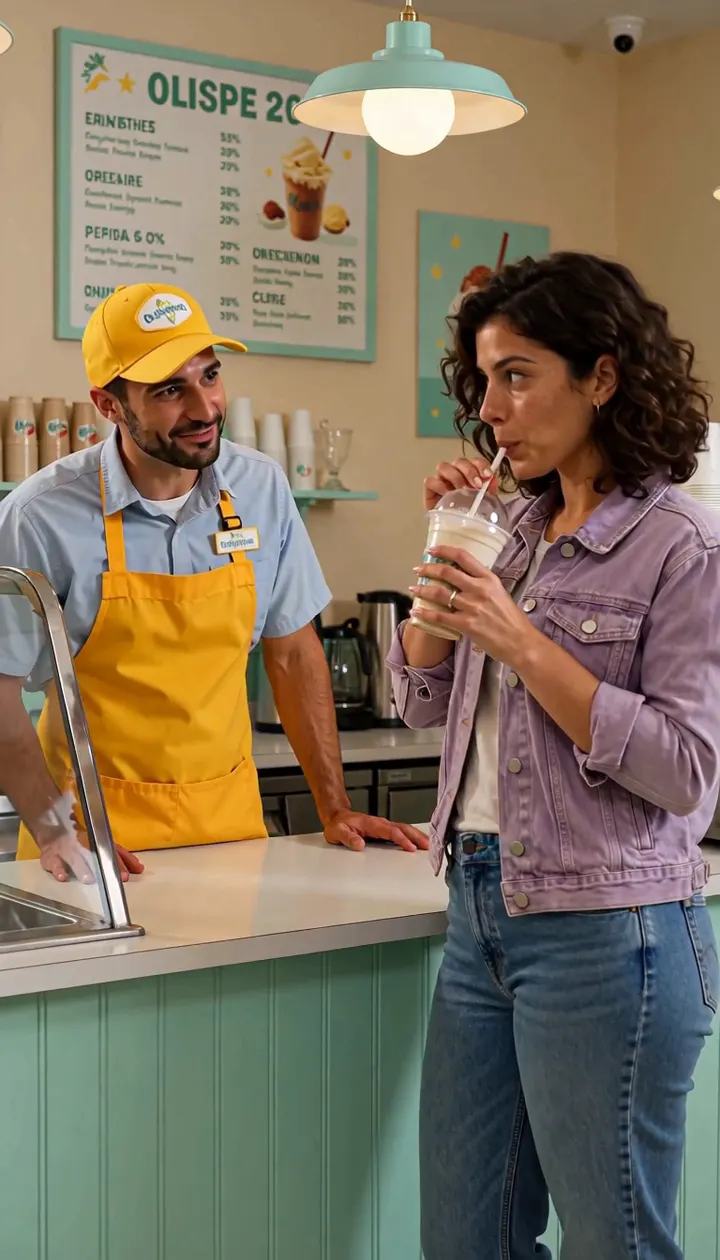
Hot Chick Ice Cream AI · about 8s · 768 × 1344 original · Sound on play. Compact preview; native 768p sources available below.Recorded source demo · MiniMax H3
Open the video editor with the prepared prompt. Review credits before generating; guest checkout is available.
Original EveryGen AI demo generated with MiniMax H3 at 768 × 1344 with generated audio. The lavender-jacket customer sips through a straw, turns toward the yellow-apron clerk, and leaves with the same drink after the clerk gestures. Both remain readable in one stationary counter shot. Template uses the reviewed silent motion to guide a new take.
Template photo roles: Customer. Normal supports editable prompts and compatible native inputs.
Keep the photographed adult recognizable as the customer. Use a fictional clerk and show a natural sip and smile.
Normal generation lets you edit the starting prompt and choose a model. Template follows this example using MiniMax H3 at 8s / 9:16 / 768p with audio. Review the quote before generating. Original prompts do not guarantee identical results.
THE SCENE / YOUR CREATIVE DIRECTION
Turn one adult portrait into a Hot Chick Ice Cream AI counter comedy. The customer takes a quick sip, gets a friendly reaction from a fictional clerk, and smiles as they leave with the drink. The action plays in one short take.
The customer takes a short sip from one cup.
The clerk smiles and makes a small gesture.
The customer holds their drink, smiles and moves toward the exit.
This separate video guides the action, camera and timing. Your subject photos change the featured character; this theme preserves its existing setting.
Prepare the identities and framing before opening a new take in EveryGen AI.
Choose authorized photos with good light and no heavy filters. Keep each role visually distinct.
Understand what the source brief controls before you edit it in EveryGen AI.
The model uses your authorized adult photo for the customer. An original fictional clerk fills the supporting role.
The counter stays in view during the sip, the clerk’s reaction and the customer’s exit. Keep the cup and straw in the same hand through the action.
A glance, a gesture and a smile are enough to tell the joke. Use Normal for a different ending or pace.
Start in Inspiration to shape your idea, or choose Normal to edit the prompt and model. Template follows the example. Review the quote before generating.
Use a clear face or waist-up photo with even light. Keep the eyes and mouth visible.
Open Template and add the photo to Customer. Check the preview and credit quote, then generate with the supplied counter setup and fictional clerk.
Check that the cup stays stable, the clerk’s reaction is readable and your likeness carries through to the smile. Save the private result within 24 hours.
Use the finished video to choose one useful change for your next EveryGen AI take.
Review the full clip, especially the middle transition and ending. Simplify the action in Normal or supply a cleaner photo for a difficult role.
Prompts, reference inputs, source models and your new video.
The Hot Chick Ice Cream template uses one customer photo and supplies a fictional adult clerk. This page’s template has no clerk photo input.
The EveryGen AI example is an original counter comedy with a fictional cast. It tells the joke through a sip, a gesture and a smile without scripted dialogue.
The prompt asks for a single stable cup and straw. Watch the contact at the sip and the exit, since small props can change during a generated take.
Check the live quote before starting. It reflects the selected model, output time, included reference seconds and any chargeable inputs. Normal settings and Template may have different quotes.
Use Normal to edit the starter prompt and compatible native settings. Template follows the reviewed example's movement and assigns your photos to named roles.
Track the task in Creations and download the private video before its 24-hour availability ends.