Clear faces or features
Choose authorized photos with good light and no heavy filters. Keep the body part that performs the movement in view.
AI TRENDS / PET STORIES
Give your dog or cat a Pet Red Carpet Arrival AI cameo. Upload one pet photo to cast the lead, then watch it step down from a car in formalwear, take a few steps on the carpet and stop for the cameras.
Generated videos are stored for 24 hours, then deleted. Download files you want to keep.
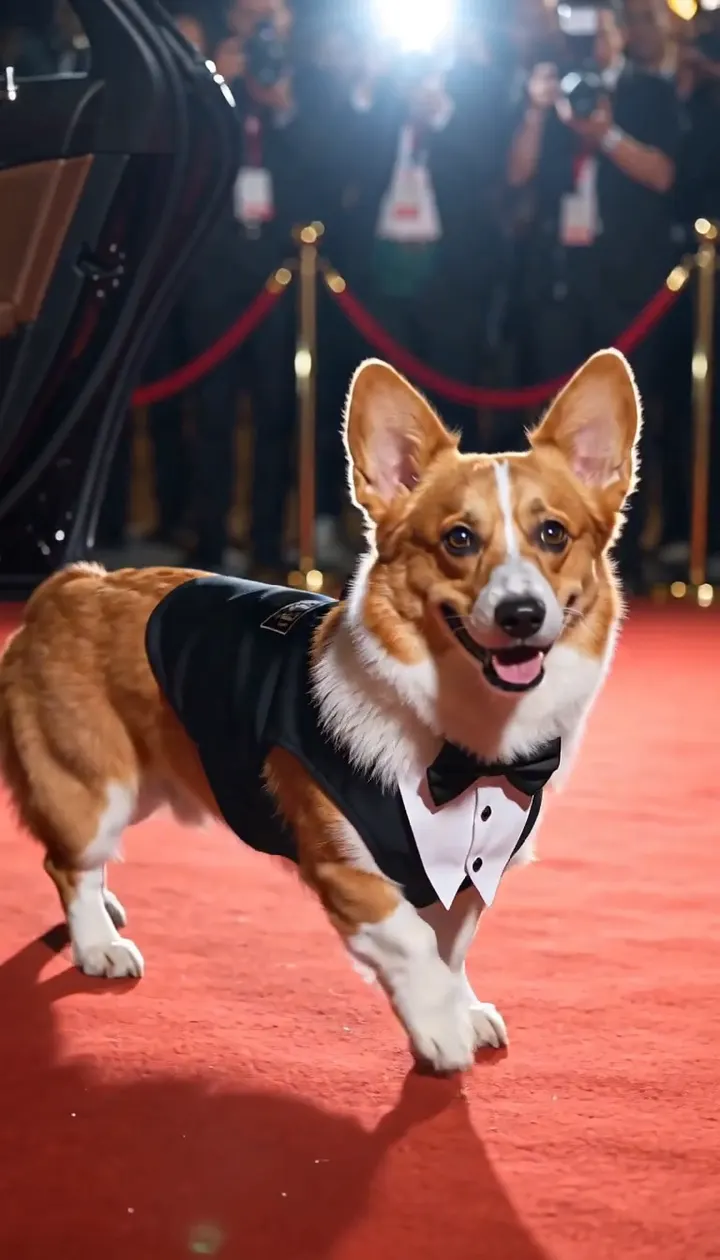
Pet Red Carpet Arrival AI · about 5s · 768 × 1344 original · Sound on play. Compact preview; native 768p sources available below.Recorded source demo · MiniMax H3
Open the video editor with the prepared prompt. Review credits before generating; guest checkout is available.
Original EveryGen AI demo generated with MiniMax H3 at 768 × 1344 with generated audio. The corgi descends from the open car door on all fours, walks along the carpet and finishes facing the cameras. Template uses the reviewed silent motion to guide a new take.
Template photo roles: Red carpet pet. Normal supports editable prompts and compatible native inputs.
One dog or cat from my photo, with its own face, ears, coat markings and natural body shape. Give the pet a fitted formal vest and bow tie for a short red carpet arrival.
Normal generation lets you edit the starting prompt and choose a model. Template follows this example using MiniMax H3 at 5s / 9:16 / 768p with audio. Review the quote before generating. Original prompts do not guarantee identical results.
THE SCENE / YOUR CREATIVE DIRECTION
Give your dog or cat a Pet Red Carpet Arrival AI cameo. Upload one pet photo to cast the lead, then watch it step down from a car in formalwear, take a few steps on the carpet and stop for the cameras.
The pet steps out through the open rear door.
It takes a few natural steps along the carpet.
It stops and turns slightly toward the cameras.
This separate video guides the action, camera and timing. Your subject photos change the featured character; this theme preserves its existing setting.
Prepare the identities and framing before opening a new take in EveryGen AI.
Choose authorized photos with good light and no heavy filters. Keep the body part that performs the movement in view.
Understand what the source brief controls before you edit it in EveryGen AI.
A low car door, a few steps on the carpet and a final pose fit into the same short clip.
A clear photo gives the model the pet's face, fur markings and proportions.
A low camera shows the step down and the carpet together so you can check the gait.
Start in Inspiration to shape your idea, or choose Normal to edit the prompt and model. Template follows the example. Review the quote before generating.
Show one dog or cat in even light. Leave space around its ears and paws.
Add the photo in the Red carpet pet slot. Review the short vertical settings and live quote.
Look for the paw landing and recognizable coat before saving the clip from Creations.
Use the finished video to choose one useful change for your next EveryGen AI take.
Review the full clip, especially the middle transition and ending. Simplify the action in Normal or supply a cleaner photo for a difficult role.
Prompts, reference inputs, source models and your new video.
Yes. The template has one pet photo role. A full-body dog or cat reference gives it the face, coat and paws to work from. The public example uses a corgi.
The reviewed Template uses a five-second single shot. Normal supports other compatible native options and can use a prepared first frame if you choose that input mode.
Leave space below the paws and next to the door sill. A low door and short walk give the model a simpler movement to follow.
Check the live quote before starting. It reflects the selected model, output time, included reference seconds and any chargeable inputs. Normal settings and Template may have different quotes.
Use Normal to edit the starter prompt and compatible native settings. Template follows the reviewed example's movement and assigns your photos to named roles.
Track the task in Creations and download the private video before its 24-hour availability ends.
Published EveryGen AI examples explain the inputs, settings and limits for different scenes.
Choose a clear one-shot action, frame its contact point and verify photo roles before generating in EveryGen AI.