A continuous bend-down and return
Keep the visible downward body path, darker-room return and hand placing the cap. The movement connects the before-and-after look instead of skipping straight to another outfit.
AI TRENDS / TRANSFORMATIONS & PETS
Make a Skull Cap AI video with EveryGen AI: bend below the camera, return against a dark background and put on matching headwear. Start in Inspiration to plan your pair, or use Normal’s ready-filled prompt and compatible video models.
Made with EveryGen AI · https://everygenai.live/
Generated videos are stored for 24 hours, then deleted. Download files you want to keep.
Skull Cap AI · about 10s · 720 × 1280 original · Sound on play. Compact preview; native 720p sources available below.Recorded source demo · Seedance 2.0 Fast
Open the video editor with the prepared prompt. Review credits before generating; guest checkout is available.
Original EveryGen AI example, approved after the motion correction: Seedance 2.0 Fast, 10 seconds requested, native 720 × 1280 and generated sound. The back may remain at the lower edge during the dip; the accepted caps have brims. Compressed playback is separate from native output; new results can vary.
Template uses Seedance 2.0 with the included motion and accepts a subject-pair description or one authorized combined adult-and-pet photo. Normal defaults to Seedance 2.0 Fast. The included EveryGen motion guides the complete bend-down, dark-room return and visible cap gesture. Normal has a separate complete editable direction and native model controls. Generated identities, headwear details and timing can vary.
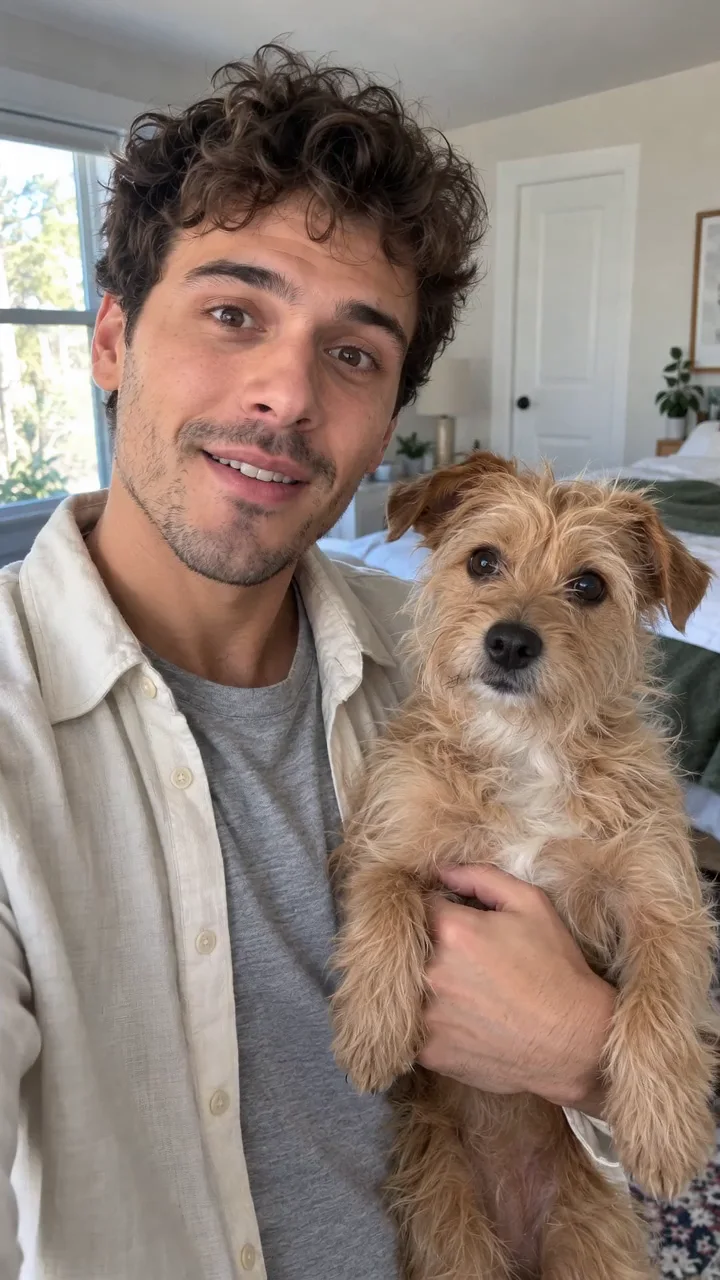
One fictional adult with curly dark hair, safely holding a small scruffy tan dog; both have clear, friendly faces.
Normal generation lets you edit the starting prompt and choose a model. Template follows this example using Seedance 2.0 at 10s / 9:16 / 720p with audio. Review the quote before generating. Original prompts do not guarantee identical results.
This separate video guides the action, camera and timing. Your subject photos change the featured character; this theme preserves its existing setting.
Understand what the source brief controls before you edit it in EveryGen AI.
Keep the visible downward body path, darker-room return and hand placing the cap. The movement connects the before-and-after look instead of skipping straight to another outfit.
Our sample shows an original adult holding a small dog. Use a clear authorized photo showing your pair together, or edit the text-first starter.
Template uses this original EveryGen video and its own private instructions. Describe your pair or add one authorized combined photo; review its fixed native settings and complete credit quote.
The generation brief requests original instrumental music. Review the finished track and timing before sharing; no competitor song is supplied.
Inspiration helps prepare an idea and image. Normal has the complete editable Skull Cap prompt, model selection and only the selected model’s native inputs.
Check the model, length, resolution, references and quote before generation. Text edits have no separate theme fee; private results must be downloaded within 24 hours.
Start in Inspiration to shape your idea, or choose Normal to edit the prompt and model. Template follows the example. Review the quote before generating.
Watch the matching example beside the generator. Use Inspiration to plan your pair, or Normal to start from the prepared prompt.
For a photo-driven take, use one clear, authorized image of an adult and pet together. Keep both faces unobstructed and the pet safely supported.
Retain the bright opening, heads dipping below the camera, darkened-room return, visible cap placement and friendly ending. Change appearance details without discarding the action order.
Our demo uses Seedance 2.0 Fast at 10 seconds and 720p with native audio. Normal controls update for other compatible models; confirm proposed changes before applying. Video generation is a paid step.
Confirm the quote, track the job in Creations, review both identities and the music, then download your private result within 24 hours.
Prompts, reference inputs, source models and your new video.
Skull Cap AI is an online headwear-transformation idea. EveryGen AI’s interpretation pairs an adult and a pet: bend below the camera, rise into a darker room and visibly put on matching black headwear.
Open the generator, edit the prefilled Normal prompt or plan in Inspiration, optionally add a compatible authorized photo, review settings and the credit quote, then confirm generation.
No. It is a headwear transformation, not a skeleton or horror effect. Our accepted example uses plain black caps with brims; you can describe a different cap style.
Use an image you own or are authorized to animate. A combined photo of the adult and pet makes their roles clearer. Keep both faces visible; generated anatomy and identity still need review.
Template follows the included EveryGen motion and its fixed native settings, using your description or combined subject photo for appearance. Normal starts from a complete editable prompt and lets you choose a compatible model; it does not silently attach the motion video. Both show the full quote before paid generation.
Yes in Normal. Supported photo roles, duration, resolution and audio controls follow the selected native model. Some models do not generate sound.
No copied song or competitor recording is included. Our brief requests original instrumental music. Review the generated audio before posting.
No. Eligible accounts can try 3 replies and 1 image. Video generation needs a compatible paid allowance or sufficient quoted credits; continued Agent conversation requires an eligible package.
Visit EveryGen AI at https://everygenai.live/ and open AI Trends or the Inspiration workbench. Private generated files are available for 24-hour downloading.