One editable subject
Describe the replacement vehicle or upload an authorized photo. Subject identity is a variable; the template does not force an excavator into every result.
AI TRENDS / CREATIVE EFFECTS
Create a Tesla Roadster AI video effect in EveryGen AI. Describe your replacement car, bicycle or other vehicle, or upload its photo. Your subject follows the included stunt video’s camera, movement and shot sequence.
Generated videos are stored for 24 hours, then deleted. Download files you want to keep.
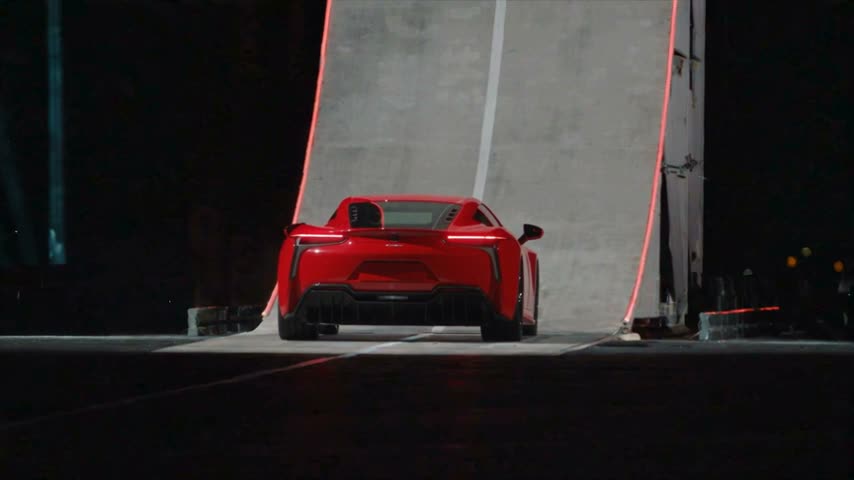
Tesla Roadster AI · 15s · 854 × 480 original · Sound on play. Fullscreen keeps the same quality.Recorded source demo · Seedance 2.5 workspace
This unbranded sports car was generated through EveryGen AI using the fixed EveryGen excavator motion template and a text subject description. Native output: 14.72 seconds, 480p, with generated audio. New replacements use that same fixed motion; exact geometry, timing and identity can vary.
The fixed EveryGen-generated excavator motion clip and a text description of an unbranded red sports car. No subject image was supplied.
One sleek unbranded red sports car, low aerodynamic coupe body, black wheels, no badge, logo or lettering.
Your visible brief describes the replacement subject. Private EveryGen AI system instructions and the included reference are added only on the server; they are not exposed in this page. The generator uses Seedance 2.5 at 15s / 16:9 / 480p with audio. Review the quote before generating. Original prompts do not guarantee identical results.
This separate video guides the action, camera and timing. Your subject photos change the featured character; this theme preserves its existing setting.
Understand what the source brief controls before you edit it in EveryGen AI.
Describe the replacement vehicle or upload an authorized photo. Subject identity is a variable; the template does not force an excavator into every result.
The source guides the rear close view, wide ramp shot, ascent, launch, landing and smoky finish. Camera and timing are references, not a frame-exact guarantee.
An uploaded subject photo guides shape, colors and distinguishing details. It is not forced into the first frame; the original scene remains.
One fixed credit price covers the complete native 480p theme edit. Subject descriptions and included instructions have no separate charge. Additional takes require a new confirmation.
Describe your subject, review the included video motion and credits, then inspect your new take.
Describe one replacement subject, upload a clear photo, or combine both. Keep appearance details consistent.
Watch the motion, check the 480p landscape settings and confirm the full quote before submission.
Follow the independently saved task in your account. Inspect the vehicle and landing, then download the private result within 24 hours.
Prompts, reference inputs, source models and your new video.
Tesla Roadster AI is a vehicle-video trend built around an impossible ramp, airborne stunt and smoky landing. EveryGen AI lets you replace the vehicle in its own generated motion template with a subject you describe or upload. The demo car is unbranded.
Yes. Describe the replacement subject or upload its photo. The included template supplies motion and scene; unusual vehicle geometry can affect the result.
No. This theme attaches its fixed motion reference automatically. Your text or photos determine the replacement subject.
No. The photo is an appearance reference. The motion video controls the source composition and action.
The model is directed to retain the source shots and action, but exact timing, geometry and identity can vary. Review the output before further use.
Review the fixed credit quote before submitting. It covers the complete source-length 480p theme edit; changing your subject description does not change the price. Downloads expire after 24 hours.