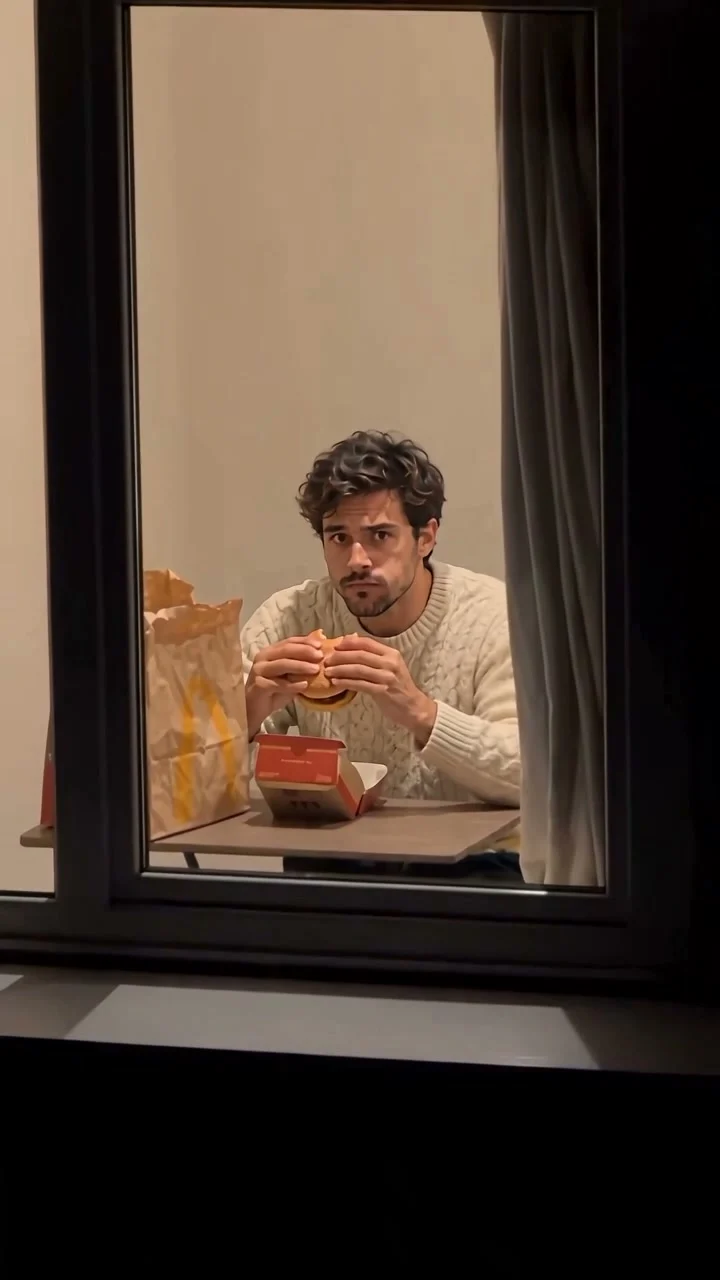
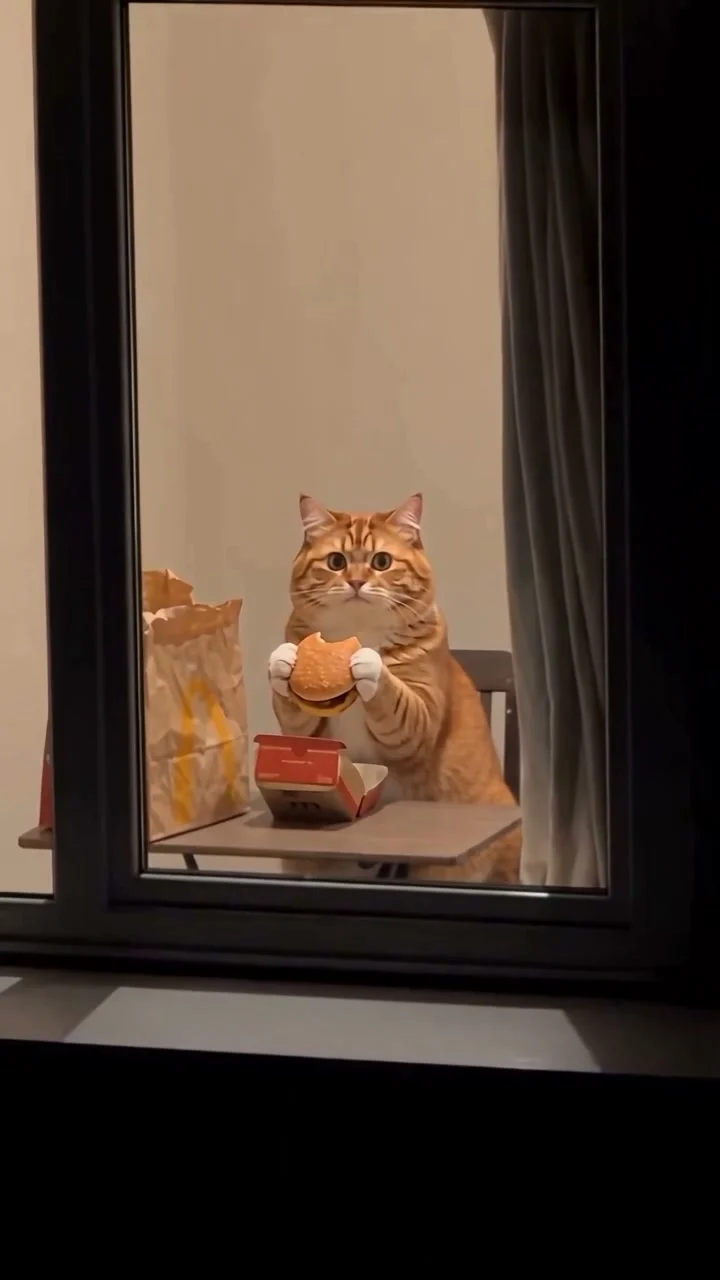
Make a Window Peeper AI video with EveryGen AI: a nighttime window, a burger, a suspicious stare and a curtain-closing finish. Plan your human or cat scene in Inspiration, or open Normal for an editable starting prompt and native model controls.
Generated videos are stored for 24 hours, then deleted. Download files you want to keep.
Window Peeper AI video
Window Peeper AI · about 15s · 720 × 1280 original · Sound on play. Compact preview; native 720p sources available below.Recorded source demo · Seedance 2.0
Open the video editor with the prepared prompt. Review credits before generating; guest checkout is available.
Human and cat Window Peeper AI videos by EveryGen AI
Compare two original native 720p interpretations. Inspect their actual settings and use the human example's included Template to create your own subject. Press play for sound. Compact previews keep playback light. Open each native 720p source for full quality.
HUMAN MOTION TEMPLATE / 15s · 720p
Human Window Peeper in EveryGen AI
A fictional adult in a cream sweater eats a burger, notices the outside camera and draws the curtain. Original portrait 720p output with generated ambience.
Seedance 2.0 · 720 × 1280 · Original generated audio
A ginger tabby with furry paws performs the burger pause, suspicious stare and curtain-close sequence. Original portrait 720p interpretation with generated ambience.
Seedance 2.0 · 720 × 1280 · Original generated audio
Two original EveryGen AI interpretations, generated with Seedance 2.0 at native 720p. The fictional adult and ginger cat have newly created appearances. Motion was reconstructed from observed frames; the external recording and soundtrack are not included. The Template uses our generated human example. Facial details, paws, food contact and curtain timing can vary.
Demo model
Seedance 2.0
Source export
720 × 1280
Requested length
15s
Audio
Original native soundtrack
For Template describe one adult or pet, or upload authorized appearance photos of that same subject. Photos guide appearance; the nighttime window scene stays. Our reviewed human video supplies the motion. Normal provides an editable starting prompt and native model controls.
One fictional adult man with short dark wavy hair, light stubble and a cream cable-knit sweater, holding a burger at a small table behind a warmly lit apartment window.
Normal generation lets you edit the starting prompt and choose a model. Template follows this example using Seedance 2.0 at 15s / 9:16 / 720p with audio. Review the quote before generating. Original prompts do not guarantee identical results.
Included original motion template · @Video1
This separate video guides the action, camera and timing. Your subject photos change the featured character; this theme preserves its existing setting.
Window Peeper AI features and creative controls
Understand what the source brief controls before you edit it in EveryGen AI.
The complete window-peeper sequence
Our Template attaches a reviewed EveryGen-generated reference: approach the lit window, eat a burger, notice the camera, pause in suspicion and close the curtain. The camera stays outside the apartment.
A human or small cat with your own look
Describe one fictional adult or pet, or add authorized appearance photos. Photos guide the subject's identity and outfit or fur; the nighttime window setting stays. Keep additional photos focused on the same subject.
Inspiration first, an editable prompt when needed
Discuss the subject and comic reaction with the EveryGen AI Agent, prepare a supporting image, then review and apply it to your video draft. Normal retains direct control of its prompt, model and supported references.
Native 720p and a complete quote
The fixed-motion Template uses a 15-second portrait 720p setup. Its quote includes the attached source-video seconds, with no separate theme-text fee. Confirm the exact credits before generation; extra images or takes have their own quotes.
How to make Window Peeper AI videos in EveryGen AI
Start in Inspiration to shape your idea, or choose Normal to edit the prompt and model. Template follows the example. Review the quote before generating.
01 / YOUR NEXT TAKE
Choose a human or cat Window Peeper idea
Start in Inspiration to plan the subject and expression, or switch to Normal to edit the prefilled direction. The account-wide trial provides three successful replies and one supporting image; video generation is paid.
02 / YOUR NEXT TAKE
Prepare your subject and review the scene
For the included motion choose Template, then describe one adult or pet or upload an authorized photo. Keep the face or muzzle clear. The photo changes appearance while the window, table and curtain remain the scene. Review any prepared image before applying it.
03 / YOUR NEXT TAKE
Confirm credits, generate and save
Review the native settings and full quote, fund it with a compatible offer if needed, then confirm generation. Follow the task in Creations and download the private result within 24 hours.
Window Peeper AI FAQ
Prompts, reference inputs, source models and your new video.
What is Window Peeper AI?
Window Peeper AI is a comic video effect in which an outside camera approaches a lit window, a burger-eating subject notices it, gives a suspicious stare and closes the curtain. EveryGen AI provides its own generated human and cat examples and a working video generator.
How do I make a Window Peeper AI video with EveryGen AI?
Plan the idea in Inspiration or edit the Normal starting prompt. Choose Template for the included reference motion, describe or upload one subject, review the complete credit quote and confirm generation. A chat reply alone does not start a video.
Can I make a Window Peeper cat video?
Yes. Describe a cat or use an authorized pet photo. Explain its fur, muzzle and paws rather than adding human hands. Our small ginger cat example shows an original interpretation; food contact and curtain gestures can still vary.
Is this the burger thru window AI effect?
People also describe this scene as burger thru window AI or the window peeper meme. The recognizable sequence is the exterior window approach, burger pause, direct stare and curtain close. Our examples use original characters and generated ambience.
Does my photo replace the background too?
In this Template a subject photo guides appearance, including outfit or fur. The reference's nighttime apartment window and action remain. Normal supports the selected model's native inputs if you want to build a different scene.
Can I change the duration, model or resolution?
Yes, in Normal. Available inputs and settings depend on that model. The fixed Template keeps its reviewed Seedance 2.0, 15-second, 720p, 9:16 setup. Any proposed setting adjustment must be reviewed before checkout.
Is Window Peeper AI free, and is the original audio included?
Videos require a confirmed paid credit quote. The Inspiration trial includes three successful replies and one image per account, not a video. Our demonstrations use generated ambience rather than copying the reference soundtrack. Private results can be downloaded for 24 hours.