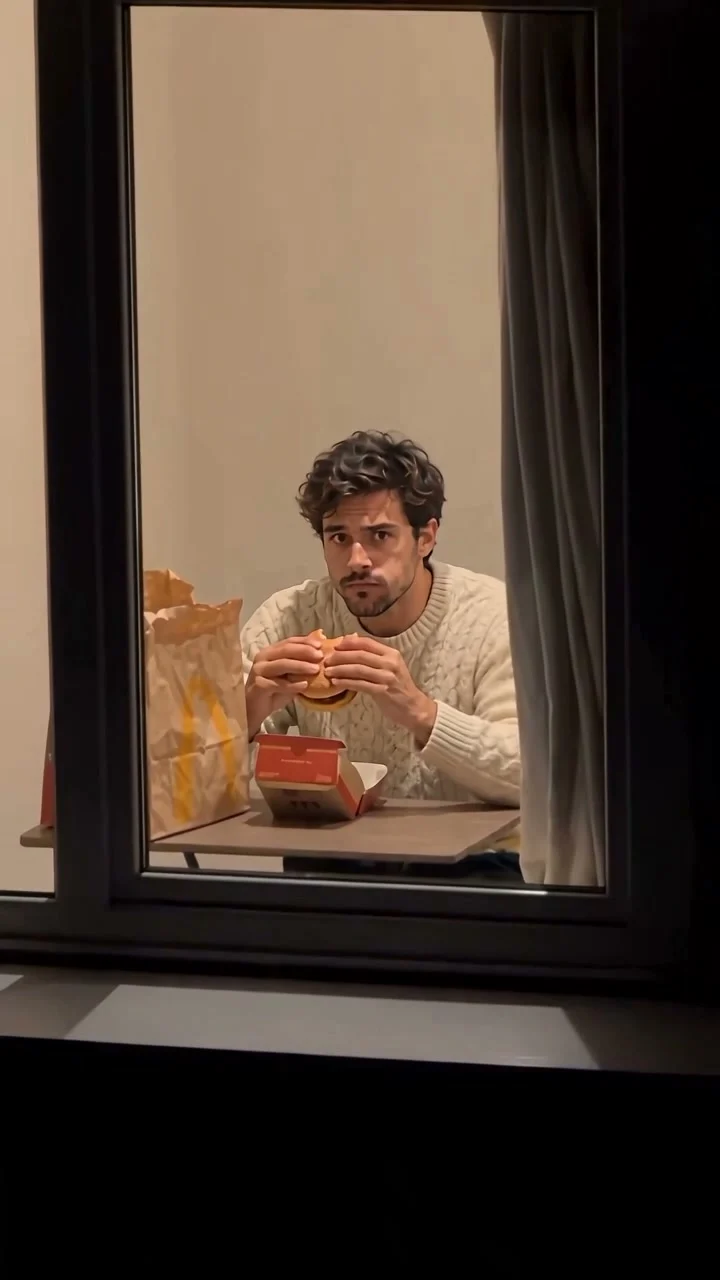
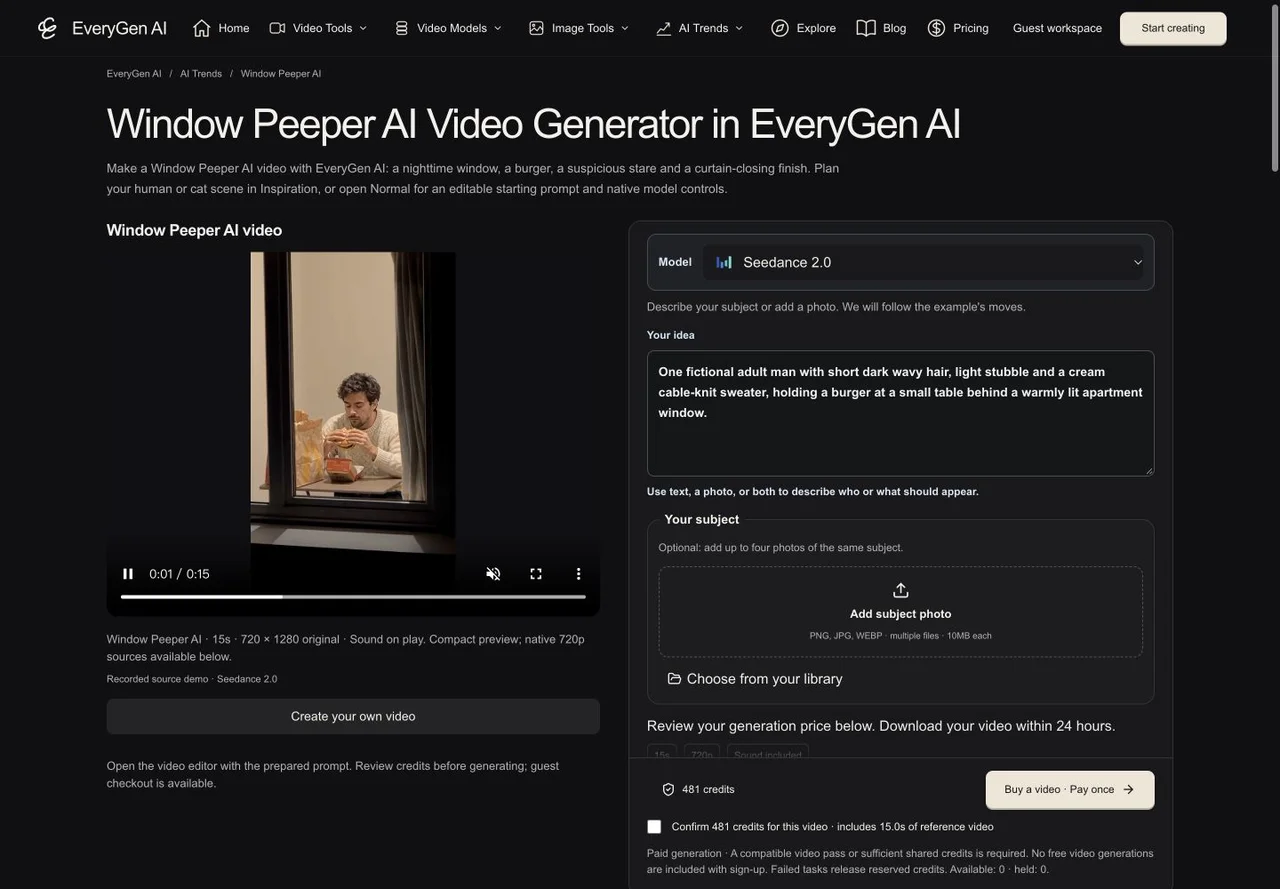
Compact playback preview · Open native 720p video ↗
Seedance 2.0 · 720p · about 15 seconds · original audio
Try Window Peeper AI with Every Gen AIWindow Peeper AI works because the camera seems to get caught watching. It approaches a lit apartment window from outside, finds a subject eating a burger, then meets a slow, suspicious stare before the curtain closes. The joke depends on the order and timing of those beats, not just a portrait with a burger.
In this guide we use our completed human and small-cat videos to show what should stay consistent, how to prepare a subject and how to review the cost. Open the Window Peeper AI generator to try the working flow, or compare both examples first.
What makes a Window Peeper AI video recognizable?
The effect is also described as burger thru window AI or a window peeper meme. Keep one readable exterior approach and one subject. The same window, tabletop, food props and curtain should make the reaction feel like a continuous event.
| Beat | What to preserve |
|---|---|
| Approach | A dark apartment facade and a move toward the lit window, with the camera outside. |
| Burger | The seated subject eating at the same small table. |
| Reaction | A pause, a slow look toward the lens and a suspicious stare. |
| Finish | The burger goes down and the right curtain closes across the interior. |
Use the whole clip as your review unit. A convincing face in one frame cannot show whether the camera changes rooms, the props move or the final curtain action is missing.
Prepare a human subject without redesigning the room
For a person, start with one authorized, sharp appearance photo. Keep the face, hair and outfit readable. A simple background makes the intended identity clearer; a detailed kitchen, another table or unrelated props can compete with the scene you want. Use photos you own or have permission to use.
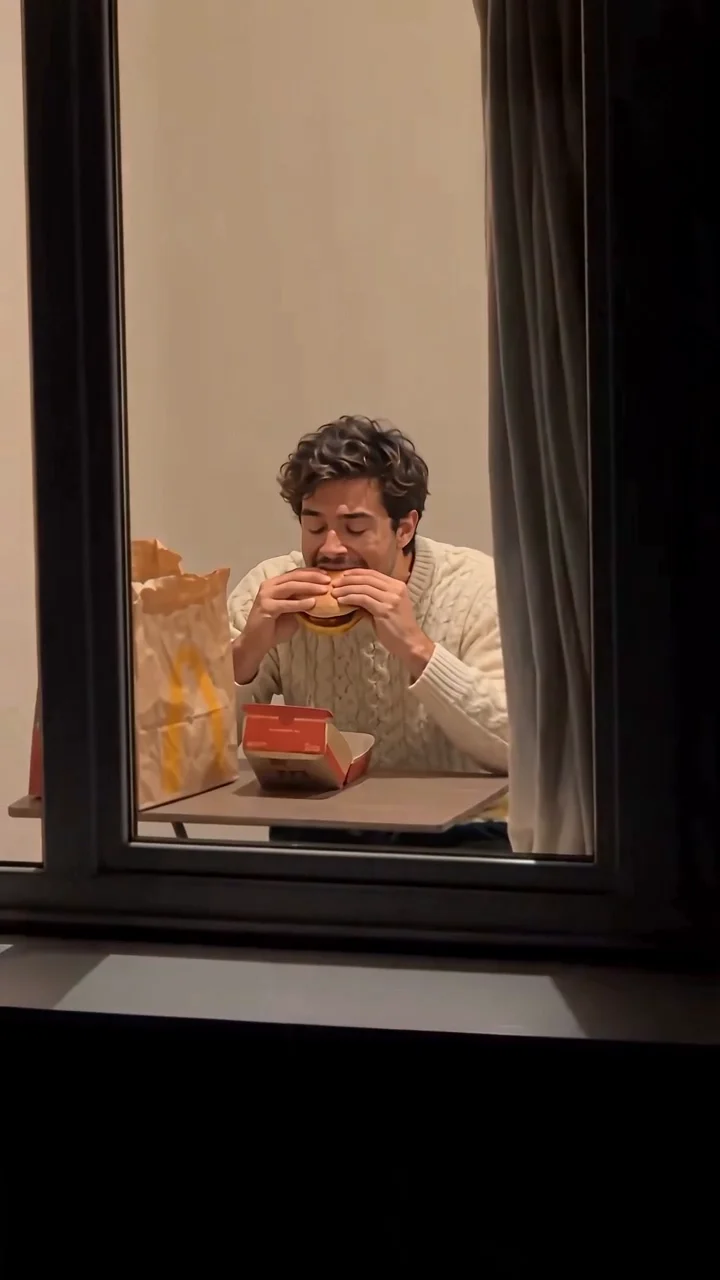
In the fixed-motion Template, describe the person’s appearance or add photos of that same subject. The template is designed to retain the included window scene. Do not add a separate location reference when your goal is to keep this effect’s setting.
One fictional adult man with short wavy dark hair, light stubble and a cream sweater. Keep his appearance consistent and give him a suspicious, deadpan expression.
This is an editable example subject brief, not the private template instructions or a claim to recover the original prompt. Use Normal when you want to write a different scene and choose supported native model settings.
Make a Window Peeper cat video with feline details
For the cat version, specify its fur markings, muzzle, eyes and paws. Keep one cat throughout the shot. An appearance-only photo helps the model keep the window and furniture from the video direction rather than replacing them with the photo’s surroundings.
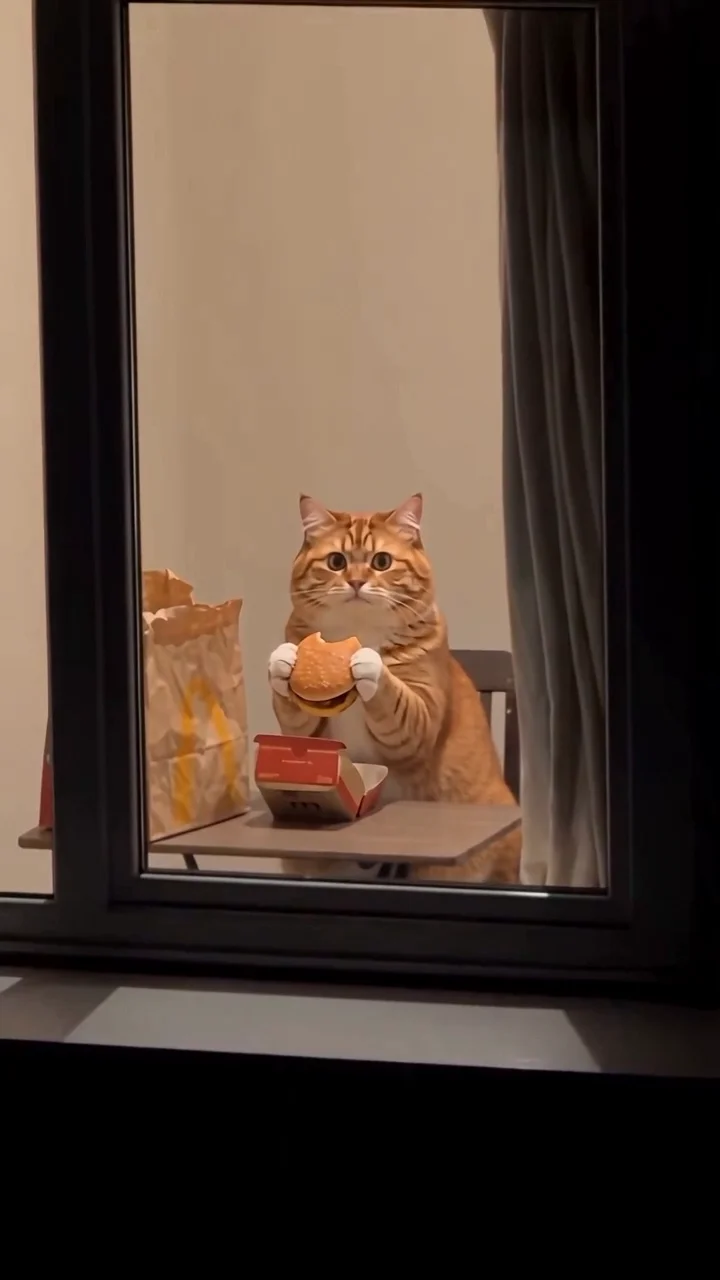
One small ginger tabby cat with a round muzzle, amber-green eyes, a white chin and chest, orange striped fur and furry paws. A cute, suspicious stare with balanced, species-appropriate movement.
- Look for consistent fur and face proportions across the burger and reaction beats.
- Check that the burger is supported by furry paws and remains connected to the action.
- Watch the cat put the food down and reach toward the curtain without extra limbs.
- Keep the scene layout recognizable; this is subject replacement, not a new room.
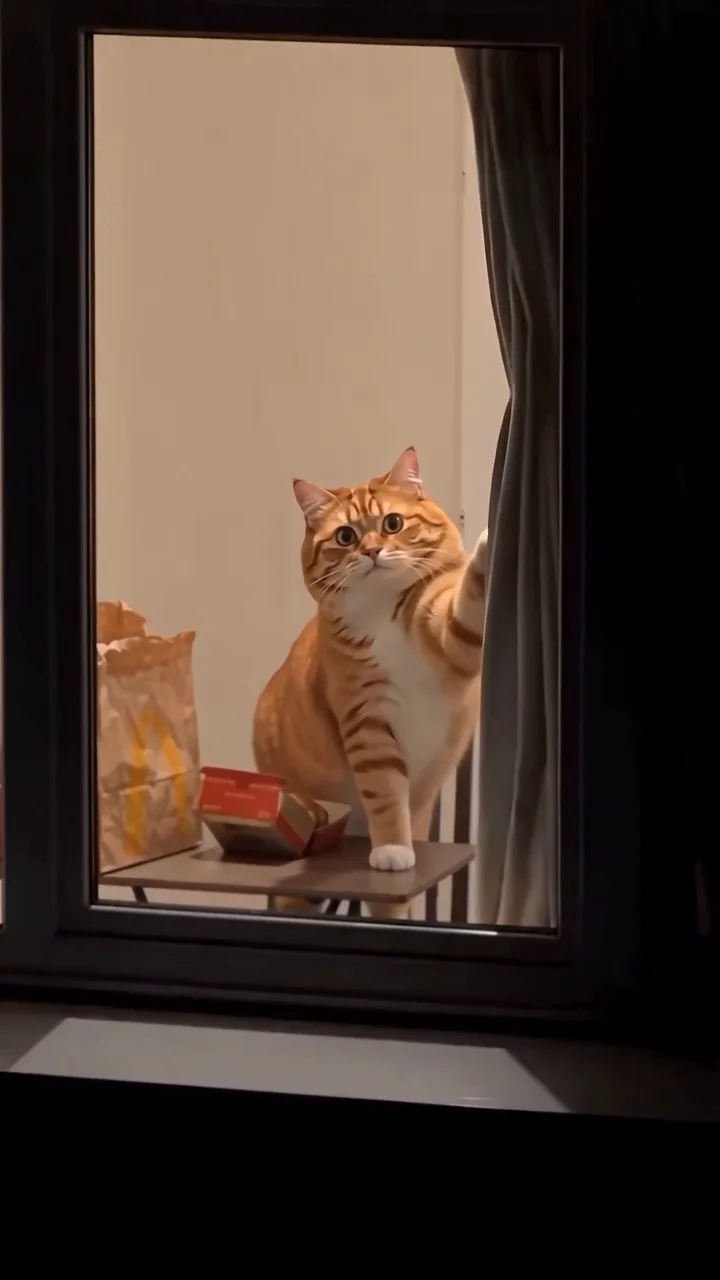
The cat version is a comic interpretation, so its movement can differ from a person’s. Review the whole output before sharing. Our public examples demonstrate a result, not a promise that every new request will match it exactly.
Create it in the EveryGen AI workbench
- Open the Window Peeper AI page. Inspiration is the starting view; discuss the subject and expression or prepare a supporting image, then review the direction before applying it.
- For our included motion, open Normal and choose Template. Describe one adult or pet, or add authorized appearance photos. The fixed setup is Seedance 2.0, 15 seconds, 720p and 9:16.
- For an independent take, choose Normal generation and edit its prefilled direction. Inputs and native controls change with the selected model; it does not silently attach the fixed video.
- Review the complete quote. If you need funding, use the complete compatible purchase chooser and review the offer’s exact quantity and settings.
- Return to the saved draft, confirm the quote and start generation. Follow the task in Creations, review the result and download it within 24 hours.
A chat reply or a purchase-page visit does not submit a video. The account-wide Inspiration trial includes three successful replies and one supporting image. Video generation is paid. Continued Agent interaction requires an eligible offer shown by Unlock Inspiration; a single-video pass does not itself unlock ongoing Agent conversation.
Check the quote, the reference and the complete ending
Template pricing includes its attached motion-reference usage. Changing or lengthening the subject brief does not add a separate theme-text fee. Extra supporting images and additional takes have their own confirmed quotes. Historical purchased credits can retain different rates, so the quote for your account is the authority.
At publication, the existing Premium take is $9.90 for one successful 15-second 720p eligible video, including theme character replacement and its built-in motion. It provides one success rather than shared credits or unlimited generation. You can instead use sufficient shared credits or compare current packs and subscriptions. Never confirm a settings change merely to fit an offer unless it is the change you actually want.
- Is the camera still outside the same window from the approach to the final curtain?
- Do the table, bag, box and curtain stay in place when the subject moves?
- Does the subject actually eat, notice the camera and hold the reaction?
- Are hands or paws, food contact and the curtain finish coherent?
- Have you saved the private generated file before its 24-hour download window ends?
Our demonstrations use generated night, food-wrapper and curtain ambience. They do not include the reference recording’s soundtrack. Add only audio you have permission to use. A confirmed technical failure restores its reserved credits or pass allowance under the normal workflow; a completed output still needs your visual review.
Questions about Window Peeper AI
Can I make a Window Peeper AI video from one photo?
Yes. In Template, use one clear authorized appearance photo or describe one adult or pet. Additional photos must show that same subject. The included video provides the window scene and motion; generation still requires a confirmed paid entitlement.
Why did my Window Peeper background or table change?
An appearance image with another room or prominent furniture can compete with the intended scene. Keep the identity reference simple, use Template for the included motion and review the whole clip. The template is designed to preserve the scene, but generative details can vary.
Can I make a cat version instead of a person?
Yes. Describe or upload an authorized cat appearance and emphasize consistent fur, muzzle and furry paws. Compare our completed cat example, then review food contact and the curtain action in your own output.
Are the examples really 720p?
Both selected EveryGen AI source videos are native 720×1280 portrait outputs. The page uses a bounded 720p playback derivative and provides links to the native sources. The small browsing-card derivative is a separate file.
Does the free Inspiration trial include a video?
No. It includes three successful AI replies and one supporting image per account. Videos need their own confirmed paid quote or compatible video pass. Qualifying ongoing Agent access is separate from video usage.
Will an unpaid checkout erase my draft?
The funding flow saves the subject, model, settings and owned references, with an explicit return/edit link. Return to the draft and review the quote before generating; returning from a cashier is not proof of payment.
Try Window Peeper AI with Every Gen AI
Bring your idea and the reference photos for your chosen tool. Choose your settings, check the quote and create a clip you can review.