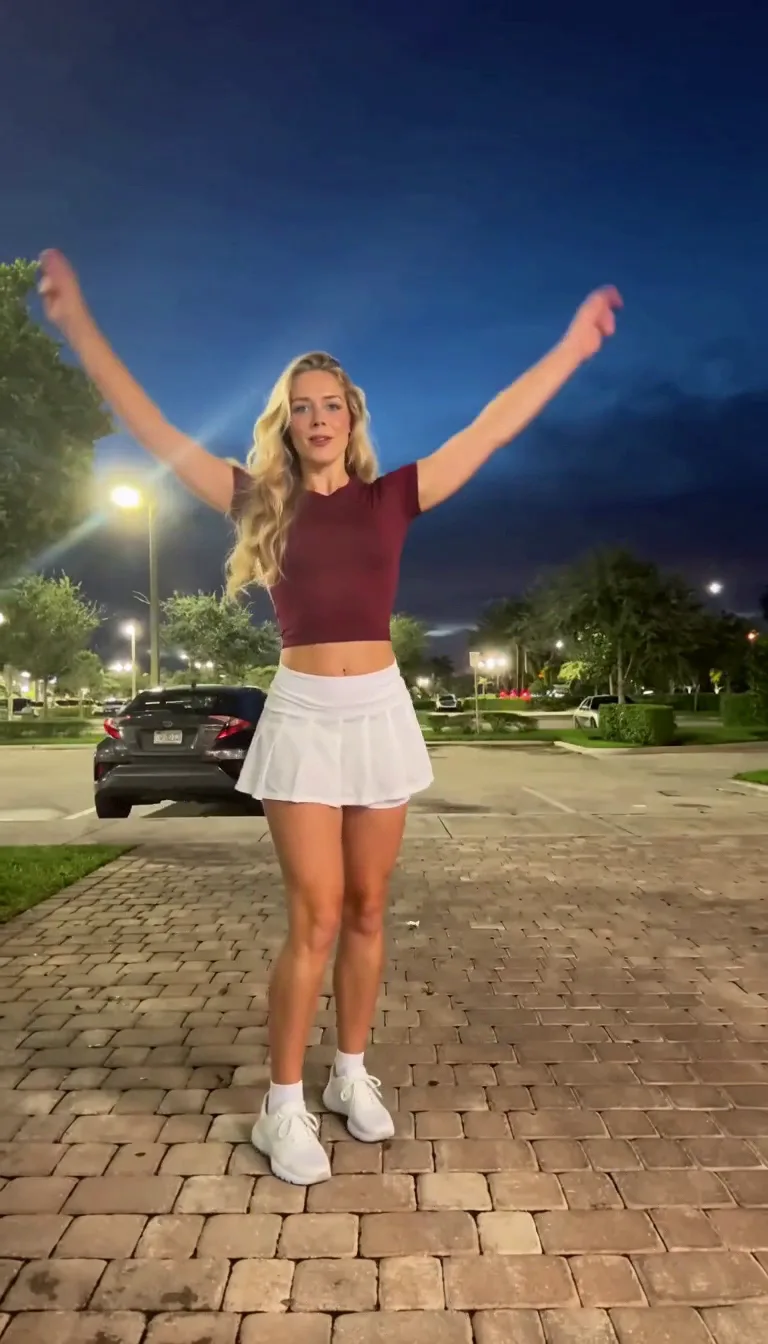
Compact playback preview · Open native 768p video ↗
MiniMax H3 · 768p · about 14 seconds · original audio
Try Pick It Up Dance AI with Every Gen AIPick It Up Dance AI turns a short dance idea into a character-led video. The useful goal is a coherent performance: readable gestures, a stable identity and a connected ending, not only an attractive first frame.
EveryGen AI · https://everygenai.live/ combines Inspiration planning, image preparation and model-native video controls. Use the approved example as a starting point, then review your own subject, inputs and complete quote before generation.
What is Pick It Up Dance AI?
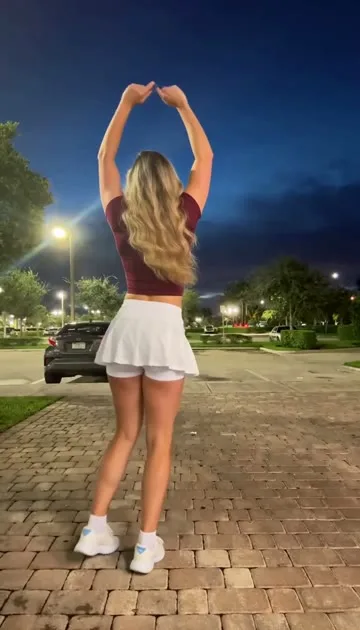
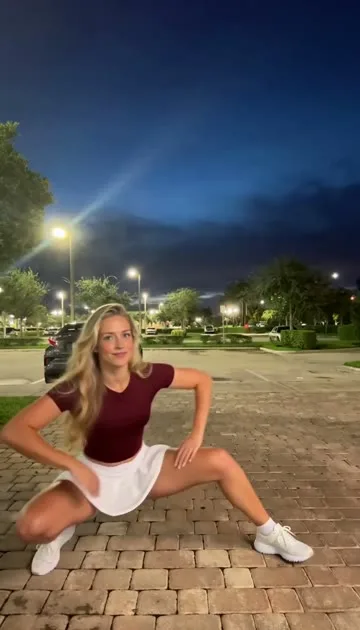
Pick It Up Dance AI is a text- or photo-driven adaptation of a short dance challenge. The observed reference begins with open arms and a bounce, raises the hands overhead, turns the dancer away and back, lowers into a wide squat and finishes with an upward burst.
The supplied reference page connects the phrase to a social dance challenge and its audio hook. Our own video uses an original performer and newly generated instrumental music. The tutorial does not claim verified current popularity figures, identify an unverified first creator or distribute the commercial trend recording.
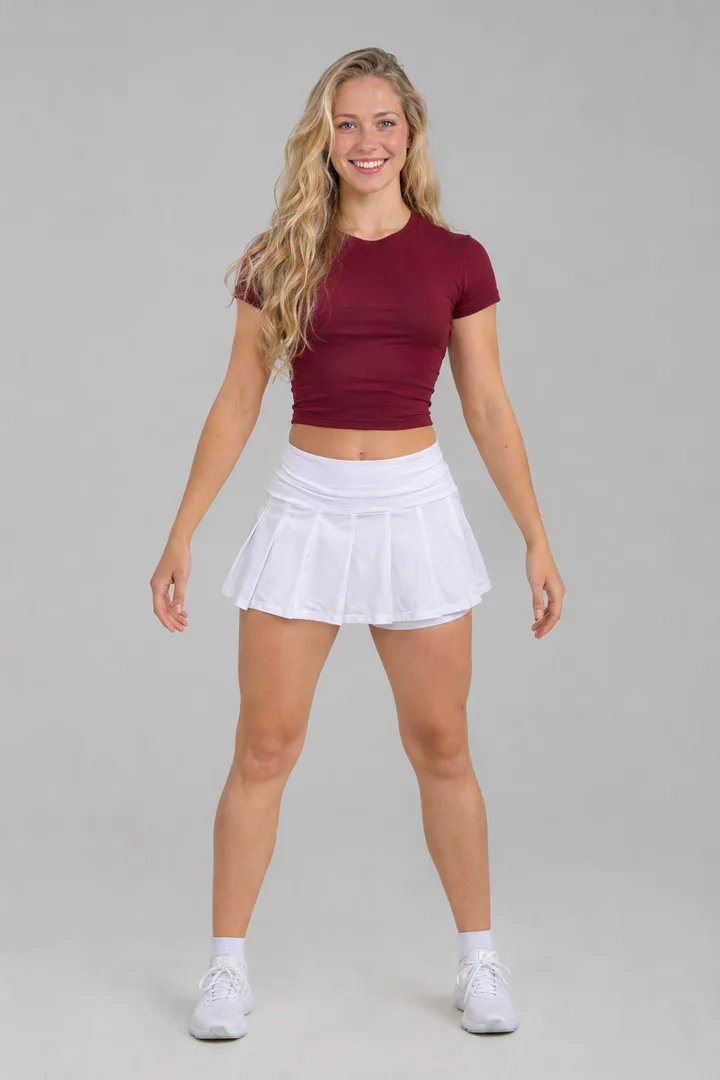
What should the best workflow help you control?
Follow this sequence in EveryGen AI, reviewing your inputs and quote before generation.
Full-body framing
Hands, knees and shoes should stay visible. Give the dancer enough space to raise both arms and move into a wide stance. A tightly cropped selfie makes the lower-body sequence harder to plan.
Connected movement
Describe transitions rather than a checklist of unrelated poses. The overhead hand position should lead into the turn; the turn should resolve before the lower stance and final rise. A model may simplify these movements, so the finished result needs a full review.
Native model settings
An opening frame is different from an appearance reference or a motion clip. The selected model determines which inputs, output lengths, resolutions and audio settings are available. EveryGen AI surfaces those supported choices and asks you to review material draft changes.
A visible price before starting
Check the full quote, including any reference-video seconds and separate image preparation. Workbench access does not mean unlimited video generation. Shared credits and video-only passes cover different requests, and a pass must match the proposed video settings.
How to make a Pick It Up Dance AI video with EveryGen AI
Follow this sequence in EveryGen AI, reviewing your inputs and quote before generation.
Step 1: Open the theme and study the movement
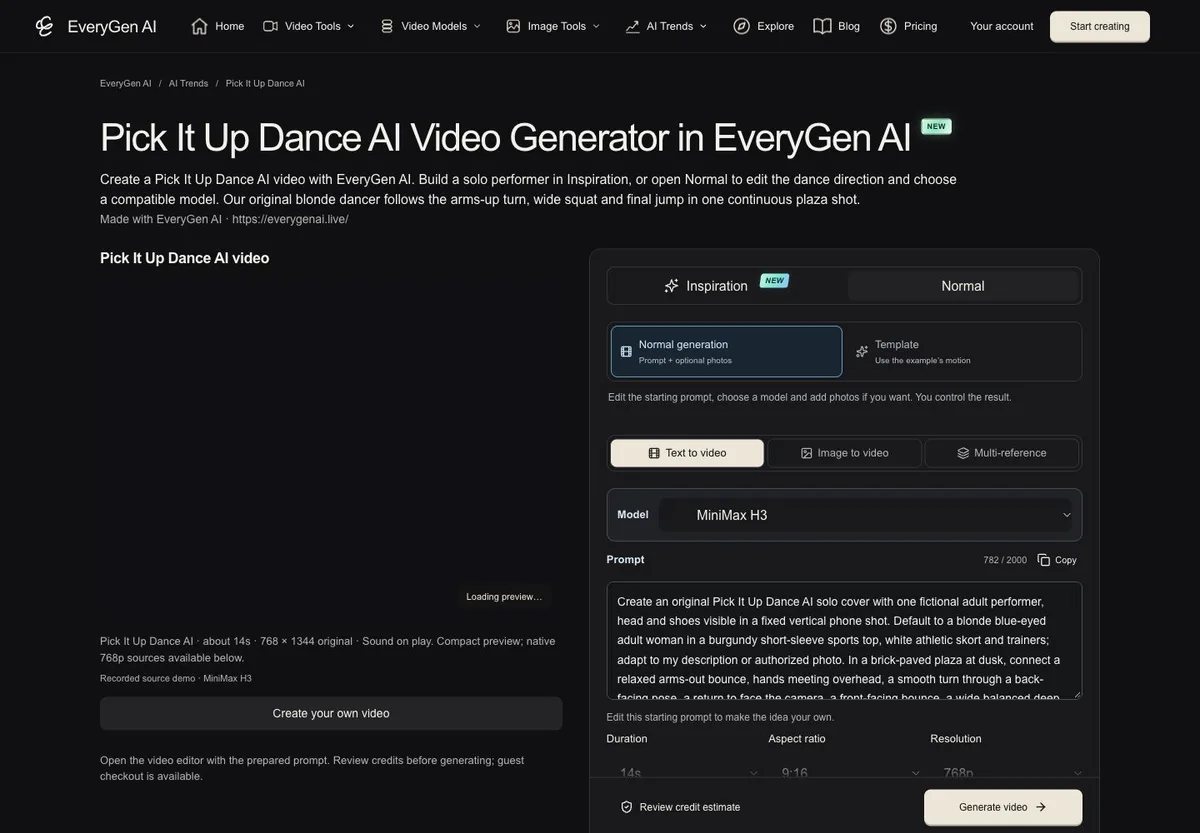
Visit Pick It Up Dance AI in EveryGen AI. Watch the original EveryGen sample and identify its opening, turn, lower stance and ending. The topic page provides a usable generator alongside the example.
Step 2: Choose an adult character and setting
Describe an original fictional adult, or prepare a clear authorized full-body photo. Keep the outfit distinct from the background and leave room around the hands and feet. A stable floor and simple scene help make contact and balance easier to judge.
Step 3: Use Inspiration when you want help preparing
Tell the Agent what kind of performer, outfit and scene you want. Ask it to prepare a full-body image; review and select the image before applying it to the video. Eligible accounts have a shared trial of three replies and one image. Continued Agent use requires an eligible purchase; extra image and video tasks keep their own quoted costs.
If the idea is already clear, switch to Normal, edit the ready-filled direction and choose a compatible model directly.
Step 4: Make the action sequence explicit
Ask for a rhythmic open-arm bounce, hands meeting overhead, a controlled turn away, a return toward camera, a lower wide stance and an upward finish. Keep the selected duration long enough for the intended sequence. Avoid adding unrelated camera moves and extra performers.
A public starter brief could be: “One original adult dancer performs a lively full-body routine with overhead arm shapes, a turn, a grounded low stance and an energetic finish, in a simple evening courtyard with original instrumental dance music.” Adapt the performer and styling to your own idea.
Step 5: Review settings and confirm the price
Check native duration, resolution, input roles and sound support. If you choose a fixed-motion Template, read its separate settings and reference-cost quote; do not assume another model offers identical timing. If purchase is needed, compare compatible offers while keeping your draft intact.
An eligible account-wide free short sample, when offered, is a separate generation from the paid final. A new final output can differ from the sample. Confirm only after reviewing the proposed request and cost.
Step 6: Check more than the first frame
Track the task in Creations. Watch the complete output: do the arms remain attached through the turn, does the face stay consistent, do the knees bend plausibly, and does the upward motion land naturally? Check the music as well. Download the private file within 24 hours.
Why consider EveryGen AI?
The platform's practical appeal is that planning and generation live together. Inspiration helps develop a vague idea, the image step gives you an appearance to evaluate, and Normal keeps direct model choice available. You can make creative decisions before a video request rather than treating every unfamiliar option as a separate tool.
That makes EveryGen AI a useful choice for creators who value a guided process and flexibility. The limits remain real: complex joints, turning identities and precise musical timing can drift. A clear image and action brief improve the setup, but no general-purpose generation workflow guarantees a perfect dance on every request.
Create your own Pick It Up Dance AI video in EveryGen AI
The practical advantage is keeping the idea, appearance preparation, model choices and price review in one place. Start at EveryGen AI · https://everygenai.live/ and adapt the approved example to your own adult performer.
Questions about Pick It Up Dance AI
Does “best” mean EveryGen AI beat every competitor in a test?
No. This guide explains the workflow we recommend for clear framing, coherent movement, native inputs and price visibility. It is written by EveryGen AI about its own product.
Can I use a different video model?
Yes in Normal, with that model's supported inputs and settings. A fixed Template has its declared model and reference.
Will I receive the original trend song?
Our example requests original generated instrumental music. Commercial recordings are not included or licensed by this tutorial.
Can I use the same image again?
Keep your owned image in your account and explicitly select it for a compatible draft. Review the new quote before another generation.
Where do I begin?
Try EveryGen AI and the Pick It Up Dance AI page to start with the approved example and prepared prompt.
Try Pick It Up Dance AI with Every Gen AI
Bring your idea and the reference photos for your chosen tool. Choose your settings, check the quote and create a clip you can review.