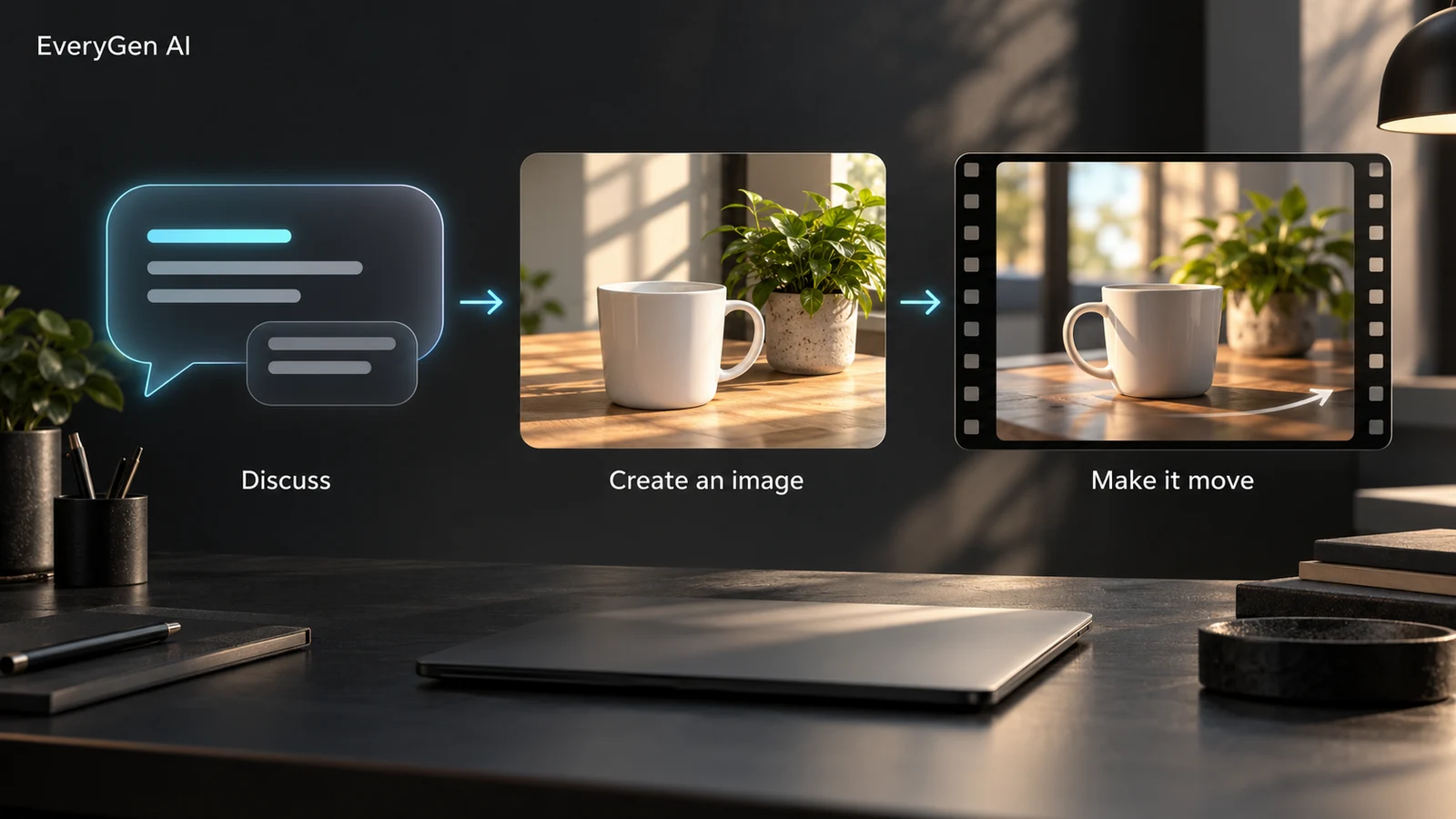
Start at https://everygenai.live with an idea, even when you do not yet have a finished prompt. The EveryGen AI Inspiration Agent turns that first thought into a conversation, a supporting image and an editable video direction. It gives you a welcoming place to begin, while keeping the paid generation step under your control.
The standout advantage is continuity. Your subject, mood, camera direction, saved creative summary and selected images stay with the same project. Instead of repeatedly rebuilding a brief in different tools, you can discuss, see, refine and then make it move. For creators who think out loud, this is one of the most useful ways to start an EveryGen AI video.
Why the EveryGen AI Inspiration Agent is a useful creative starting point
A blank prompt box can make a good idea feel unfinished. EveryGen AI turns that uncertainty into a practical conversation: describe what you want, refine the setting or camera movement, and review a more concrete direction. It is particularly helpful for short product films, character scenes, social clips and visual experiments.
- Keep creative decisions together instead of rebuilding the brief on every turn.
- Prepare a supporting image in the same conversation and deliberately select it for your video.
- Review the prepared video prompt before applying it to native generation controls.
- Stay in control of the paid step: choosing an image or applying a prompt does not silently start a video.
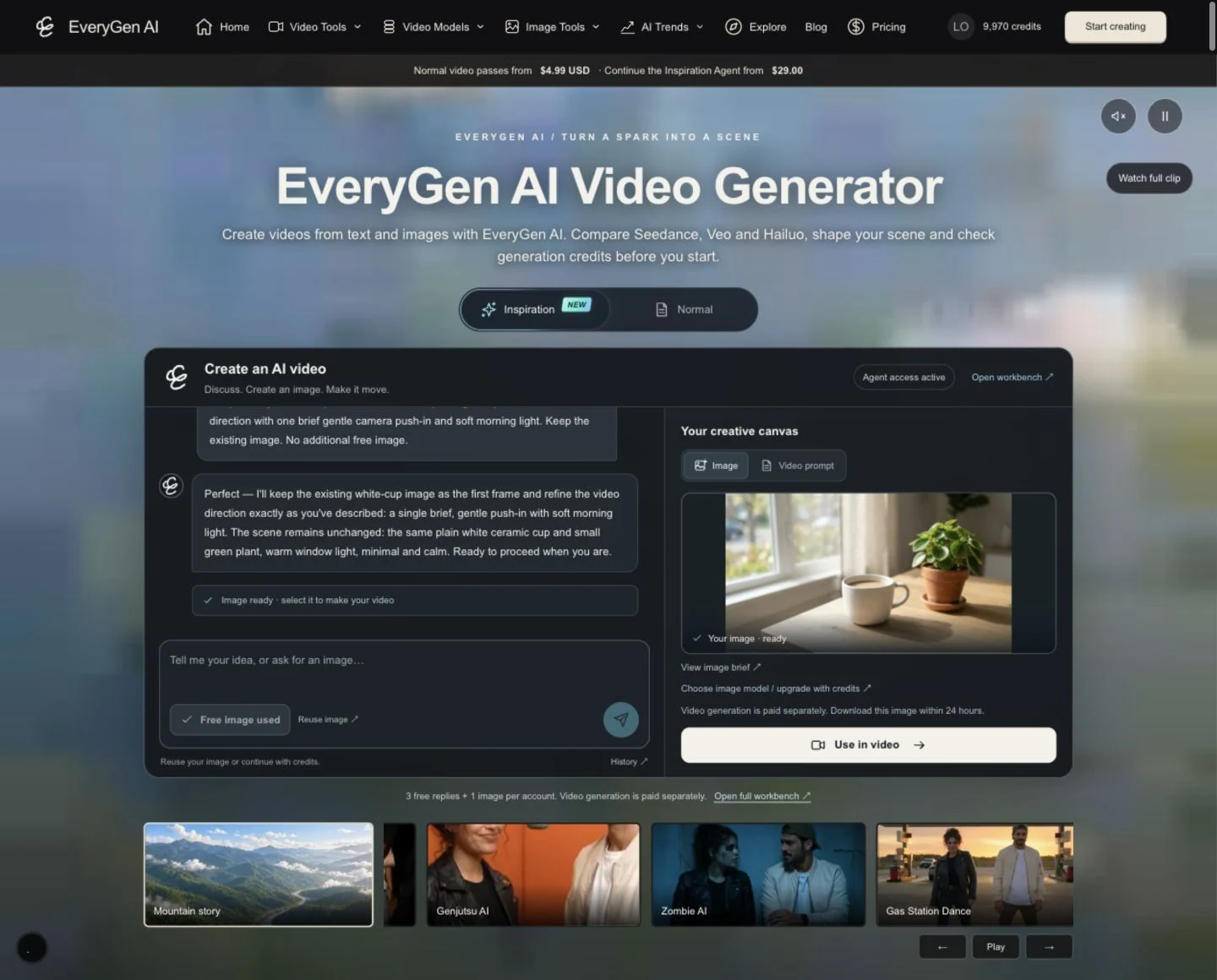
How to use EveryGen AI Inspiration: from your first message to a video
Step 1 — Open https://everygenai.live and choose Inspiration, which is the default homepage mode. Sign in for your account-wide free trial. You do not need to select a conversation history or understand a technical project ID to get started. The full EveryGen AI workbench is there when you want more room.
Step 2 — Describe a small, clear idea: the subject, setting, mood and movement. For example: Help me make a warm product film of a plain white ceramic cup beside a green plant, with soft morning light and a gentle camera push-in. Follow up naturally to refine details. Replies stream into the conversation after the required checks; useful creative direction is retained with the project.
Step 3 — When you are ready to see an image, tap Create free image beside the message box. The trial includes one successful Nano Banana 2 Lite supporting image, not one image per message. Creating the image does not consume another chat reply. The button disables while processing and becomes Free image used after success. If you want to inspect or edit the prepared image brief before using your free image, open View image brief.
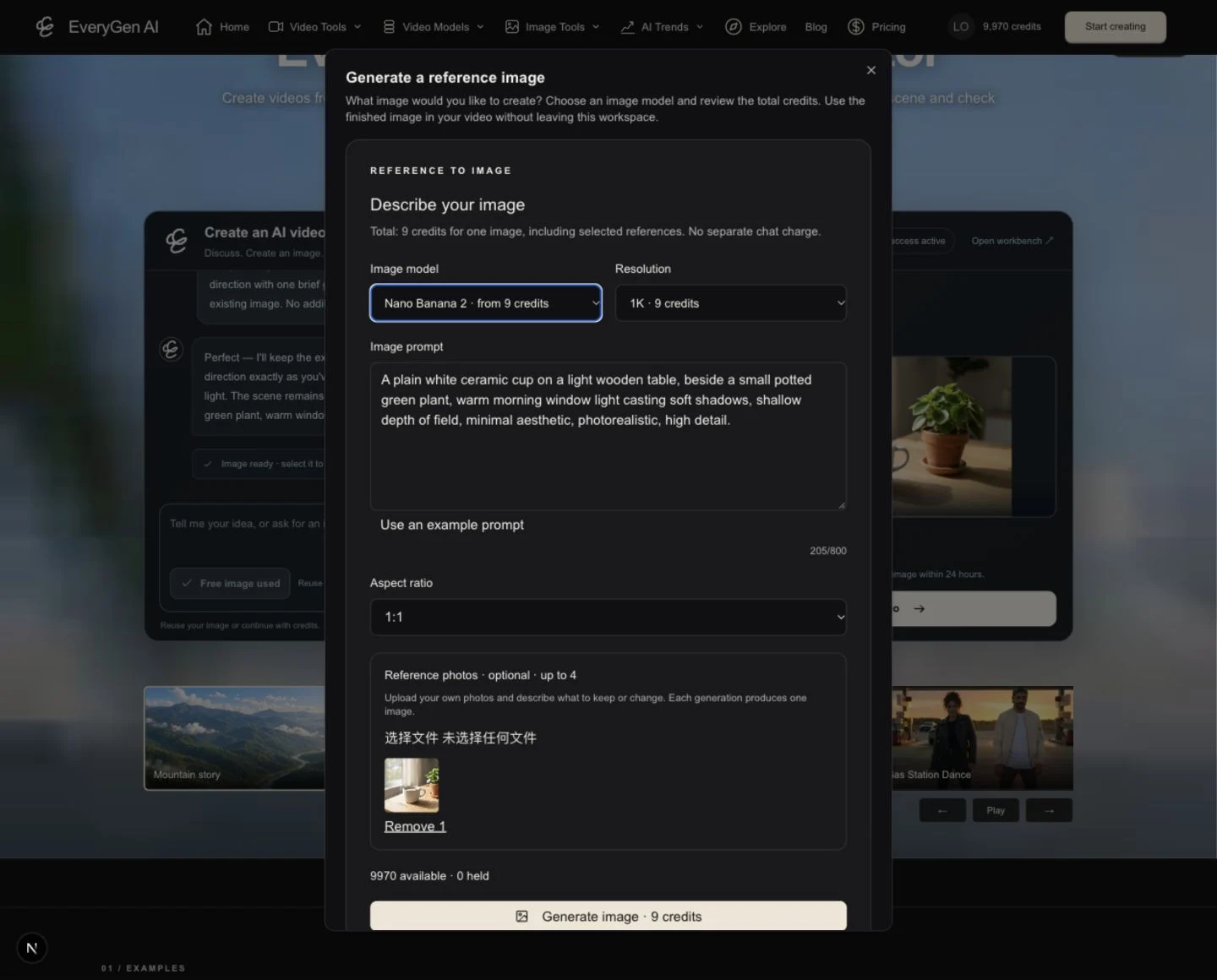
Step 4 — Review the image on the right, or open Your image on a phone. Reuse image keeps the existing asset; it does not generate or charge again. Open the full workbench to choose between saved conversation images. Eligible paid users can choose an image model or upgrade with credits through the integrated image tool, using the same model settings and quote as the image menu.
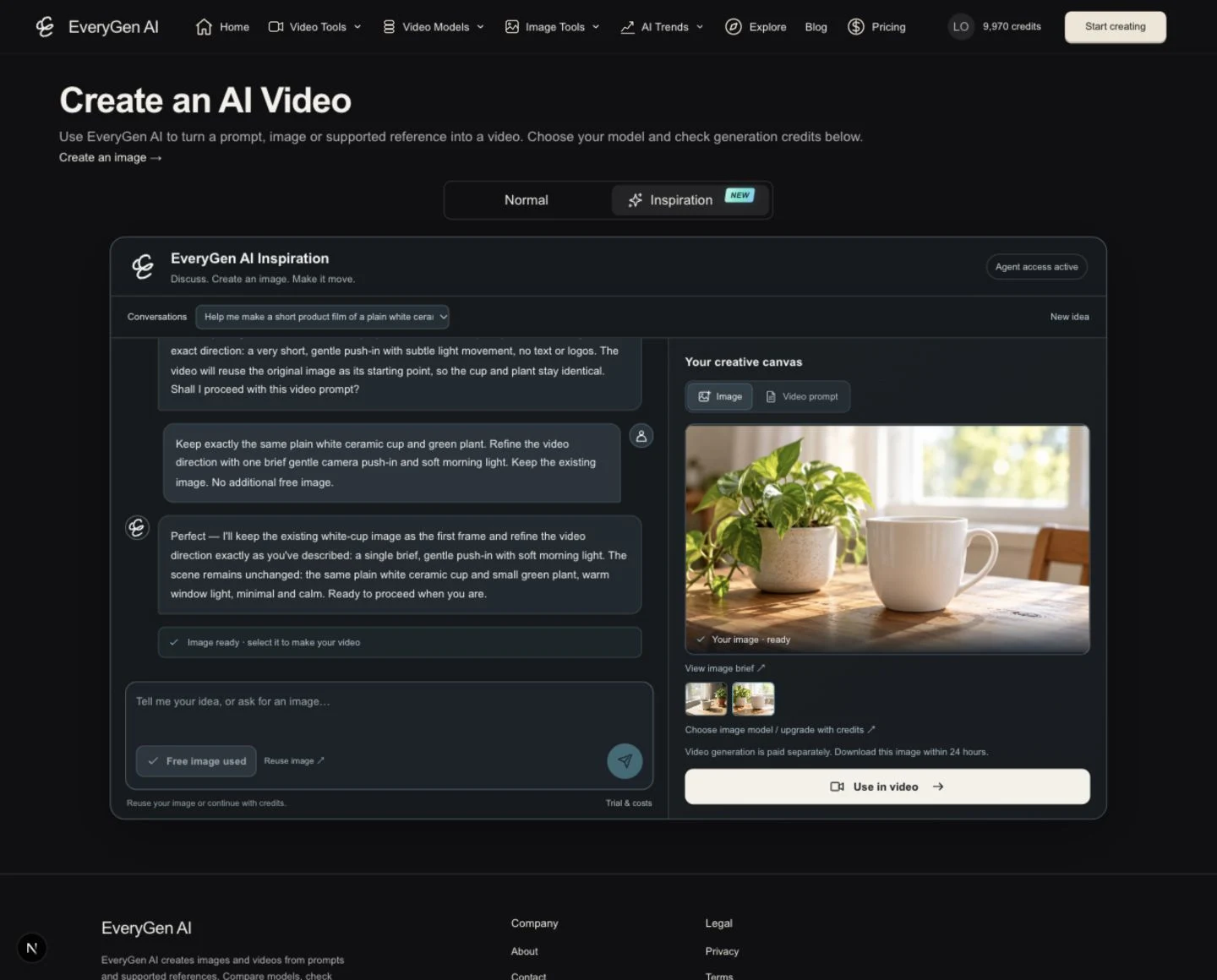
Step 5 — Click Use in video, review the proposed prompt and selected image, then confirm applying them to a Normal video draft. If the target model requires changed settings or a different input role, review that adjustment before accepting. Applying a draft is not a video submission and does not silently spend credits.
Step 6 — In Normal, choose Text to Video or Image to Video and a compatible model. Check duration, resolution, reference roles and the quote. A selected conversation image is used as the reviewed first frame where supported; a text-only video does not need an image. If you need funding, the purchase chooser explains compatible passes, shared-credit packs and subscriptions while preserving your scene. A verified purchase funds the request; the video begins only after you confirm generation.
Step 7 — Follow the task in Creations. Each task has its own status, and you can return to it while working on another idea within your plan’s concurrency limit. Download generated images and videos within the displayed 24-hour window. A confirmed technical failure restores its held credits or unused successful-video entitlement once; an uncertain submission stays reserved while reconciled.
Try a clear EveryGen AI creative brief
This is an editable writing example, not a recovered system prompt or a promise that every model will produce the same shot.
Help me create a warm product video of an unbranded white ceramic cup beside a small green plant on a sunlit wooden table. Keep the mood calm and inviting. Prepare a matching image and a gentle camera move, then help me refine the lighting.
A useful follow-up could be: Keep the same cup and plant, make the light softer and move the camera slowly toward the cup. The Agent can build on the saved creative context rather than treating that as an unrelated project.
Inspiration, Normal generation and the full workbench
| Workflow | Best starting point | What you control |
|---|---|---|
| Inspiration Agent | You have an idea and want help developing it | Conversation, supporting-image brief, saved creative direction and selected image |
| Normal generation | You already have a prompt or an image | Direct text/image inputs and the selected video model’s native controls |
| Full workbench | You want more space and detailed choices | Compatible image/video models, duration, resolution, references, exact quotes and task history |
The distinction is practical: Inspiration helps prepare the idea; Normal generation executes a reviewed video draft. A fixed-motion template is another capability, not a replacement for multi-turn conversation. Models only show input modes they actually support.
Free trial, video passes and ongoing Inspiration Agent access
The free trial is three successful replies plus one successful supporting image per account. Opening a new conversation does not reset it. Video generation is not included for free. Once the trial replies are used, the recommended next step is the $29 Creator credit pack, rather than a more expensive monthly subscription.
| Offer | What it includes | Ongoing Agent interaction |
|---|---|---|
| Free account trial | 3 successful replies + 1 supporting image; no free video | Trial only |
| First spark · $4.99 | 1 successful 15-second 720p Normal video using standard Seedance 2.0; no shared-credit balance | Not included |
| Premium take · $9.90 | 1 successful 15-second 720p Normal video using eligible Seedance channels, including its stated eligible theme workflow; no shared-credit balance | Not included |
| 500-credit pack · $9 | Shared credits for Normal image/video generation | Not included |
| Creator pack · $29 | 1,800 shared credits; one-time purchase without automatic renewal | Included after verified payment |
| Studio pack · $69 | 4,500 shared credits and its stated concurrency/queue allowance | Included after verified payment |
| Every annual subscription | Plan-specific credits delivered monthly, with annual billing and the stated renewal total | Included, including Lite annual |
| Eligible monthly subscriptions | Current Plus $39, Pro $79 and Max $149 monthly allowances | Included; Lite $19 monthly does not qualify |
Agent text replies have no separate credit charge for qualifying access. Additional images and every video still require their displayed model/setting quote; access does not mean unlimited generation. A first-purchase discount does not turn a qualifying $29 Creator pack into a non-qualifying product: eligibility follows the original offer identity. Review current prices and renewal details on EveryGen AI Pricing.
For qualifying paid access, there is no three-reply conversation cap and no separate per-reply credit debit. Additional images and all videos are paid media: the exact model, settings and applicable references determine the displayed quote. Normal safety, ownership, concurrent-request and frequency protections still apply. Ongoing conversation does not mean unlimited images, unlimited videos or unlimited credits.
Keep useful context and choose your images deliberately
EveryGen AI saves the conversation and a compact creative summary with its project. Prepared images stay associated with that context, so you can select the visual you actually want to animate. Applying it to a video draft requires confirmation when it changes references or native settings.
Qualifying paid users can open the shared image tool to choose another image model or upgrade a selected image. The tool uses the same model parameters and credit prices as the image menu, with one displayed total that includes supported reference charges. Generated Inspiration images and video results have a 24-hour download window; saved text context and task records remain separate.
Our product-team view: where EveryGen AI adds the most value
The strongest part of this workflow is its convenience. A creator can start with a loose idea, turn it into a clearer brief, prepare a visual and carry that direction into real video settings without losing the thread. The ability to review each step makes the experience feel more intentional than submitting an unexamined prompt.
There are still sensible boundaries. The Agent prepares creative direction; it cannot guarantee visual consistency or make every model support every reference type. Native model limits, safety checks, available credits and your final confirmation still matter. For people who enjoy discussing and refining an idea, the Inspiration Agent is a useful and inviting addition to EveryGen AI.
Try it at https://everygenai.live, or open the EveryGen AI Inspiration workbench. Start small, review the prepared image and prompt, then choose the generation setup that fits your idea.
Questions about Every Gen AI
Can qualifying paid users continue after the three free replies?
Yes. A verified $29 or higher credit pack, every annual subscription including Lite annual, and qualifying monthly plans unlock ongoing Agent interaction with no three-reply cap or separate text-reply debit. Additional images and all videos still require confirmed media quotes; safety and request protections remain.
Can I try EveryGen AI Inspiration before paying?
Yes. A signed-in account has three free successful replies and one successful supporting image. The allowance is account-wide. Video generation is paid separately.
Do the $4.99 and $9.90 video passes unlock the Inspiration Agent?
They fund their stated Normal video generation and do not unlock ongoing Agent interaction. The free account trial remains separate.
Which purchase is recommended after the free trial?
The $29 Creator pack includes 1,800 shared credits and ongoing Agent interaction after verified payment, without a subscription. Higher credit packs, every annual plan and eligible monthly plans also qualify.
Does Lite annual include Inspiration Agent access?
Yes. Every annual subscription qualifies, including Lite annual. Lite monthly is a different billing cycle and does not unlock ongoing Agent interaction.
Are Agent text replies billed separately?
No separate text credit charge applies to qualifying Agent access. Additional images and all videos still use the exact quote shown before submission, subject to safety and request controls.
Where can I use EveryGen AI?
Visit https://everygenai.live. Start with Inspiration on the homepage, or open the full workbench for detailed image and video controls.
Make your first scene with Every Gen AI
Bring your idea and the reference photos for your chosen tool. Choose your settings, check the quote and create a clip you can review.