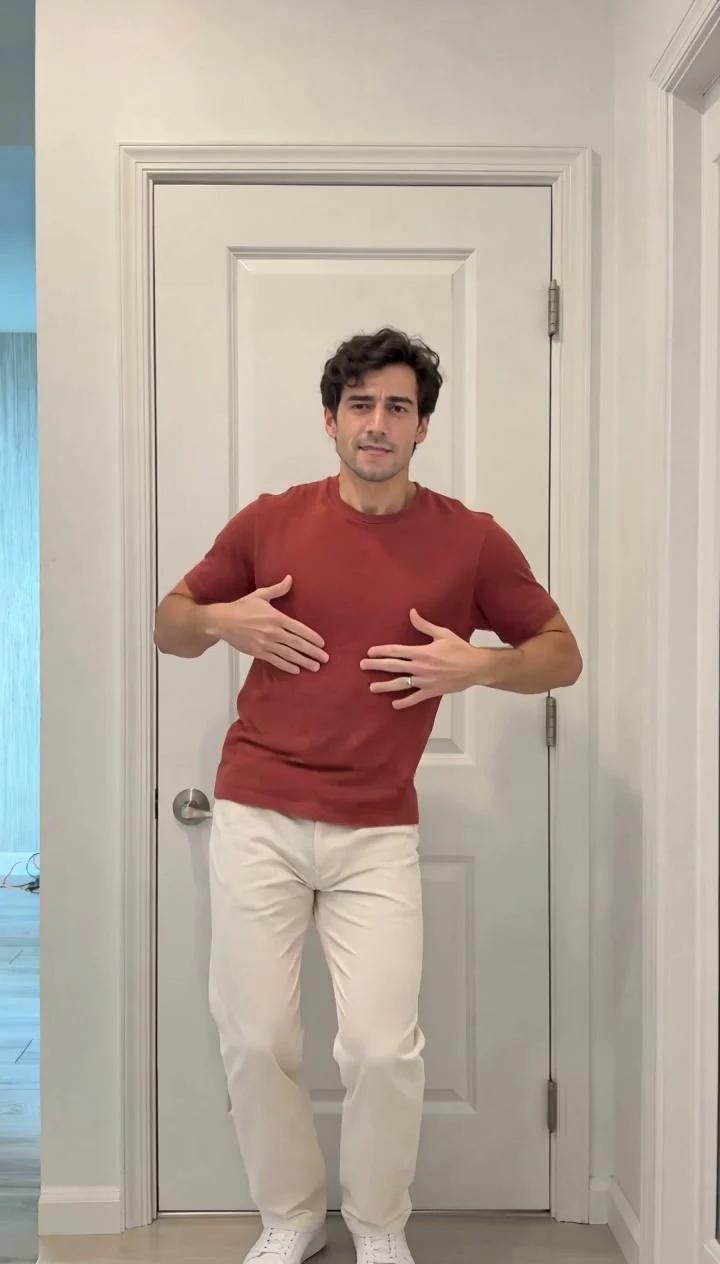
Compact playback preview · Open native 720p video ↗
Kling 2.6 Motion Control · 720p · about 15 seconds · silent
Try Puerto Rican Mami AI Dance with Every Gen AIA Puerto Rican Mami AI dance video needs a readable routine, rather than a still portrait that happens to move. Keep one adult performer, a clear outfit and enough room for hand gestures, shoulder movement and a knee lift. A fixed portrait camera makes the sequence easier to follow.
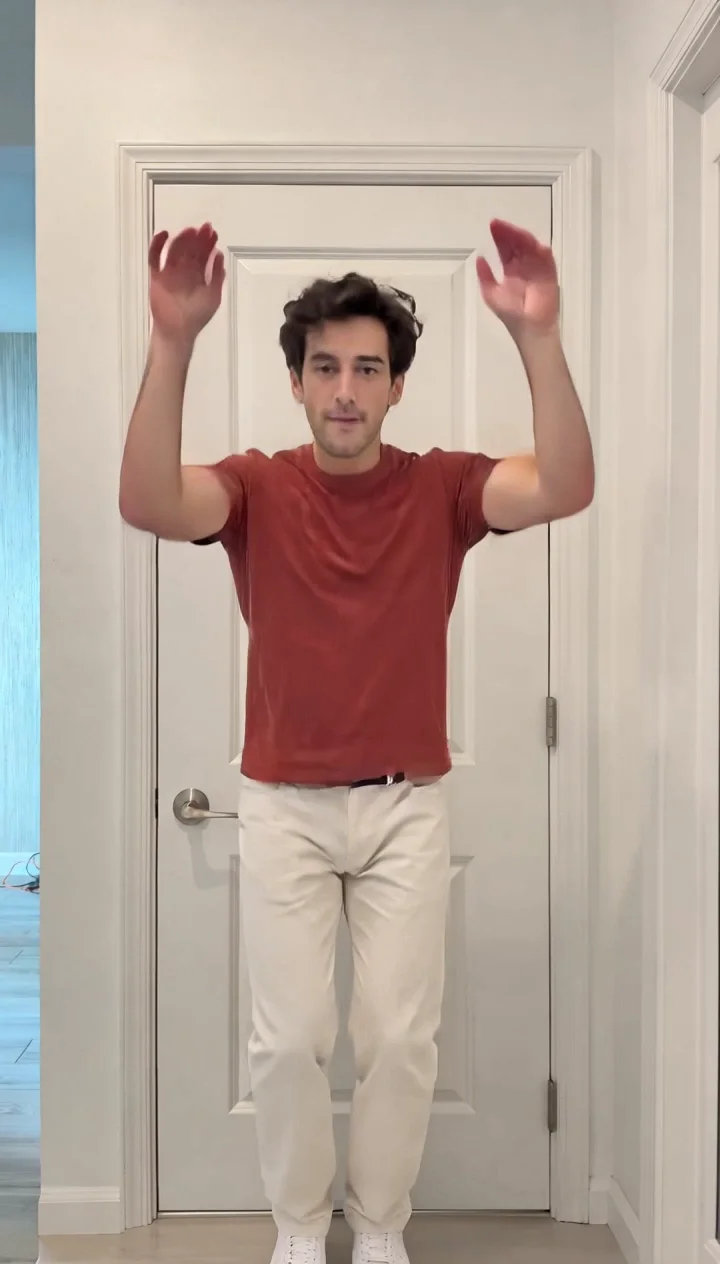
We made two original solo interpretations for this guide: an indoor dancer at a white door and an outdoor dancer on a covered brick porch. Open the Puerto Rican Mami AI Dance generator to plan your version, or compare both complete examples before choosing a template.
Choose an indoor or outdoor Puerto Rican Mami AI solo
Choose the setting and action you want before preparing the appearance photo. Our indoor and outdoor examples have independent included motion templates. Selecting the outdoor template retains its porch routine; it does not turn the indoor recording into a different location.
| Example | Setting and action | Native output |
|---|---|---|
| Indoor solo | White paneled door; hands near the head, chest and waist gestures, open arms, knee lift and a final approach toward the camera. | 720×1264 · 14.77s · silent |
| Outdoor solo | Covered brick porch; shoulder shimmy, hand waves, side knee lift, overhead arm sweep and a closing sway. | 720×1264 · 14.9s · silent |
Both use the Standard mode of Kling 2.6 Motion Control. Motion Control follows one main performer. Do not use this solo workflow to expect two dancers to exchange places independently. The portrait framing is adaptive, so the actual native files are 720×1264 rather than an assumed 720×1280.
Prepare one clear photo of your performer
Template requires exactly one authorized appearance photo of one adult. Include a clear face, the full outfit and body framing similar to the chosen example. Keep space around the hands and avoid a cropped torso, hidden feet or several people. The photo supplies appearance; the included video supplies the dance and setting.
Use your own photo, a photo you have permission to use or an original fictional adult image. A written subject brief adds details but cannot replace the required photo in Motion Control. Clothing comes from the appearance reference, so decide the outfit before starting a paid request.
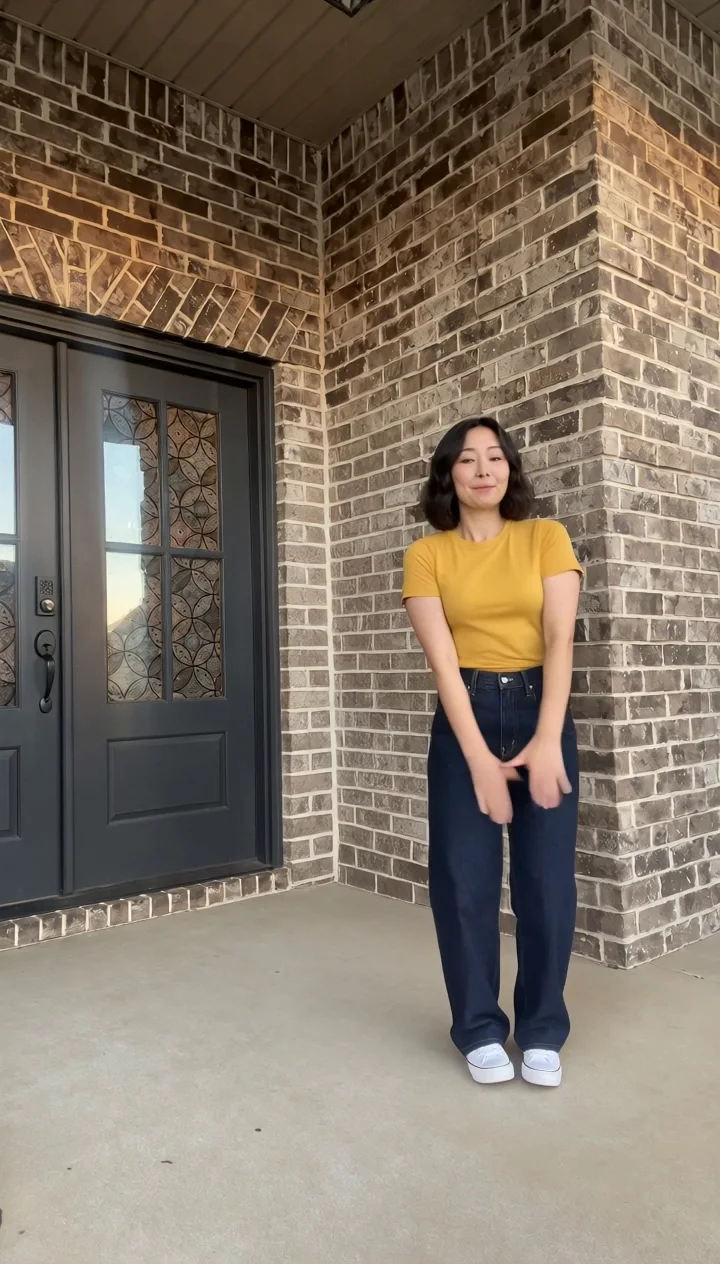
One fictional adult woman with a short black bob, a plain yellow T-shirt, navy jeans and white sneakers. Keep the same face, hairstyle and complete outfit throughout the solo.
This is an editable public appearance brief. It is not a recovered hidden prompt or the private template instructions. For a different location or independently written movement, choose Normal generation and review the selected model’s supported inputs.
How to make a Puerto Rican Mami AI dance video in EveryGen AI
- Open the topic generator. Inspiration starts a conversation about the performer, outfit and setting; it can help prepare a supporting image before you apply a direction.
- Watch both examples. Use indoor motion template or Use outdoor motion template to open that example’s fixed-motion workbench. On the topic page, Normal → Template selects the indoor example.
- Upload one clear authorized subject photo. Add optional appearance details, then verify the fixed native settings: Kling 2.6 Motion Control, Standard, portrait video orientation and silent output.
- Review the complete credit estimate, including the attached motion reference. If funding is needed, choose a compatible credit pack or subscription, keeping the current draft and photo.
- Return to the saved draft, confirm its quote and submit generation. Follow the task in your creations, inspect the full result and download the private file within 24 hours.
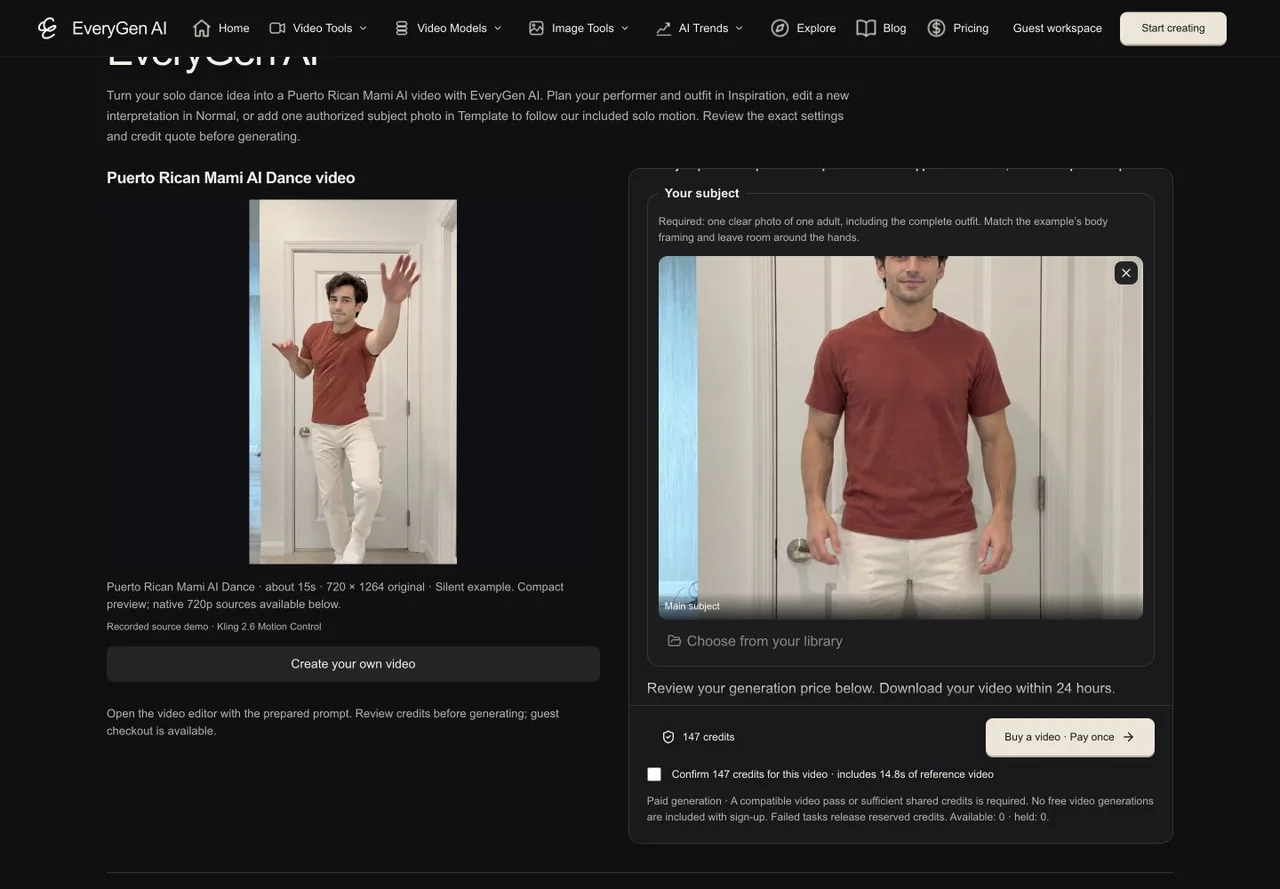
Inspiration, Normal and Template serve different jobs. Inspiration is a multi-turn planning conversation. Normal is an editable prompt with native model controls. Template follows the chosen example’s included motion. A chat reply, quote request or purchase-page visit does not automatically generate a video.
The account-wide Inspiration trial includes three successful AI replies and one supporting image; it does not include a free video. Ongoing Agent access requires an eligible offer shown through Unlock Inspiration. Images and videos still use their own confirmed quotes.
Keep the outdoor dance coherent from start to finish
The outdoor example uses a stationary phone view on a covered brick porch. The short-haired performer wears a yellow T-shirt and dark jeans, with space for her arm sweep and side knee lift. The daylight setting gives a distinct result without adding a moving camera or a second dancer.
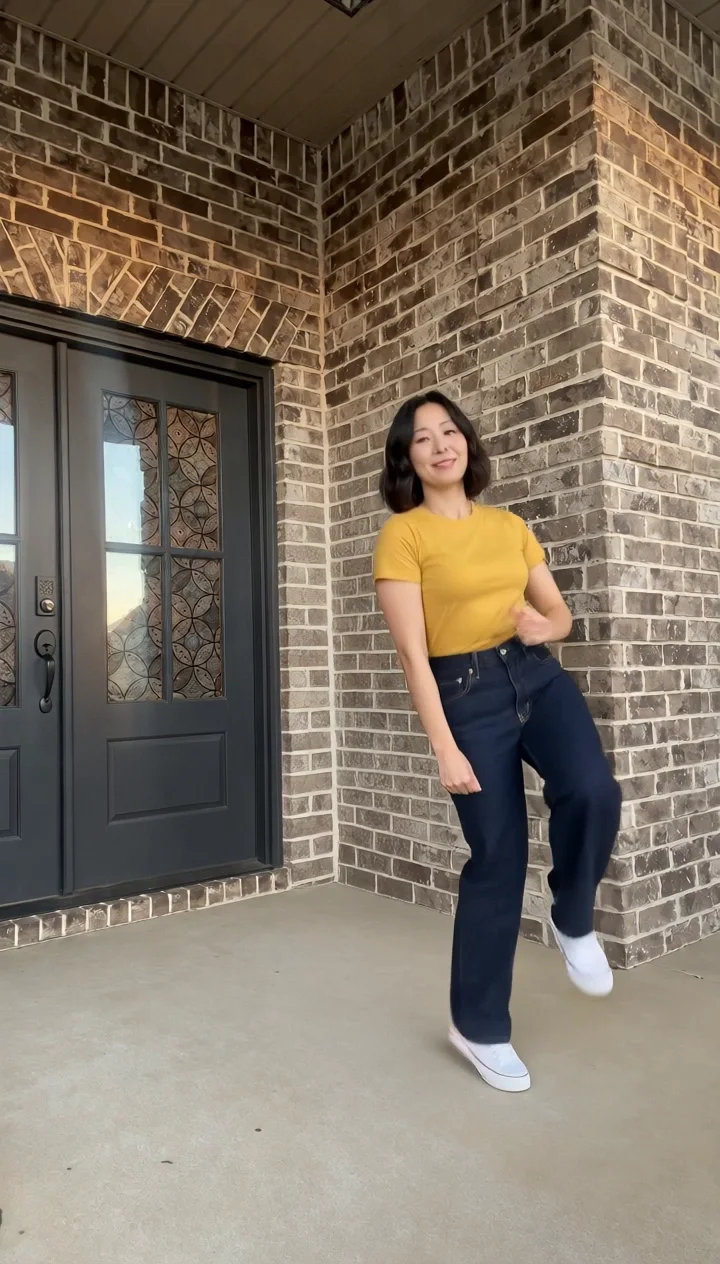
- Watch the whole routine rather than judging the first frame. Check the shoulder and hand movements, knee lift, overhead arm and final sway.
- Keep identity and clothing stable when the person turns. Look for extra fingers, limbs, sliding feet or a face that changes mid-clip.
- Check the fixed door and brick lines for sudden scene changes. Avoid adding unrelated scenery directions to a fixed-motion appearance brief.
- Review the ending and transitions between gestures. Fast hands can still show blur or generative artifacts, even when the overall motion works.
The demos are silent. Add a soundtrack you own or are licensed to use in your editor, and align the dance to it there. The example footage does not grant rights to a commercial song, and the template does not promise automatic beat synchronization.
Review credits, compatible purchases and your saved draft
At publication, an isolated guest account received a 147-shared-credit quote for either solo Motion Control template. The indoor confirmation included about 14.8 seconds of reference video; the outdoor included 14.9 seconds. Changing the appearance brief does not add a separate theme-text fee. Historical purchased allowances can use different rates, so your current server quote is authoritative.
A Seedance-only Premium video pass cannot fund a Kling Motion Control request. The purchase chooser explains this and provides compatible shared-credit packs or subscriptions. It must not silently change your model or discard your photo. Compare the current EveryGen AI plans and credits, including renewal totals and ongoing Inspiration eligibility, before selecting an offer.
Returning from an unpaid cashier leaves the draft available through the return/edit link. Review the restored photo, appearance brief and native settings before confirming generation. A cashier redirect is not proof of payment. Additional takes and supporting images have their own quotes; access to the workbench is not unlimited generation.
Private generated videos are downloadable for 24 hours. Save a copy you want to keep. Our public examples are a separate permanent demonstration inventory, and their availability does not extend your private result’s retention window.
Questions about Puerto Rican Mami AI Dance
How do I make a Puerto Rican Mami AI dance video from a photo?
Open the EveryGen AI topic, choose an indoor or outdoor motion-template entry and upload exactly one authorized adult subject photo. Review the pinned native settings and full credit quote before funding and generation. Text alone does not replace the photo in Template.
Can I make the dance outdoors?
Yes. The outdoor example has its own template with a covered brick porch and solo routine. Choose Use outdoor motion template under that example. Normal generation also lets you write an independent outdoor scene with supported native model settings.
Which model made these examples?
Both original examples were made with Kling 2.6 Motion Control Standard. Template uses this pinned native channel. Normal generation supports an independently editable direction and compatible model selection; it does not silently attach the fixed video.
Are these really 15-second 720p examples?
They are approximately 15 seconds: the indoor native output is about 14.77 seconds and the outdoor is 14.9 seconds. Both are native 720×1264 adaptive portrait videos. The generator offers 720p playback and links to the native sources.
Does the Puerto Rican Mami AI template include music?
No. Both displayed examples and these Motion Control templates are silent. Add only music you have the right to use, and adjust synchronization in your editor.
Can two people swap positions in the same template?
These are solo templates. Kling 2.6 Motion Control follows one main performer rather than independently controlling two dancers. Use a workflow designed and quoted for a multi-person scene when you need that interaction.
Is video generation included in the free Inspiration trial?
No. The account-wide trial includes three successful AI replies and one supporting image. Video generation requires its own confirmed paid quote or an actually compatible entitlement. Ongoing Inspiration access is separate from included image and video usage.
Try Puerto Rican Mami AI Dance with Every Gen AI
Bring your idea and the reference photos for your chosen tool. Choose your settings, check the quote and create a clip you can review.