Expressive comedy in one scene
A mock-angry face, counting gestures, a palm-out stop and an exaggerated reset create a readable reaction without relying on cuts or a copyrighted soundtrack.
AI TRENDS / DANCE & REACTIONS
Turn a grumpy expression into a funny short reaction with EveryGen AI. Start in Inspiration to shape your adult character and prepare an image, or switch to Normal for an editable Angry Dance prompt and compatible native models.
Made with EveryGen AI · https://everygenai.live/
Generated videos are stored for 24 hours, then deleted. Download files you want to keep.
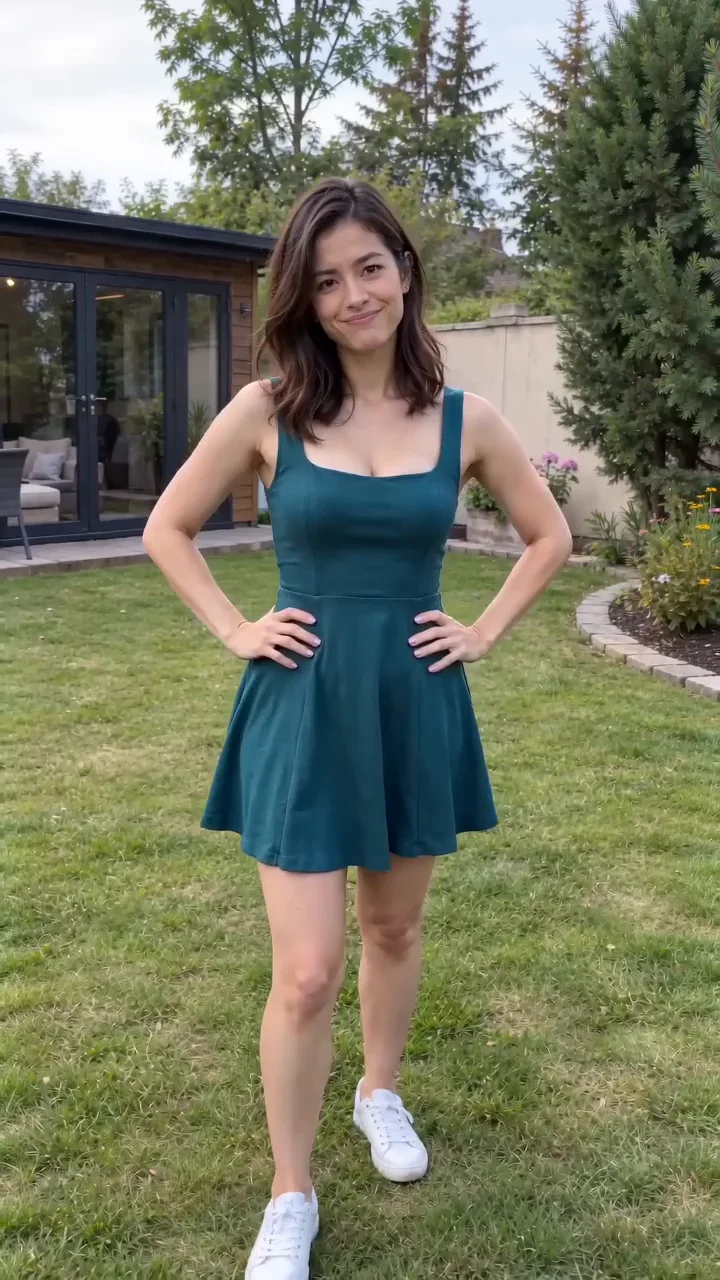
Angry Dance AI · about 15s · 720 × 1280 original · Sound on play. Compact preview; native 720p sources available below.Recorded source demo · Seedance 2.0 Fast
Open the video editor with the prepared prompt. Review credits before generating; guest checkout is available.
EveryGen AI sample: Seedance 2.0 Fast, 15 seconds requested, native 720 × 1280 with generated sound. Main playback uses a compressed 15-second 720p derivative with audio lowered by 12 dB; the original native file is separate. Use Inspiration or Normal to create your own take. Exact gestures, expressions and sound can vary.
Inspiration plans your idea; Normal starts with an editable Angry Dance prompt and compatible native model controls. Use original or authorized subject photos in a supported image/reference mode. No fixed-motion Template is offered for this theme.
One original adult dancer in a garden performs a playful Angry Dance: begin with hands on hips, step toward the fixed phone camera, furrow the brows and make exaggerated counting and pointing gestures. Add a brief palm-out stop, a puzzled sideways glance and a final comic burst before returning to hands on hips. Keep one consistent face and outfit, readable hands and natural forward/back movement. Vertical 9:16, 15 seconds, soft daylight, original upbeat percussion and garden ambience. No copied song, threatening behavior, captions or logos.
The generator above starts with Seedance 2.0 Fast at 15s / 9:16 / 720p with audio. Review the quote before generating. Original prompts do not guarantee identical results.
Understand what the source brief controls before you edit it in EveryGen AI.
A mock-angry face, counting gestures, a palm-out stop and an exaggerated reset create a readable reaction without relying on cuts or a copyrighted soundtrack.
Inspiration helps turn an idea into an image and video direction. Eligible accounts can try 3 replies and 1 image; video generation is a separate paid step.
Normal lets you edit the prompt and choose supported image/reference, duration, resolution and audio controls. This theme currently offers Inspiration and Normal.
Keep or change native duration, resolution and references deliberately. The complete credit quote appears before submission; writing your scene has no separate per-word charge.
Start with the recorded prompt, choose your inputs and inspect the new take.
Use Inspiration to describe an adult character, outfit and comic situation. Keep the emotion playful rather than threatening.
Review the suggested image prompt and confirm before creating an image, or upload a clear authorized photo. Keep one subject and visible face/hands.
Edit the suggested prompt and select a compatible model. Use a supported subject-photo input if needed. Confirm any proposed change to native settings.
Check duration, resolution, sound and the complete quote. Review an available compatible pass or choose sufficient credits; any proposed model or settings adjustment needs your confirmation.
Follow the job in Creations, review the full motion and audio, then download your private result within 24 hours. Another take needs a new confirmed quote.
Prompts, reference inputs, source models and your new video.
Angry Dance AI is a comic reaction-video idea: an exaggerated grumpy face, emphatic hand gestures and short rhythmic body movements. It is a playful synthetic performance, not evidence that the pictured person really acted that way.
Open Inspiration, describe your subject, prepare or upload an image, then choose Normal. Confirm native settings and credits, generate and review the result in Creations. The detailed tutorial shows each step.
Use an original or authorized adult photo with a clear face and visible upper body. Normal supports the selected model’s native image or reference inputs.
Yes. Normal lets you select compatible models exposed by the generator. Inputs and native controls update with the selected model. A fixed-motion Template is not currently offered for this theme.
No. Our sample has original generated sound. It does not include the competitor’s recording or commercial lyrics. Check the selected model’s audio capability and review the finished sound.
No. The account trial includes 3 replies and 1 image. Video needs a compatible paid allowance or sufficient quoted credits. Continued Agent conversation after the trial requires an eligible package.
Yes in Normal: describe your setting and use supported image/reference inputs. The sample shows a garden; a new take follows your chosen prompt and model inputs. A fixed-motion Template is not currently offered.
Visit EveryGen AI at https://everygenai.live/ and follow the Angry Dance tutorial for a detailed idea-to-image-to-video workflow.