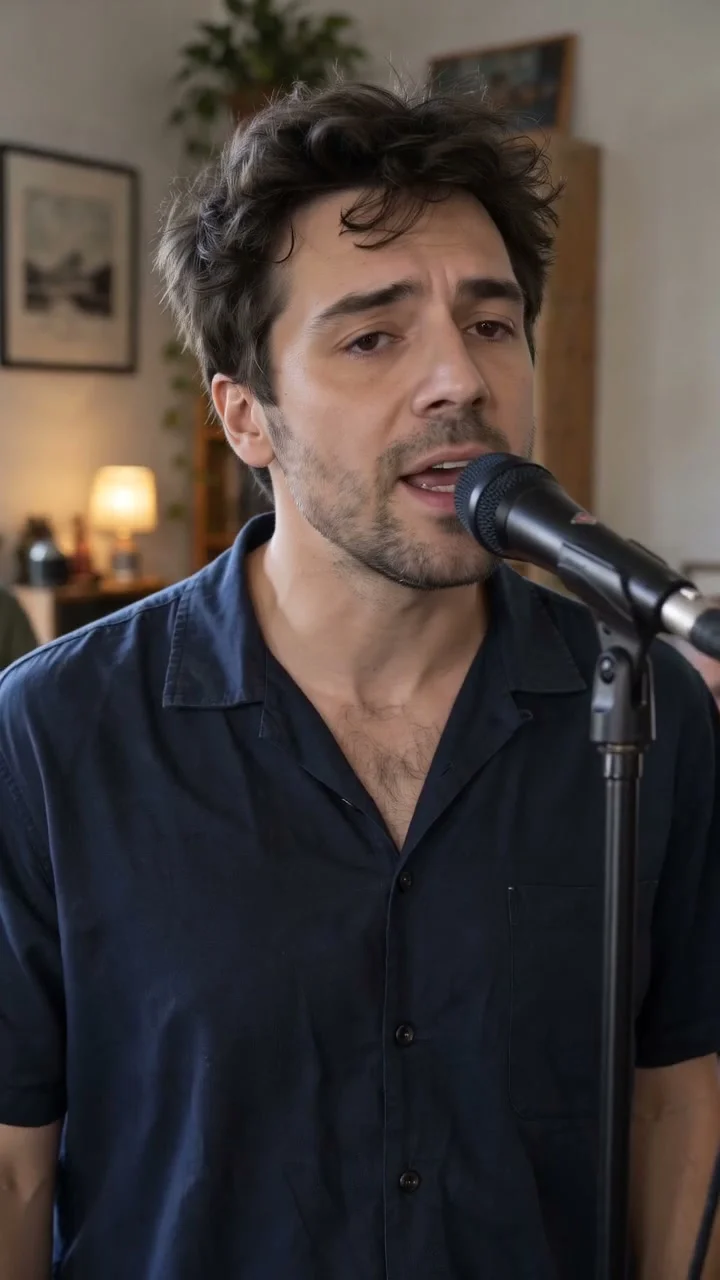
Compact playback preview · Open native 720p video ↗
Seedance 2.0 Fast · 720p · about 15 seconds · original audio
Try Tiny Desk AI with Every Gen AILooking for the best Tiny Desk AI video generator for an original concert? EveryGen AI brings the performance, sound and creative planning into one workspace. Watch real 720p examples, shape your lead performer, choose a guided or direct workflow and review the complete cost before making your own video.
The Tiny Desk AI page gives you two original performances to explore: a five-person band and a female-led trio, both with generated vocals and instruments. Start with the mood you like, then make the next performance your own.
Explore Tiny Desk AI in EveryGen AI.
What makes a Tiny Desk AI generator a good fit?
A useful concert generator gives you a clear idea of the result before you buy: a sample you can hear, a recognizable performer, a readable camera move and settings you can understand. EveryGen AI connects those decisions to the actual video draft.
| What you want | How EveryGen AI helps |
|---|---|
| Hear the performance before choosing a direction | Two published examples with original generated vocals and instruments |
| Make a vertical concert clip | Native 720p portrait examples; the fixed Template uses 15 seconds, 720p and 9:16 |
| Put your own lead into the scene | A subject description, authorized appearance photos of that same adult, or both |
| Follow the demonstrated band movement | An included EveryGen-generated band reference in Template |
| Work out an idea before making a video | Inspiration conversation, a reviewed plan and separate image/video confirmation |
| Direct an independent performance | Normal mode with an editable brief and model-specific controls |
| Know the cost before starting | A complete quote and compatible funding choices |
| Come back and keep working | Saved settings and a return to your draft or conversation |
Watch original 720p Tiny Desk AI performances with sound
Our Tiny Desk AI generator includes two approved examples with native video sources. Turn on sound to hear the generated performance and see how the musicians and camera work together.
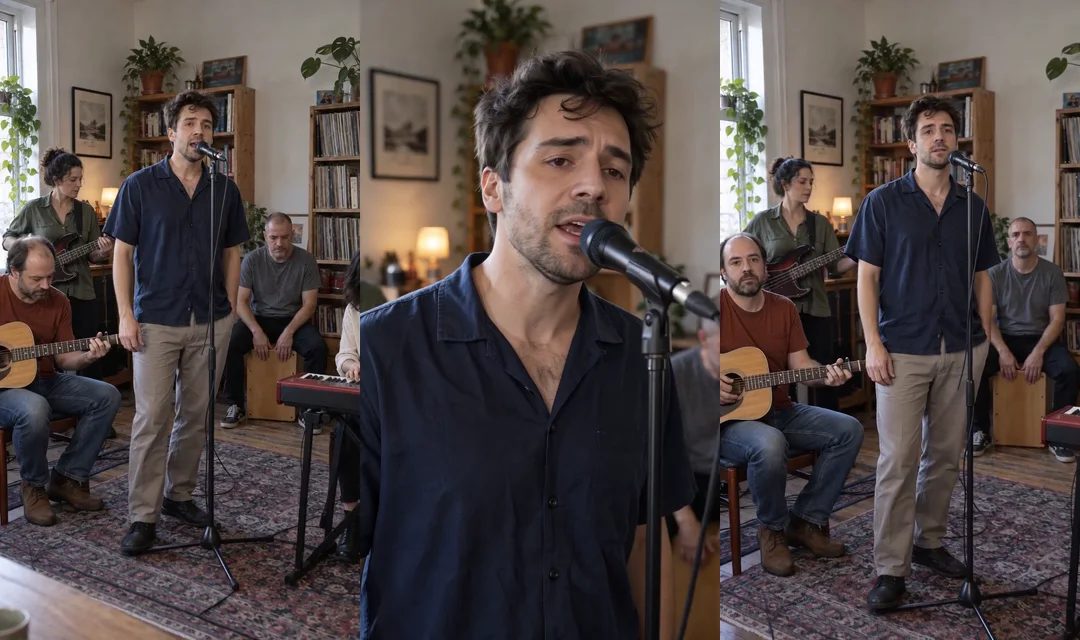
A five-person band with a moving camera
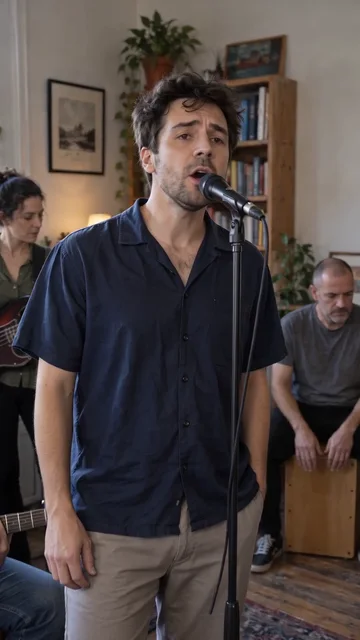
Five original adult musicians perform in a bright room. The camera approaches the vocalist, gives the guitarist a moment and gradually returns to the ensemble. The example was generated with Seedance 2.0 Fast at native 720×1280 for about 15 seconds, with original vocals and acoustic instruments.
This is the main reference for our fixed Template. A new Template request uses Seedance 2.0 at its displayed 15-second, 720p portrait settings; the sample model and your generation settings are shown separately.
A female-led acoustic trio
A female vocalist performs with a guitarist and keyboard player in a bright room. This example was generated with Seedance 2.0 Mini at native 720×1280 for about 10 seconds, also with original generated sound. Watch it for a smaller-group concert direction.
The published clips show the type of performance you can aim for. Each new generation can vary in faces, hands, instrument technique, lyrics and lip synchronization.
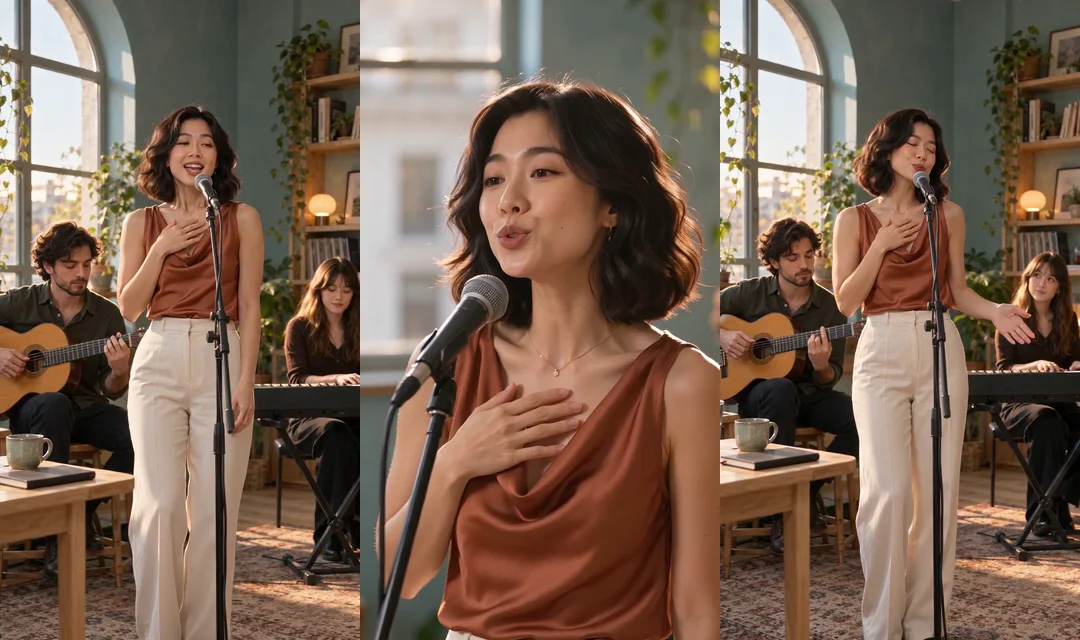
Watch the female-led trio with sound and compare both examples.
Make the lead performer your own
EveryGen AI's fixed Tiny Desk Template lets you describe an adult lead, add authorized appearance photos or combine both. Photos guide the lead's appearance; our included reference guides the existing room, backing musicians and camera movement.
You can discuss a new outfit, hairstyle or performance mood before preparing your draft. Subject descriptions and built-in theme instructions have no separate text charge. For a different room or an entirely new band concept, use Normal mode and the selected model's supported inputs.
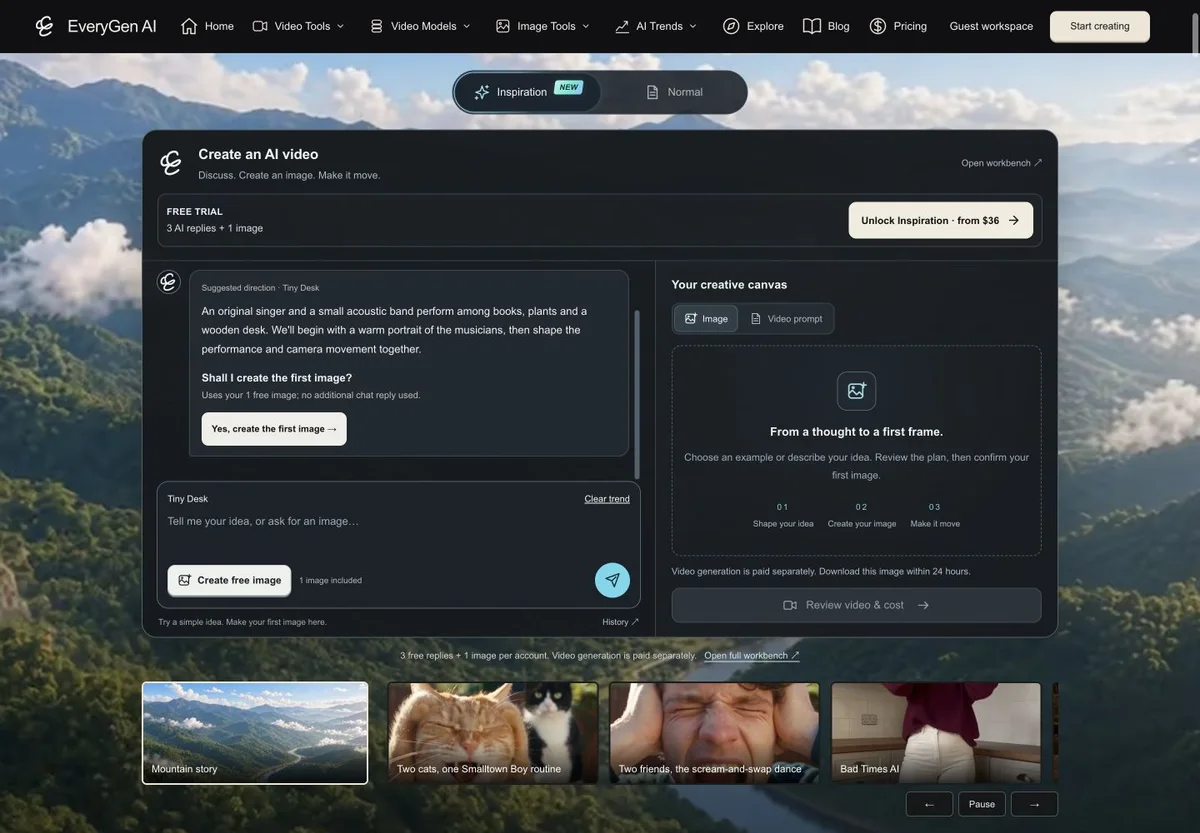
Plan the idea with Inspiration, then create when ready
You do not need a finished prompt to begin. Inspiration helps you work through the performer and scene in conversation, keeping the direction together as you refine it.
- 1. Choose the Tiny Desk starter or describe your idea.
- 2. Read the proposed direction and request changes if needed.
- 3. Confirm whether to create the supporting image.
- 4. Review the image and decide whether to prepare the video.
- 5. Check the video settings, quote and funding, then confirm generation separately.
The account-wide trial includes three successful AI replies and one supporting image. Ongoing Inspiration access is available through qualifying paid offers. Images beyond the included trial and video generation use their confirmed quotes.
Start planning in Inspiration.
Choose the creative workflow that fits your idea
EveryGen AI keeps three paths available within the same workspace:
- Inspiration helps you discuss and develop the idea before preparing an image and video draft.
- Normal gives you direct access to the editable starting brief and your chosen model's supported settings. Audio and reference capabilities depend on the selected channel.
- Template attaches our reviewed band reference for the demonstrated room, camera and backing performance, with your chosen lead.
The fixed Template requests new original music. Your soundtrack belongs to the generated concert direction rather than a promise to reproduce a particular commercial recording.
Review the complete cost and keep your draft
EveryGen AI shows the video quote before a paid submission, including applicable reference-video processing. A compatible available video pass takes priority; shared credits can fund other supported settings. Any proposed adjustment is shown for your confirmation.
If you need funding, choose a compatible offer and return to the saved draft. Checkout return does not start a video automatically. Your prompt, model and settings stay available so you can review the next step.
One-time offers and subscriptions are available on the EveryGen AI pricing page. A credit-pack price buys a balance rather than a fixed number of every possible video. The displayed generation quote explains what your selected performance requires.
How to make your Tiny Desk AI video
Open the Tiny Desk AI page, listen to the two examples and choose a direction. Start in Inspiration for planning, Normal for direct controls or Template for the included band reference. Prepare the lead, review the output settings and confirm the full quote before generation.
Follow the task in Creations and review the finished performance. Generated results are available for 24 hours, so download the video you want to keep. Check the performer, microphone, hands, camera and sound before sharing.
Bring your Tiny Desk AI idea to life
Start with a real example you can hear, develop a lead you want to see and choose how much direction to give. EveryGen AI keeps the plan, supporting image, video settings and funding review connected from the first idea to the next take.
Create your Tiny Desk AI video with EveryGen AI, or explore the full creative workspace at https://everygenai.live/.
Questions about Tiny Desk AI
Can I make a Tiny Desk AI video from one photo?
Yes. EveryGen's fixed Template can use an authorized photo of the adult lead, a text description or both. The included band reference provides the room, backing musicians and motion. Keep appearance photos focused on that same subject.
Do the videos include music and vocals?
Both published examples contain original generated vocals and instruments. The fixed Template requests original sound. Normal mode offers the audio capabilities of the model and channel you select.
Can I try the creative process before buying a video?
Yes. The account-wide Inspiration trial includes three successful replies and one supporting image. That lets you develop a direction before deciding on a paid video. Video generation requires a confirmed paid quote or compatible allowance.
Can I choose another model?
Use Normal mode to choose a supported model and review its native settings. The fixed Template keeps its reviewed Seedance 2.0, 15-second, 720p portrait setup and included reference.
Will the result follow the example's camera movement?
Template attaches the EveryGen-generated band video as its motion reference. It guides the approach to the vocalist, the guitarist moment and the return to the group. The reference guides a new generation; individual results can vary.
Can I return from checkout and change my idea?
Yes. Return to the saved draft or conversation to keep working. Review any changes and the current quote before confirming generation.
Is this an official concert-series service?
EveryGen AI offers an independent AI concert-style workflow. Its examples are original fictional performances.
Try Tiny Desk AI with Every Gen AI
Bring your idea and the reference photos for your chosen tool. Choose your settings, check the quote and create a clip you can review.