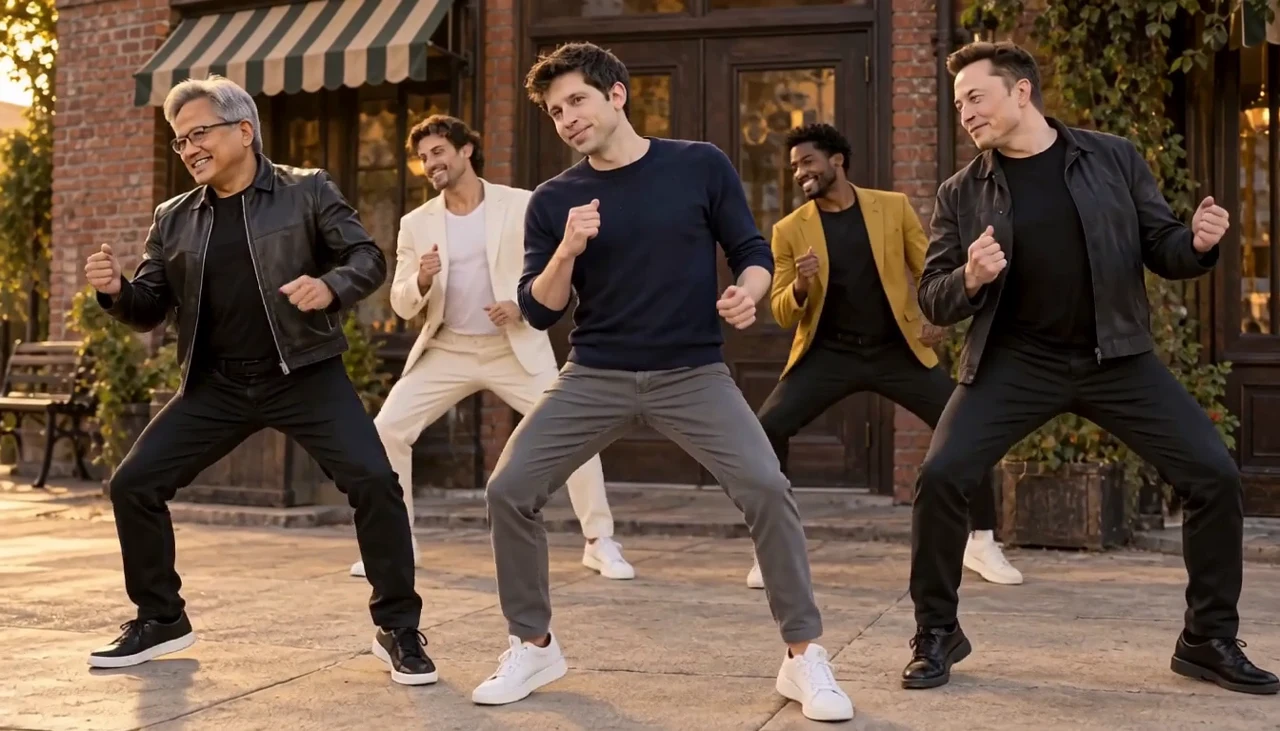
Compact playback preview · Open native 768p video ↗
MiniMax H3 · 768p · about 12 seconds · original audio
Try Uptown Funk AI with Every Gen AIUptown Funk AI turns a familiar visual idea into a playful remix: an adult lead, a small backing crew, a bright street and a compact synchronized groove. The useful creative question is how to keep the cast readable while the camera gets closer and the group moves together.
EveryGen AI · https://everygenai.live/ is a strong option when you want to develop the idea before spending on a video. Inspiration, image preparation, editable model controls and individual task history form one connected workflow. Here is how that compares with a dedicated effect and a broader dance generator.
Quick comparison: choose the workflow before the tool
A single-subject template, a prepared group image and a reference-video remix offer different degrees of control. Compare the actual input workflow rather than assuming every “Uptown Funk AI” page generates the same people, soundtrack or choreography.
| Tool | Useful starting point | What to check |
|---|---|---|
| EveryGen AI | Conversation-led planning, a prepared image, editable Normal mode and a separate included template | Template replaces one central lead; confirm native controls, input charges and the complete quote. |
| Media.io | A dedicated Uptown Funk topic with image and reference-video prompt recipes | Choose the recipe and supported workflow that match the number of custom people. |
| UptownFunkAIVideo | A dedicated lead-and-crew dance template | Review its current photo roles, quality options, soundtrack conditions and purchase terms. |
| Pollo AI | A broad photo-to-dance template workflow | Check the selected dance/template and whether it matches the movement you want. |
What is the Uptown Funk AI video trend?
The visual format is easy to recognize: a confident lead in front, supporting adults behind, grounded footwork and coordinated shoulders against a street backdrop. Some versions cast technology-public-figure likenesses; others use a creator, friends or an original crew. These synthetic performances should be labeled clearly when shared.
Our example uses a new five-person appearance image and a generated dance. It is independent AI entertainment. The theme name identifies the visual trend; EveryGen AI does not include the original commercial recording, its lyrics or a music license.
EveryGen AI: a connected creative workspace
EveryGen AI is especially useful when your first idea is still rough. You can discuss the performer and mood, prepare an image, select it for a video draft and review the supported model controls without stitching together several unrelated tools. That continuity makes the creative choices easier to understand.
- Inspiration helps turn a short request into a visual direction and supporting image.
- Normal exposes an editable topic prompt, a compatible video model and its actual native controls.
- Template follows our included dance video and personalizes the front-center adult lead; four supporting dancers remain part of the scene.
- The displayed quote covers the selected native output and chargeable inputs before you confirm generation.
- Creations keeps each task accessible while it is queued, running or complete.
Eligible accounts can try three Inspiration replies and one image. A completed video is paid separately, and continued interaction requires an eligible package. A video-only pass does not automatically fund extra image requests. Check current access, supported native settings and the actual quote.
Other Uptown Funk AI workflows to consider
Media.io presents a dedicated topic with different prompt recipes for image animation and reference-led remixes. That is useful when you want to choose between animating a prepared scene and following existing motion. Its public topic page does not identify the model behind every displayed clip.
UptownFunkAIVideo centers on a ready-made lead-and-crew effect. That focused approach may suit someone who already knows the exact scene they want. Review its current upload roles and soundtrack terms rather than assuming those terms transfer to another tool.
Pollo AI offers a broader photo-to-dance workflow: supply an image, choose a dance template or supported custom motion, then generate. It is an alternative when browsing different dance styles is more useful than starting from this one topic. These are workflow descriptions, not claims about which service is cheapest or most realistic.
How to make an Uptown Funk AI video with EveryGen AI
- Open the Uptown Funk AI generator. Inspiration appears first; describe an adult performer, outfit, group mood and street setting.
- Prepare an original or authorized image. For Normal group animation, make the cast distinct with visible faces, feet and space between people. Select the prepared image explicitly.
- Choose Normal for a fresh editable scene, or Template to personalize the front-center lead while following the included video. Template is not a five-person independent face-replacement control.
- Review native model, duration, resolution, supported sound and all reference charges. Confirm any proposed settings change before applying it.
- Check the complete quote and available allowance. If funding is needed, choose an offer that covers the current draft, then return with the settings and media preserved.
- Confirm generation, follow the individual task in Creations and review all faces, foot contact, transitions and sound. Download private results within 24 hours.
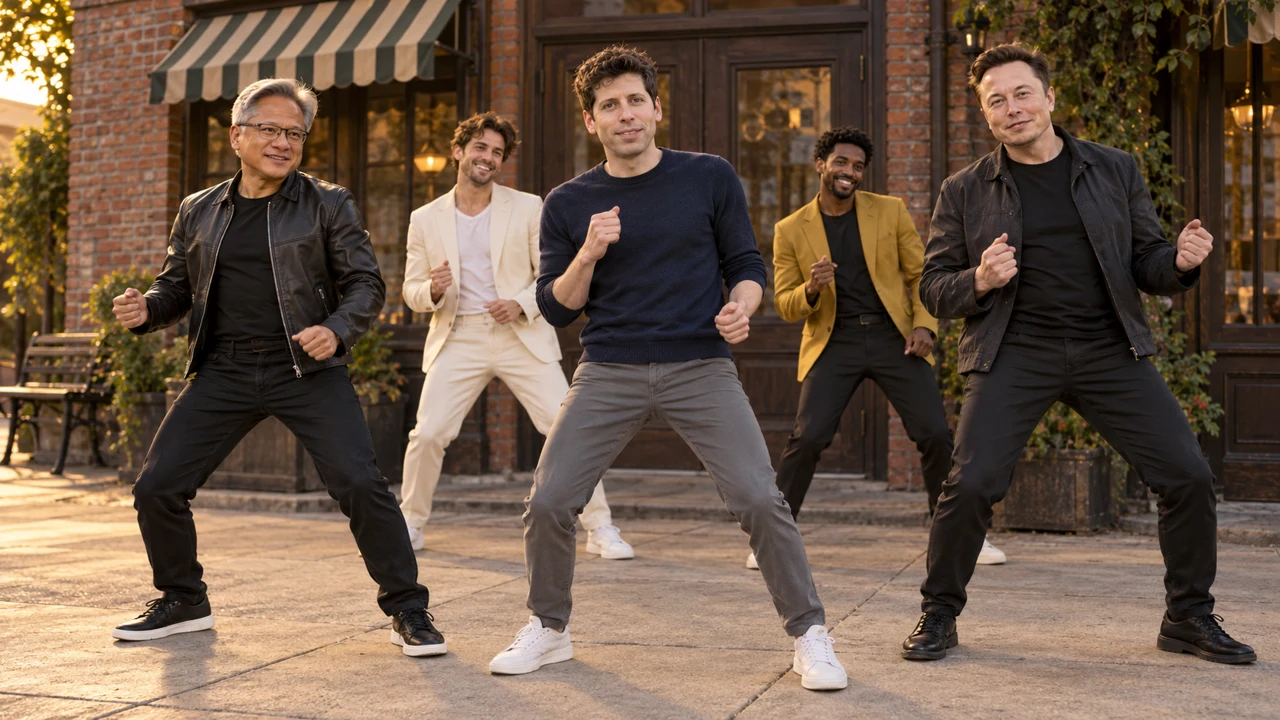
What our accepted demonstration actually shows
We generated one MiniMax H3 image-to-video take from our original group image. The request was 12 seconds at 768P; the returned video is 12.25 seconds at 1344×768 and contains an audio track. The scene moves between a readable group view and a closer playful lean, then returns to a wider finish.
The Template workflow uses a 720p derivative of that accepted EveryGen AI output as its fixed motion reference, with MiniMax H3 at 12 seconds/768P/16:9. Normal can use supported model-native settings instead. The demo is not proof of exact face preservation, identical choreography or a guaranteed result from every model.
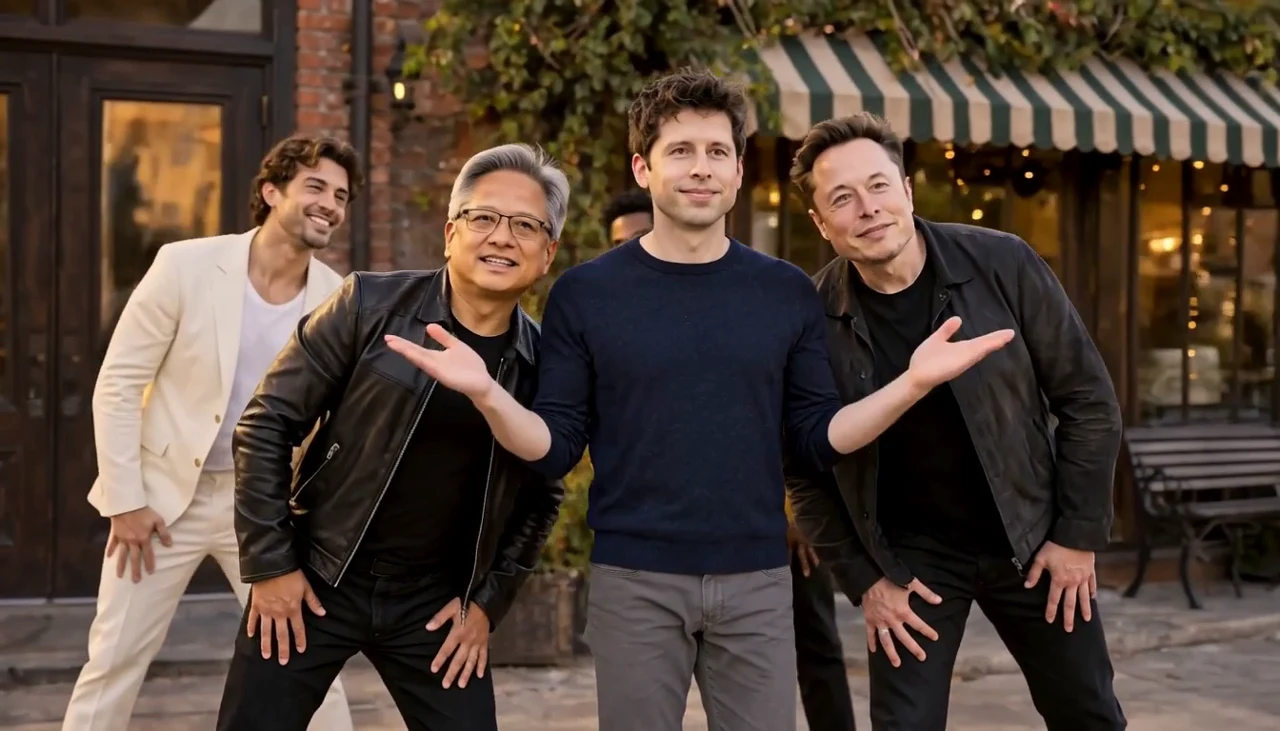
An editable starting prompt for a fresh dance
Five distinct adult performers in a bright brick-lined street. Keep one clear central lead and four supporting dancers. Begin with compact knee bends, heel lifts and shoulder pops; add two small synchronized side steps, a playful group lean and a relaxed wide finish. Keep feet grounded, faces distinct and outfits consistent. Use a gentle camera approach, readable full-body views and original upbeat generated sound. No added text or logos.
This is a public writing example, not a recovered hidden prompt from another service. Template has its own private EveryGen AI scene instructions and included reference. Editing the subject description does not add a separate text charge; changing native video settings can change the quoted cost.
What to inspect before sharing your result
- Faces and roles: each performer should remain distinct through a cut or lean.
- Feet and bodies: look for grounded steps, believable knees and no merged arms.
- Camera: movement should feel deliberate, with the group still readable as the view gets closer.
- Sound: review the actual generated audio; an audio track does not mean a licensed commercial song is included.
- Disclosure: label public-figure likenesses as fictional AI content and avoid presenting the scene as a real event or endorsement.
For the easiest starting point, use one clear adult subject and compact movement. If you need a completely different crew or scene, prepare the full group image and use Normal rather than expecting a one-role template to change every person. Another take requires a new confirmed quote.
Which Uptown Funk AI generator should you try?
Choose a dedicated template if you want one fixed effect with few creative decisions. Choose EveryGen AI when you want a guided idea-to-image-to-video workflow plus access to supported native models. Its strongest practical benefit is keeping the creative process and cost confirmation together.
Visit EveryGen AI · https://everygenai.live/, open the topic generator and try shaping the lead before committing to a paid video. Review the current plans and quote, then save the finished result within its download window.
Questions about Uptown Funk AI
What is Uptown Funk AI?
It is an AI street-dance trend built around an adult lead, a backing crew and coordinated movement. EveryGen AI offers Inspiration planning, editable Normal generation and a separate reference-led Template workflow.
Can I use my own image?
Use an original or authorized adult image with a visible face. Template personalizes the front-center lead; Normal can animate a prepared group image with a compatible native model.
Does EveryGen AI include the original song?
No. Our demonstration has generated audio and does not include the original commercial recording or lyrics. Review any music rights separately before sharing.
Can I change all five people in Template?
The current template personalizes one front-center adult lead while retaining four supporting dancers. For a different whole cast, prepare a consistent group image and use a supported Normal workflow.
Is a video included in the free Inspiration trial?
No. An eligible account can try three replies and one image. Video requires an eligible paid allowance or sufficient quoted credits; continued interaction requires an eligible package.
Can I choose a different model?
Normal exposes compatible models and native controls. Review and confirm required changes to references, framing, duration or resolution. Template has its own fixed reference and settings.
Where is the finished video?
Follow the task in Creations, review the completed result and download private generated files within 24 hours.
Try Uptown Funk AI with Every Gen AI
Bring your idea and the reference photos for your chosen tool. Choose your settings, check the quote and create a clip you can review.