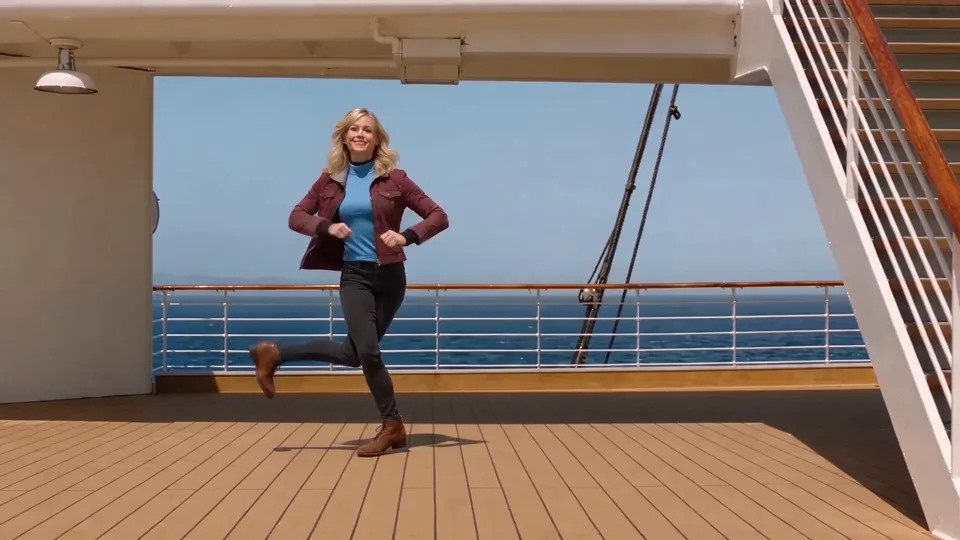
Compact playback preview · Open native 720p video ↗
Seedance 2.0 Mini · 720p · about 10 seconds · original audio
Try 24K Magic AI Dance with Every Gen AI24K Magic AI Dance is a cruise-ship dance format: a playful cabin introduction gives way to sunny deck movement, knee dips, short slides and a close view of the shoes. Its association with a song title is part of the search topic, but the recognizable camera sequence is what makes the visual idea concrete.
EveryGen AI at https://everygenai.live/ gives you a themed example, an editable dance direction and model-native tools for your own performer. Our demonstration requests original generated music; it does not distribute the commercial 24K Magic recording or promise an exact cover of the original choreography.
What makes the 24K Magic AI dance recognizable?
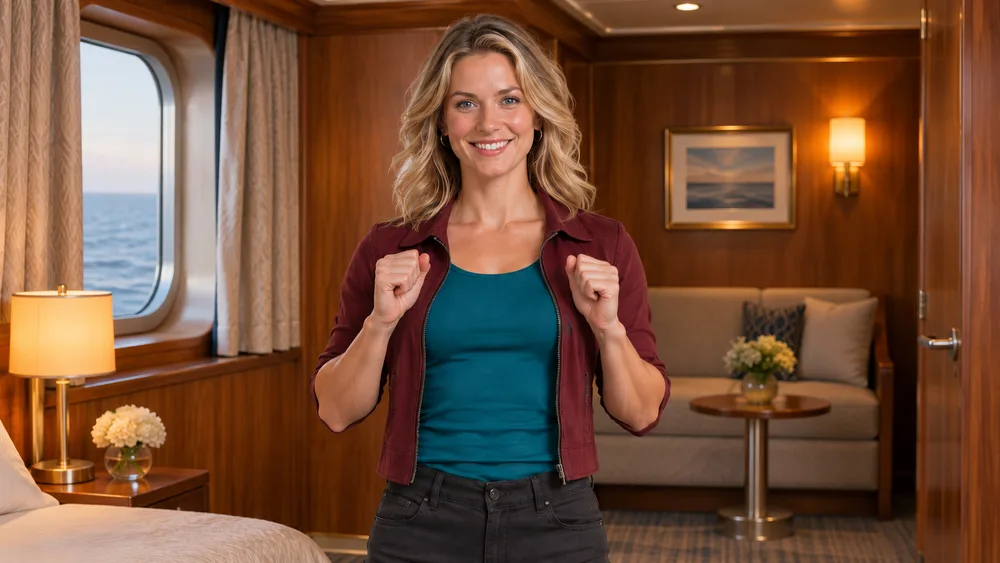
- A warm wood-paneled cabin opening: a smile, compact upper-chest taps and light shoulder movement.
- A clear scene change to a bright cruise deck with wood planks, railings, blue sky and a staircase.
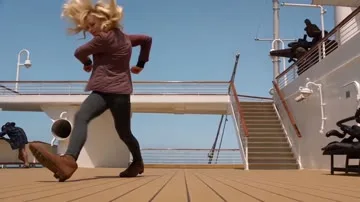
- Full-body knee dips and short crossing/sliding steps, with the face, outfit and shoes remaining consistent.
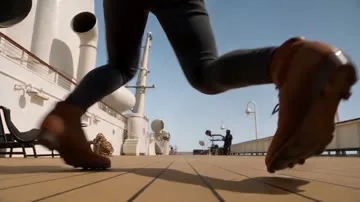
- A brief low shoe-level view, followed by a return to the full-body performance.
The title alone does not tell a model where to cut or what the feet should do. Spell out the shots and actions, or use a compatible reviewed reference workflow. A new model interpretation may simplify or shift those details.
Why create this dance in EveryGen AI?
EveryGen AI is useful when you want to develop the look and make the video in one connected workbench. Inspiration supports a conversation about your character; Normal lets you directly edit the starting direction and choose compatible native controls. The example, prompt, quote and saved task are close together, which makes experimentation easier to follow.
A reviewed Template is a distinct option for the included motion, while Normal is a flexible interpretation. This separation matters: changing the model should not silently pretend that the same reference or input capability is still available. Check and confirm any proposed native settings change.
How to make a 24K Magic AI dance video in five steps
- Step 1 — Open the 24K Magic AI Dance page in EveryGen AI and watch the example’s cabin, deck and footwork shots.
- Step 2 — Use Inspiration to prepare your original adult dancer and supporting image, or switch to Normal for the editable public prompt. Only explicitly selected images should be applied to the video.
- Step 3 — Choose a compatible model and input mode. An appearance reference describes who the performer is; a first-frame image also fixes the opening composition. Keep the shoes visible in preparation artwork.
- Step 4 — Review the complete quote, including duration, resolution, native audio and any reference processing. Use compatible existing funding if needed and preserve your chosen scene on return.
- Step 5 — Confirm generation, follow the job in Creations, inspect face continuity and foot contacts, and download the private result within 24 hours.
Keep the face, outfit and shoes together
For a dance, a face-only selfie leaves the outfit and shoes to the model. A clear full-body adult reference can communicate more of the look. Avoid long garments that completely hide the feet if shoe detail is important, and leave room around the arms and knees.
For a cabin-to-deck sequence, describe the complete outfit once and ask for it to remain consistent across every cut. The public starter is editable, so you can choose a different jacket or hairstyle while keeping the scene structure. Do not upload another person’s likeness without authorization.
Give each shot one clear job
| Shot | Purpose | What to review |
|---|---|---|
| Cabin medium view | Introduce the expression and compact chest gesture | Natural smile, hands in frame and stable identity |
| Deck full-body view | Show the knee dips and crossing steps | Space around the body and grounded shoes |
| Shoe-level view | Make the heel-toe detail readable | Same boots, realistic contact and plank direction |
| Deck ending | Return to a confident full-body finish | Continuity, no extra dancer and no abrupt cutoff |
Avoid asking for acrobatics, a rapid full spin and several unrelated locations in the same short clip. Clear priorities make the result easier to evaluate. Exact cut timing and footwork are still not guaranteed.
Does it include the 24K Magic song?
No. Our sample requests fresh original funk-pop instrumentation rather than the commercial recording, its lyrics or an artist’s voice. An audio stream also does not prove a specific song or exact beat match. If you need a particular commercial track, obtain the appropriate rights and handle that audio separately.
Some native models generate sound and others do not. Review the available controls and quote on the actual selected model. Do not assume an audio capability merely because another model in the menu has it.
What to check before sharing
- Does the same performer remain recognizable from cabin to deck?
- Do the outfit and shoes stay consistent in the low shot?
- Are the feet grounded rather than skating over the planks?
- Is the full body visible where the movement needs it?
- Does the final shot finish naturally, and is the sound appropriate?
EveryGen AI makes the creative path convenient without removing these review steps. Extra images and video takes use their own confirmed costs. Any eligible short free sample is a separate interpretation from a later paid final.
Create your own cruise-deck moment
Start at https://everygenai.live/ and bring an original adult character or your authorized photo. Keep the cabin smile, deck geometry and shoe detail in the brief; use EveryGen AI’s working generator to make the scene your own.
Models discussed in this workflow
Check the native inputs and limitations before changing a draft. These links describe workflow compatibility, not a quality ranking.
Questions about 24K Magic AI Dance
What is the 24K Magic AI dance trend?
It is a cruise-ship dance format associated with the 24K Magic topic: a playful cabin introduction, a sunny deck scene, knee dips, sliding steps and a shoe-level cut. EveryGen AI makes a new original interpretation rather than distributing the song.
How do I create 24K Magic AI Dance with EveryGen AI?
Plan your dancer in Inspiration, or use Normal to edit the prefilled cruise-ship direction. Select a compatible native model, apply an authorized image if supported and confirm the full quote.
Does this include the 24K Magic song?
No. Our example uses newly generated original music. The commercial recording, lyrics and an artist’s voice are not included. Use separately licensed audio if you need a specific track.
What photo works best?
Use one clear authorized adult photo with a visible face, complete outfit and shoes. A full-body image helps communicate the footwork; a first-frame input also fixes the starting scene.
Can I preserve the included cuts and movement?
Template uses our own reviewed 10-second reference for the cabin, deck and shoe sequence. Normal gives creative freedom and does not promise exact choreography.
Can I change the video model?
Yes in Normal. The controls update to supported native input roles, duration, resolution and audio behavior. Confirm any proposed settings change before applying it.
Can I create a vertical version?
Choose a supported vertical ratio in Normal and keep the whole dancer visible. Template retains its declared widescreen reference framing, so a vertical version is a separate interpretation.
Where are the tool and my result?
Visit https://everygenai.live/ and open 24K Magic AI Dance under AI Trends. Track your own task in Creations and download within its 24-hour window.
Try 24K Magic AI Dance with Every Gen AI
Bring your idea and the reference photos for your chosen tool. Choose your settings, check the quote and create a clip you can review.