Give each reference a clear role
The original duet uses separate images for the left and right performer. The included fictional portraits can be loaded with the matching prompt.
AI TRENDS / REFERENCES & DIRECTION
Looking for a Genjutsu AI workflow? Decide what should guide the new shot: identity, motion or camera. EveryGen AI helps you prepare a separate reference-led generation with supported photo and video inputs.
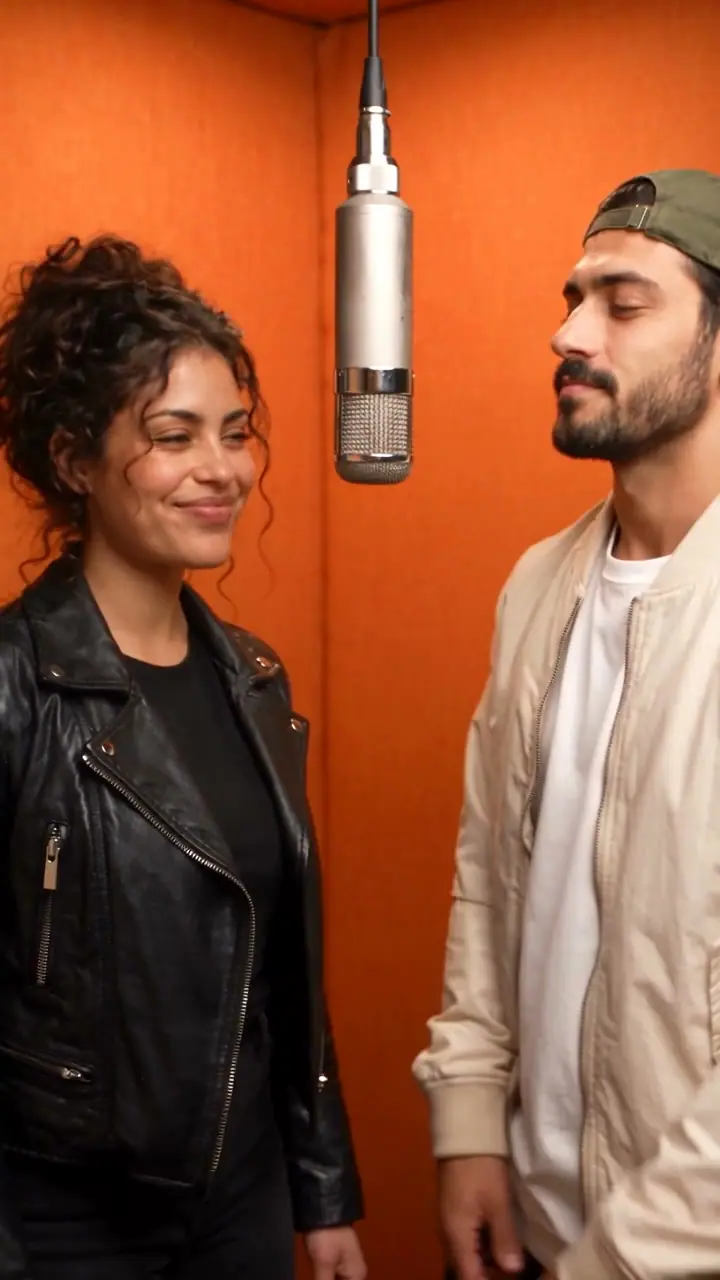
This clip is a real two-photo Seedance 2.5 duet, used as a reference-planning example. It is not a Genjutsu output, object swap or exact motion-transfer result. The prompt below belongs to this duet; it is not labeled as a Genjutsu prompt.
THE RECORDED SOURCE
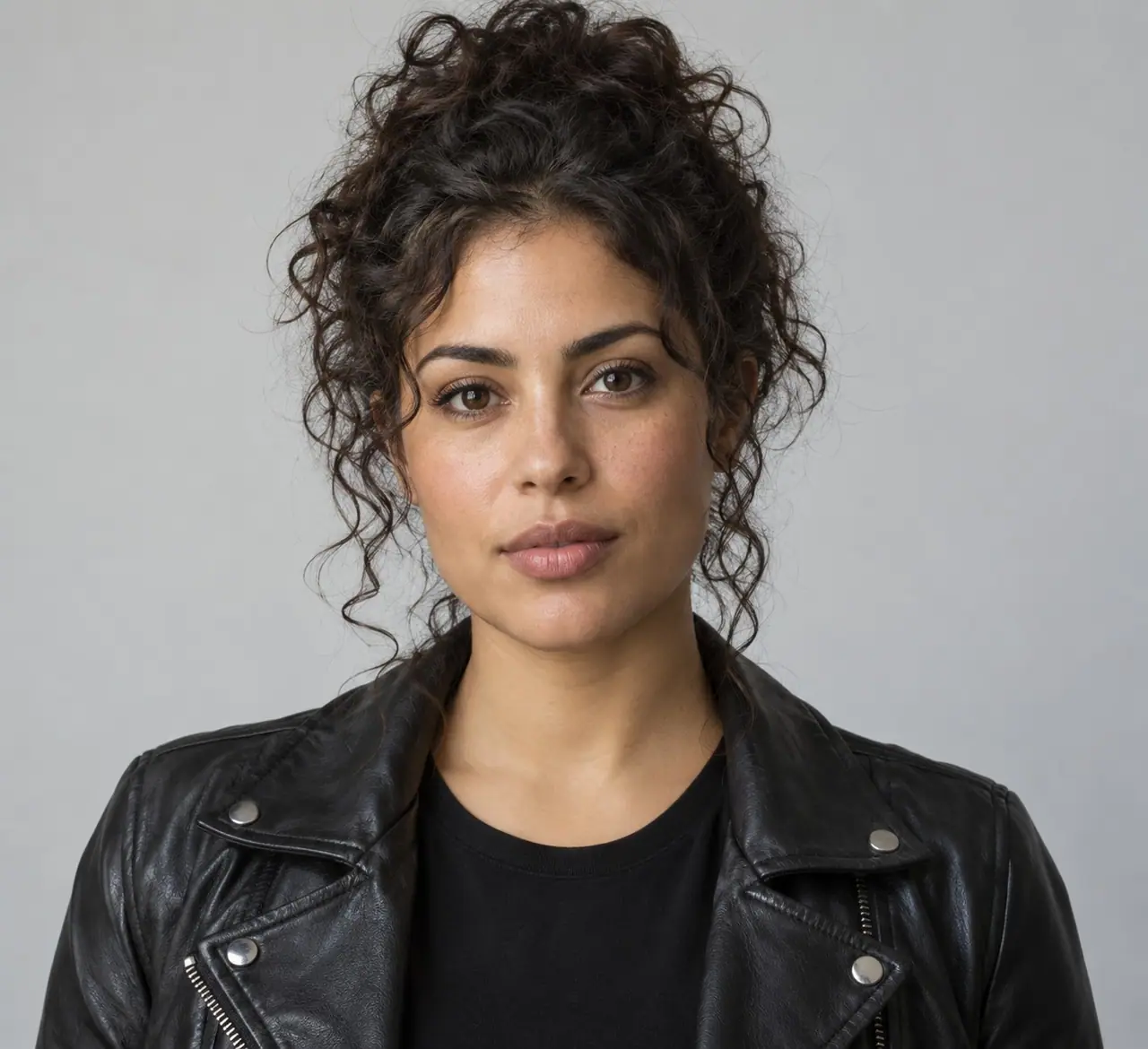
The original two fictional adult reference portraits are included. Reference image 1 is the woman on the left; reference image 2 is the man on the right.
Create a photorealistic fictional cinematic website promotional video, exactly 10 seconds. Exactly two clearly adult performers. Preserve reference faces and outfits. Natural anatomy, stable faces, expressive realistic movements, detailed setting. Generate a complete audible native soundtrack synchronized to the visible actions, from the first second to the ending. No subtitles, written words, logos, watermarks, extra people or voice impersonation. Original music and original lyrics only. Finish the action and music with a deliberate ending at 10 seconds. Reference image 1 is the curly-haired woman on the LEFT; reference image 2 is the man in a green cap and cream jacket on the RIGHT. A vivid warm orange acoustic recording booth, one silver microphone hanging between the two performers, premium tungsten editorial lighting. Keep both performers and the hanging microphone visible in a medium two-shot. 0-2s: the woman smiles and nods to the opening beat, the man responds with a shoulder groove. 2-6s: they trade playful short sung phrases with synchronized mouth movements and rhythmic hand gestures. 6-9s: both bounce in time and sing together. 9-10s: they share a confident final pose, music resolves. SOUND: a lively original 96 BPM hip-hop/funk groove, warm bass, crisp claps and hi-hats. Woman sings 'Two voices, one room'; man replies 'Bring that rhythm through'; together 'Orange light, we move'. Audible vocals must alternate with the corresponding performer; do not just pose silently. The orange booth and shared microphone are essential throughout.
Preparing a new take opens Seedance 2.5 at 10s / 9:16 / 720p with audio. Review the quote before generating. Original prompts do not guarantee identical results.
These are the fictional adult portraits used in the recorded request. The workspace imports them after sign-in; replace them with your own authorized images if desired.

Understand what the source brief controls before you edit it in EveryGen AI.
The original duet uses separate images for the left and right performer. The included fictional portraits can be loaded with the matching prompt.
In the full workspace, Seedance 2.5 accepts supported video references in multi-reference mode. Upload your authorized clip and explain which movement or camera direction matters.
This workflow generates a new shot. Exact source-frame preservation, local object replacement and dedicated Genjutsu editing are not offered by this page.
Start with the recorded prompt, choose your inputs and inspect the new take.
Play the duet, read its actual prompt and compare the two source portraits. Notice how the prompt assigns left/right identity and alternates performance.
Use the original setup or replace the portraits. For motion guidance, add your own supported video reference and describe the part it should guide.
Confirm the current credit quote, including reference-video seconds. Check identity and movement throughout the new take; exact copying of source pixels is not promised.
Prompts, reference inputs, source models and your new video.
No. This is an independent reference-workflow guide. The EveryGen AI workspace uses supported video models to generate a new scene.
No. The labeled example is a Seedance 2.5 two-photo duet. Its original prompt and images are provided so you can inspect a real reference setup.
Yes. Select a supported model such as Seedance 2.5 and multi-reference mode. Upload a compatible authorized video and review its duration, resolution and credit quote.
That dedicated local editing operation is not available here. The workspace creates a new video guided by references and a prompt.
The exact recorded prompt for the orange-booth duet shown on this page. It includes the two input-image roles, scene timing and original audio instructions.