Two identities across three shots
Reference image 1 defines the woman; reference image 2 defines the man. The recorded prompt keeps faces and clothes consistent between the dim room and the sunny memory.
AI TRENDS / STORY & EMOTION
Create a Zombie AI memory story in EveryGen AI: a quiet costume scene, a sunny flashback and a tender reunion. Begin with the actual prompt and two fictional portraits used for this demo.
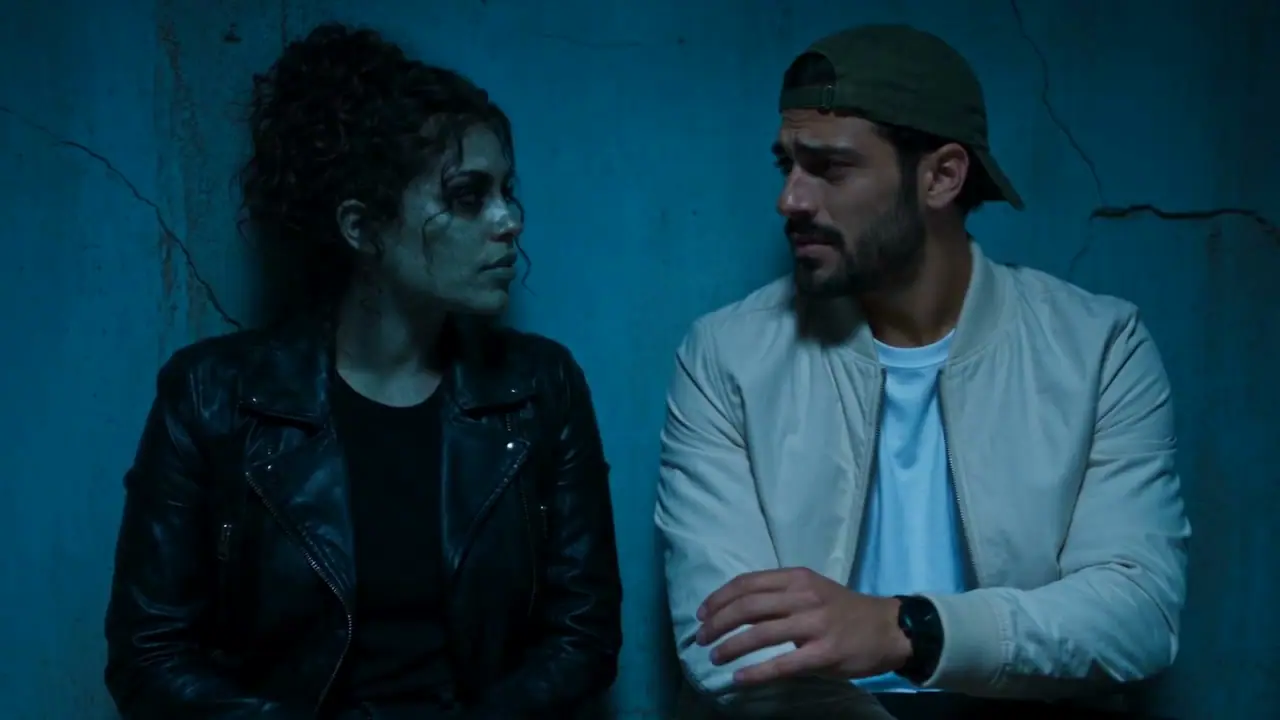
The source clip was generated with Seedance 2.5 at 720p from the two included fictional adult portraits, with native original audio. Its full original prompt is preserved. This is a non-graphic fictional costume story.
THE RECORDED SOURCE
The original two fictional adult reference portraits are included. Reference image 1 is the woman on the left; reference image 2 is the man on the right.
Create a photorealistic fictional cinematic website promotional video, exactly 10 seconds. Exactly two clearly adult performers. Preserve reference faces and outfits. Natural anatomy, stable faces, expressive realistic movements, detailed setting. Generate a complete audible native soundtrack synchronized to the visible actions, from the first second to the ending. No subtitles, written words, logos, watermarks, extra people or voice impersonation. Original music and original lyrics only. Finish the action and music with a deliberate ending at 10 seconds. Reference image 1 is the woman on the LEFT, reference image 2 is the man on the RIGHT. A tender cinematic zombie memory story with three clear shots, not a dance video. 0-3s: in an abandoned dim blue-lit room with cracked dusty walls, the woman unmistakably has non-graphic zombie costume makeup: pale gray-green skin, dark sunken eye makeup, subtle cracked-skin texture, intact recognizable face and black jacket. The human man in green cap looks emotional, hesitates and gently reaches for her hand. 3-6s: a clear warm flashback cut to the same pair in a sunlit park, the woman now has natural healthy skin, both smile and laugh together in the same outfits. 6-10s: cut back to the blue room and zombie makeup; a close two-shot of them gently holding hands, tender eye contact. Zombie appearance in the beginning and end is mandatory; the warm memory must contrast visibly. SOUND: original melancholic piano melody, soft sustained cello, quiet atmospheric wind and room tone. Piano brightens in the sunny memory, then returns to a tender minor-key ending when they hold hands. No cheerful dance beat, no rap vocals, no generic upbeat music, no dialogue. Non-graphic, no blood, wounds, attacks, weapons or frightened victims.
Preparing a new take opens Seedance 2.5 at 10s / 16:9 / 720p with audio. Review the quote before generating. Original prompts do not guarantee identical results.
These are the fictional adult portraits used in the recorded request. The workspace imports them after sign-in; replace them with your own authorized images if desired.
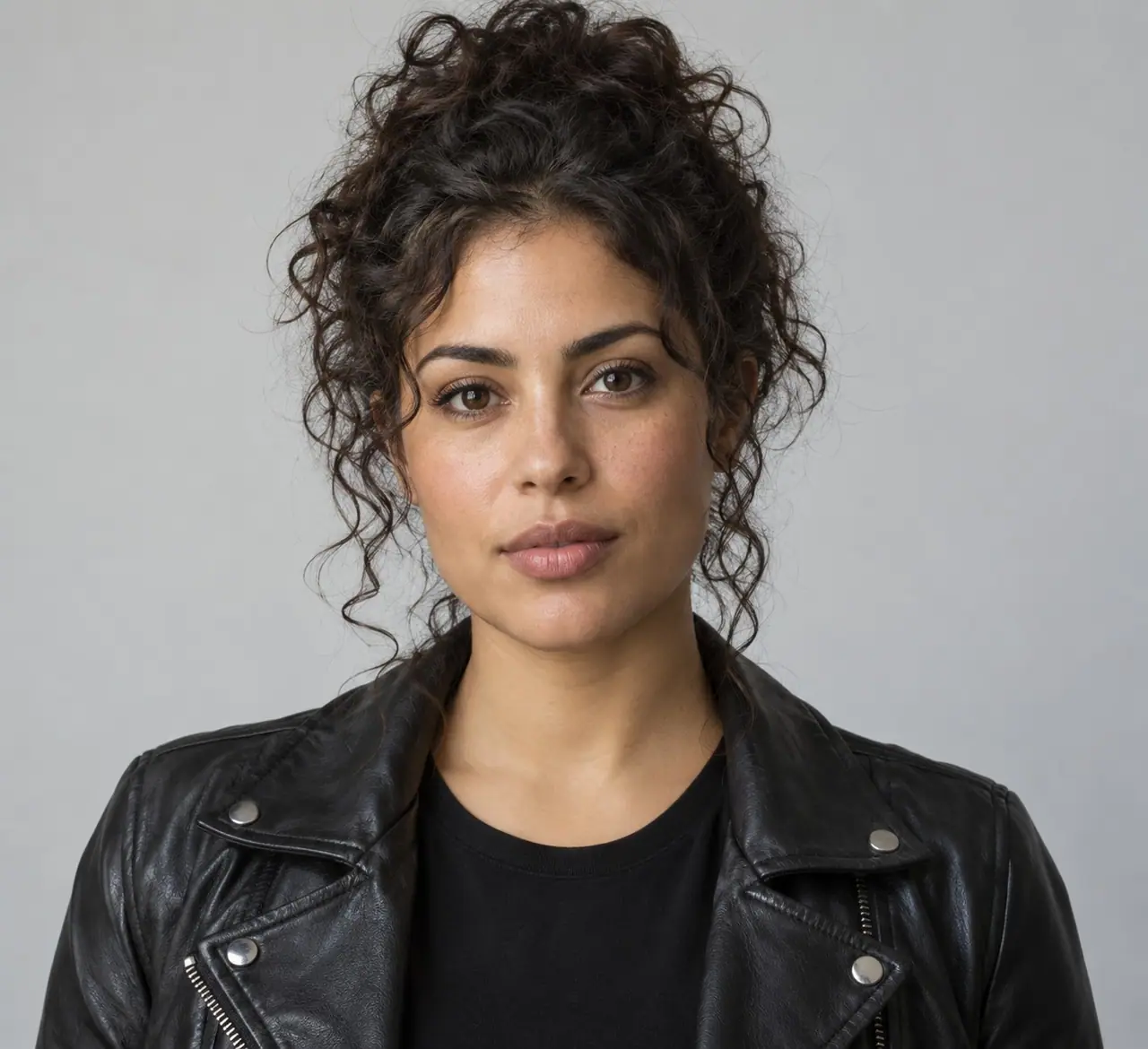

Understand what the source brief controls before you edit it in EveryGen AI.
Reference image 1 defines the woman; reference image 2 defines the man. The recorded prompt keeps faces and clothes consistent between the dim room and the sunny memory.
The source brief specifies 0–3 seconds in the blue-lit room, 3–6 seconds in a warm park flashback, and 6–10 seconds holding hands back in the room.
The original request uses pale gray-green costume makeup and intact faces, with no blood, attacks or weapons. A newly generated piano and cello score supports the story.
Start with the recorded prompt, choose your inputs and inspect the new take.
Copy the original prompt or open the workspace. The two fictional portraits are included and imported into your media library after sign-in.
Replace the images with authorized adult portraits if desired. Keep the left/right role assignment clear and edit the setting or one emotional beat.
Review the 10-second, 16:9, 720p quote with audio enabled. Inspect every transition and both identities before sharing, then download within 24 hours.
Prompts, reference inputs, source models and your new video.
It is a fictional short memory story that contrasts a changed companion in a dim room with a warm shared flashback. The EveryGen AI example uses gentle costume makeup and two adults.
Yes. The completed original generation request was recovered and the source video was matched byte-for-byte with the R2 original. The full prompt is preserved without paraphrasing.
Yes. The fictional adult portraits used by the source request are displayed below and can be loaded into the workspace after sign-in. You can replace them before generating.
Edit the prompt to describe your own warm memory while keeping the reference roles and a manageable shot sequence. The selected model interprets your instructions.
EveryGen AI Creations keeps completed, queued and failed task history with settings. Generated files are stored privately for 24 hours; download before the displayed expiry.