Choose one clear adult per photo
Use a sharp portrait with the face unobstructed. Avoid multiple people, sunglasses that hide the eyes and heavy face filters. Only upload photos you have permission to use.
AI TRENDS / STREET & PERFORMANCE
Create a Gas Station Dance video in EveryGen AI. Edit the prompt, choose two photos and generate.
Generated videos are stored for 24 hours, then deleted. Download files you want to keep.
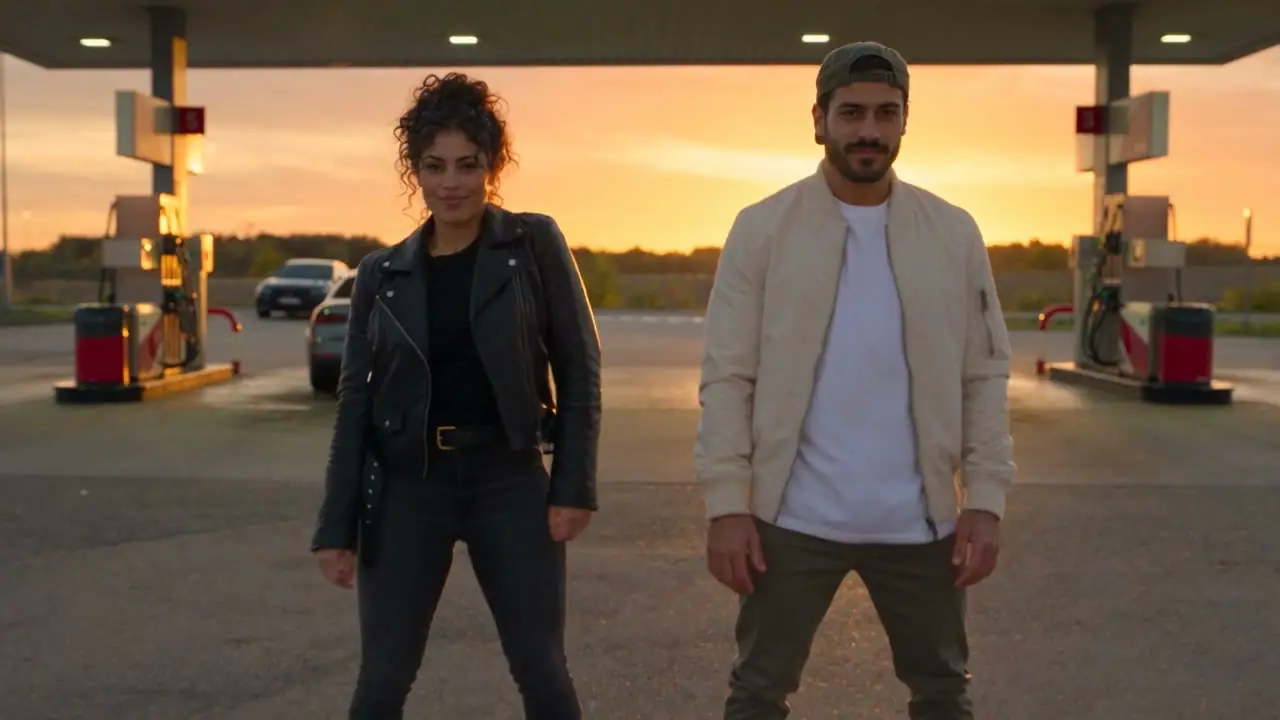
Gas Station Dance · 10s · Original sound. Your generated video appears here.Recorded source demo · Seedance 2.5 workspace
No generated videos yet.
Your inputs are saved while you work.This original Gas Station Dance demo was generated with Seedance 2.5 from the two portraits below: 10 seconds, 1280 × 720 and native original audio. It uses a continuous two-person forecourt dance; the car stays parked.
The original two fictional adult reference portraits are included. Reference image 1 is the woman on the left; reference image 2 is the man on the right.
Create a photorealistic fictional cinematic website promotional video, exactly 10 seconds. Exactly two clearly adult performers. Preserve reference faces and outfits. Natural anatomy, stable faces, expressive realistic movements, detailed setting. Generate a complete audible native soundtrack synchronized to the visible actions, from the first second to the ending. No subtitles, written words, logos, watermarks, extra people or voice impersonation. Original music and original lyrics only. Finish the action and music with a deliberate ending at 10 seconds. Reference image 1 is the curly-haired woman on the LEFT; reference image 2 is the man in a green cap and cream jacket on the RIGHT. Exactly two dancers at an empty gas station forecourt at sunset, recognizable fuel pumps behind them, lit canopy overhead and a parked car in the distant background, golden-orange sky. Both dancers remain fully visible in a stable medium-wide shot, feet clearly visible. 0-2s: they hit the opening beat with synchronized shoulder pops. 2-6s: coordinated side steps and heel-toe footwork, alternating relaxed hand gestures. 6-9s: playful synchronized half-turn, then step back toward camera together. 9-10s: land a matching final pose. Keep recognizable gas station pumps and canopy in frame for the entire clip. SOUND: original upbeat 118 BPM disco-house / street-dance groove with strong four-on-the-floor kick, crisp claps, bouncy bass, bright rhythmic synth stabs and occasional original nonverbal 'hey' ad-libs. Every footwork accent and final pose should land on the beat. No orange booth, no seaside pier, no slow ballad, no generic silent dancing. The car is stationary, no fuel handling, driving or stunts.
The generator above starts with Seedance 2.5 at 10s / 16:9 / 720p with audio. Review the quote before generating. Original prompts do not guarantee identical results.
THE SCENE / YOUR CREATIVE DIRECTION
The Gas Station Dance format turns an everyday forecourt into a performance set. Recognizable pumps, an illuminated canopy and a readable dance make the scene easy to understand before a viewer reads a caption. EveryGen AI’s version centers on two performers moving together in one wide shot. Instead of switching between unrelated scenes, the original brief keeps both people and their feet visible for the full ten seconds. Start here for a dance reel, a playful duo clip or an original music-led scene.
Both dancers start with synchronized shoulder pops.
Side steps and heel-toe movements stay inside the wide frame.
A playful half-turn leads back toward the camera.
The pair lands a matching pose as the original music resolves.
These are the fictional adult portraits used in the recorded request. The workspace imports them after sign-in; replace them with your own authorized images if desired.
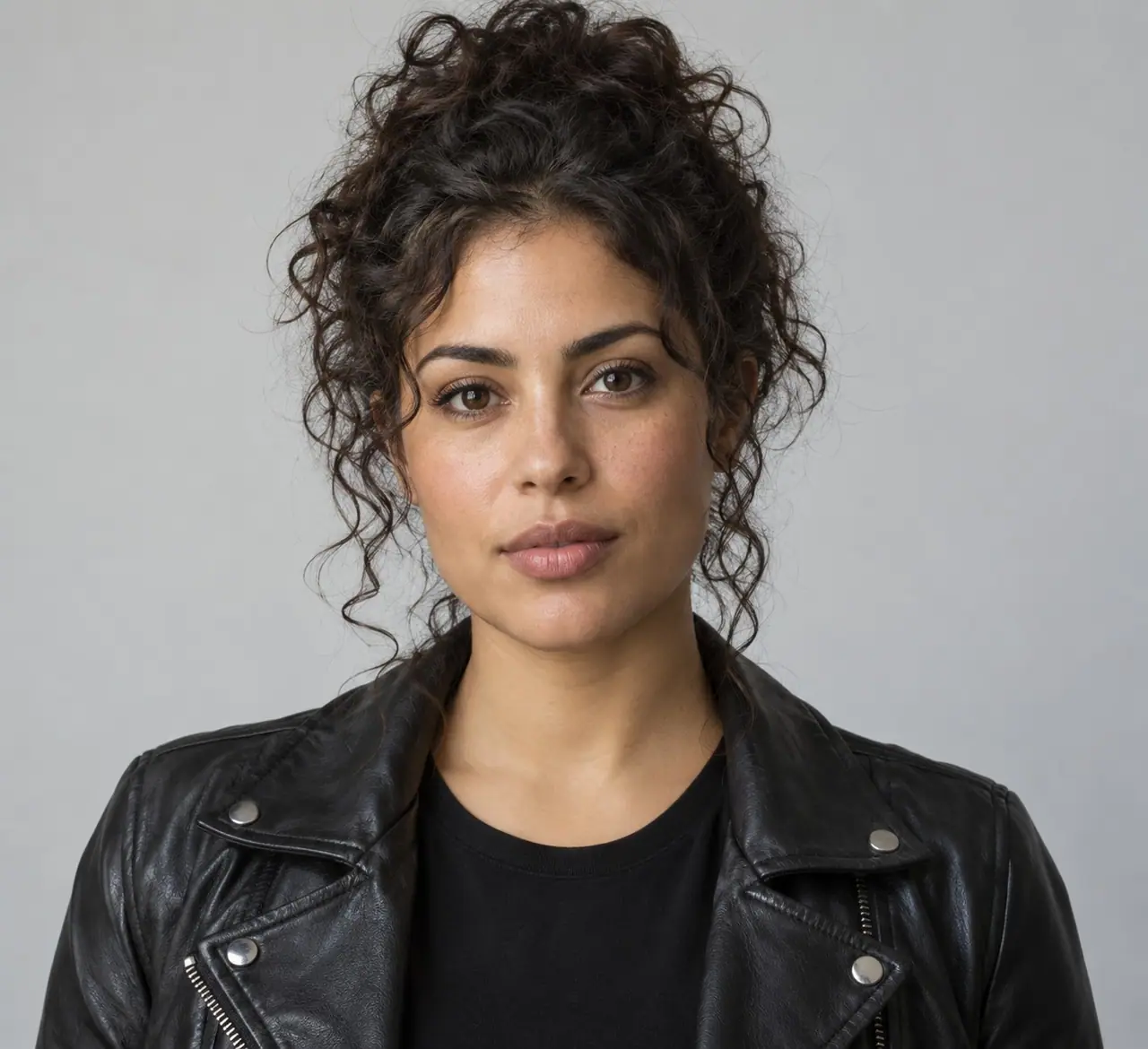
The first photo defines the woman on the left. Her face and black jacket guide identity and clothing; the prompt supplies the dance, the location and the camera.
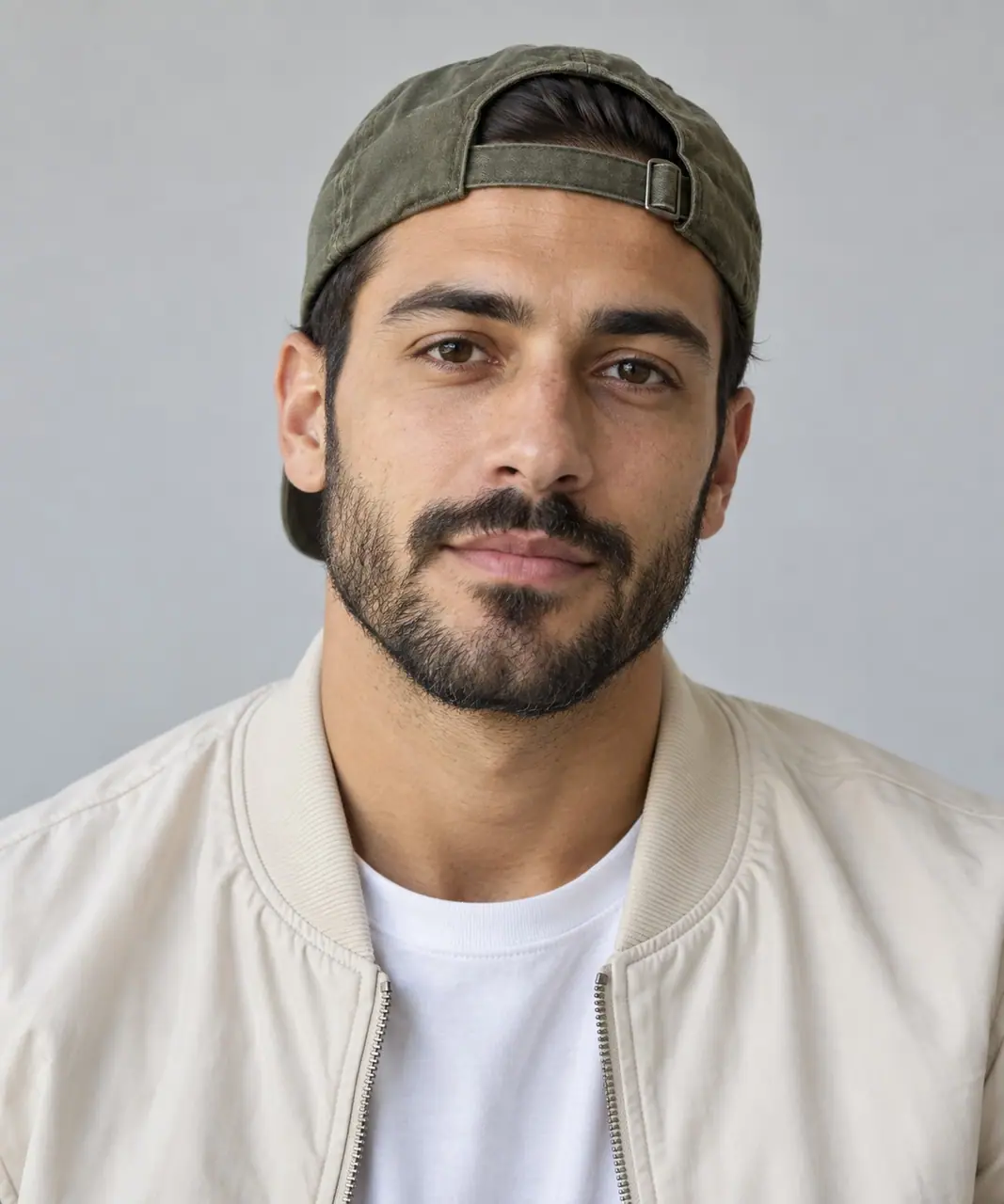
The second photo defines the man on the right, including his green cap and cream jacket. Keep image order aligned with the prompt when replacing either portrait.
Prepare the identities and framing before opening a new take in EveryGen AI.
Use a sharp portrait with the face unobstructed. Avoid multiple people, sunglasses that hide the eyes and heavy face filters. Only upload photos you have permission to use.
The original reference portraits establish the two outfits. If you change a jacket or hat, update that detail in the prompt too so the image and written brief agree.
Use 16:9 for the recorded setup and ask for visible feet. A tight face close-up can lose the heel-toe action; a vertical remake needs its own wider body framing instructions.
Keep the opening, shared footwork and final pose manageable. Test one change to the camera or choreography at a time, then compare the full take rather than only its first frame.
Understand what the source brief controls before you edit it in EveryGen AI.
EveryGen AI loads the two original fictional adult portraits into multi-reference mode after sign-in. Replace either image and keep its left/right assignment in the prompt.
The recorded request assigns four timed movement beats, a stationary camera and a final pose. These instructions help you direct a new take without starting from an empty prompt.
The source asks for an original 118 BPM disco-house groove, bass, claps and nonverbal ad-libs. Native audio is enabled; inspect the generated beat and footwork before sharing.
Start with the recorded prompt, choose your inputs and inspect the new take.
The generator is already open above with the recorded original prompt and compatible settings. Edit the scene directly; you do not need to open a separate example or template.
Sign in to import the sample portraits, or upload your own authorized adult images. Reference 1 belongs to the left dancer and reference 2 to the right dancer. Edit the clothing and movement descriptions to match.
EveryGen AI displays the current credit quote before submission. This workflow needs paid credits or an eligible purchase that covers its settings; opening a template does not submit a task.
Open Creations to check both faces, visible feet and audio across the full clip. Download your result within its displayed 24-hour storage window.
Use the finished video to choose one useful change for your next EveryGen AI take.
Keep the medium-wide camera instruction and visible-feet requirement. Remove competing close-up directions before trying another take.
Check reference order and left/right assignments. Clear single-person photos and consistent clothing descriptions give the model fewer conflicting instructions.
Keep pumps and the lit canopy visible throughout. Changing too many locations in a short prompt can shift attention away from the forecourt.
Prompts, reference inputs, source models and your new video.
It is a two-photo AI dance workflow set on a sunset gas-station forecourt. The page includes a real generated example, its original prompt and the original reference portraits.
Yes. The tool is prefilled with the complete recorded source request and its model settings. You can edit it directly or expand Original prompt & source settings below to copy the unchanged request.
The recorded demo uses two separate fictional adult portraits, one for each dancer. You can use those samples after sign-in or replace them with your own authorized photos.
The included EveryGen AI setup makes a continuous two-person dance with a stationary parked car. It does not automatically assemble the separate three-role template. You can edit supported references and scene instructions in the full workspace.
The source request uses original music and describes its own shoulder pops, footwork and final pose. It does not supply a commercial song or an existing performance recording. Generated timing and movement can vary.
The quote depends on the selected model, output duration, resolution and reference inputs. EveryGen AI shows the exact required credits before you generate; a new take is not free.
You can edit supported settings in the workspace. The original demo is 16:9 with native audio; changing its ratio or audio brief creates a new version and can affect framing and the quote.