Keep the face visible
Use a clear dog or adult character scene with an unobstructed face and space for a small gesture.
AI TRENDS / PET REACTIONS
Create a Hit the Road Dude AI video with Every Gen AI. Start with our original bulldog in a fictional pickup, or replace the first frame and edit the reaction. Watch the 15-second example with sound, then shape your own delivery.
Generated videos are stored for 24 hours, then deleted. Download files you want to keep.
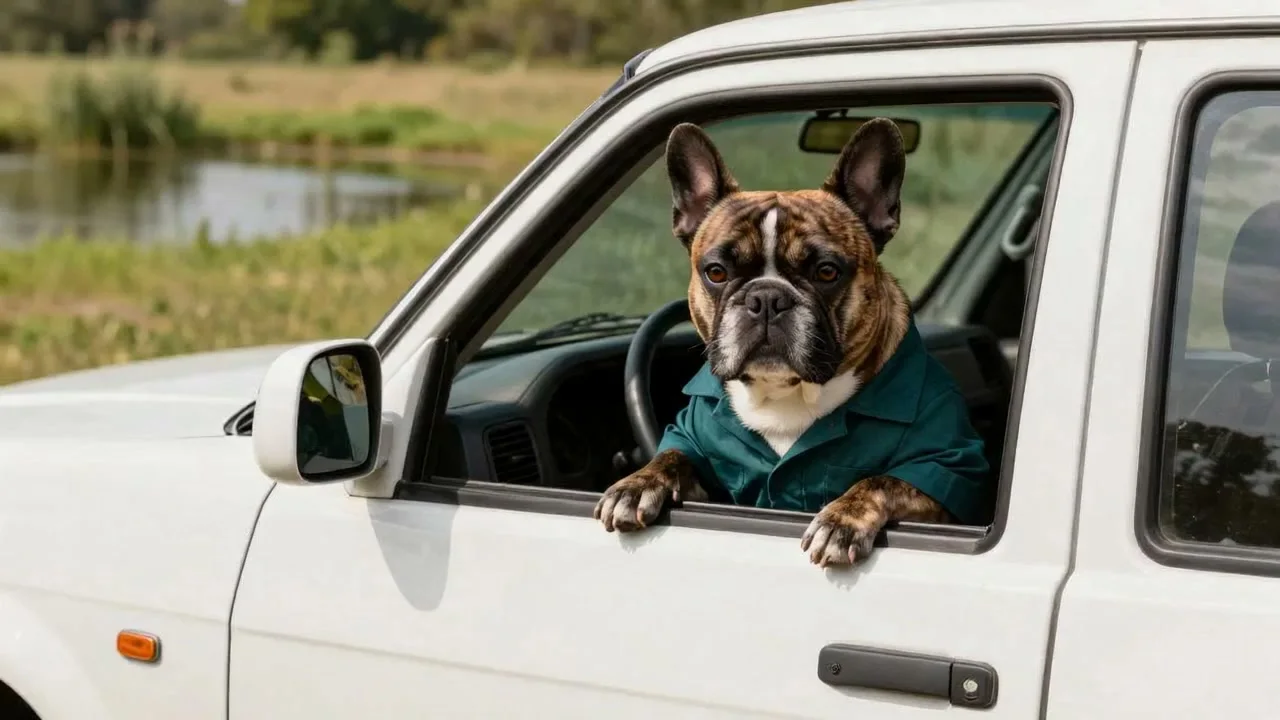
Hit the Road Dude · 15s · 1280 × 720 original · Sound on play. Fullscreen keeps the same quality.Recorded source demo · Seedance 2.0 workspace
No generated videos yet.
Your inputs are saved while you work.Original Every Gen AI demonstration generated with standard Seedance 2.0 at native 720p for 15 seconds with original audio. The exact prompt and newly generated first frame are preserved below. No competitor footage is used.
One newly generated original first frame, included below. No competitor video, existing song, real vehicle photo or real athlete is supplied.
Create an original fictional 15-second 16:9 comedy video from the starting image. Keep the same adult anthropomorphic brindle French bulldog, white chest blaze, dark teal workshirt and invented white pickup throughout. The dog sits at the open driver window beside a sunny grassy pond. One steady medium-close three-quarter shot from outside the door; show the face, window and front paws clearly. 0-3s: the dog looks toward an unseen visitor and slowly raises a skeptical eyebrow. 3-6s: it pauses, tilts its head and leans toward the window in disbelief. 6-11s: in its own original slightly gruff comic voice it says, 'Private pond, pal. Hit the road, dude.' The mouth follows the short words; one front paw makes a clear dismissive point toward the road, then returns to the window. 11-15s: the dog settles back, gives one deadpan side-eye and holds a natural living ending with a blink and small ear movement. Keep the window, paws, fur, clothing, body proportions, pond and light stable; no human hands or changing face. Native audio: original character voice, quiet birds, water and gentle wind, audible throughout. No copied voice, existing recording, music melody, captions, car badges, logos, plate text, extra limbs or extra visible characters. This is a moving scene with clear timed gestures, not a slideshow.
The generator above starts with Seedance 2.0 at 15s / 16:9 / 720p with audio. Review the quote before generating. Original prompts do not guarantee identical results.
THE SCENE / YOUR CREATIVE DIRECTION
A skeptical look, a deliberate pause and one dismissive paw gesture give this pickup reaction its rhythm. Keep the camera close enough to read the dog’s face.
The bulldog studies an unseen visitor.
A head tilt and skeptical lean establish the reaction.
An original spoken line and a pointing paw deliver the punchline.
A side-eye, blink and ear movement finish the shot.
These are the original fictional reference images used in the recorded request. The workspace imports them after sign-in; replace them with your own authorized images if desired.
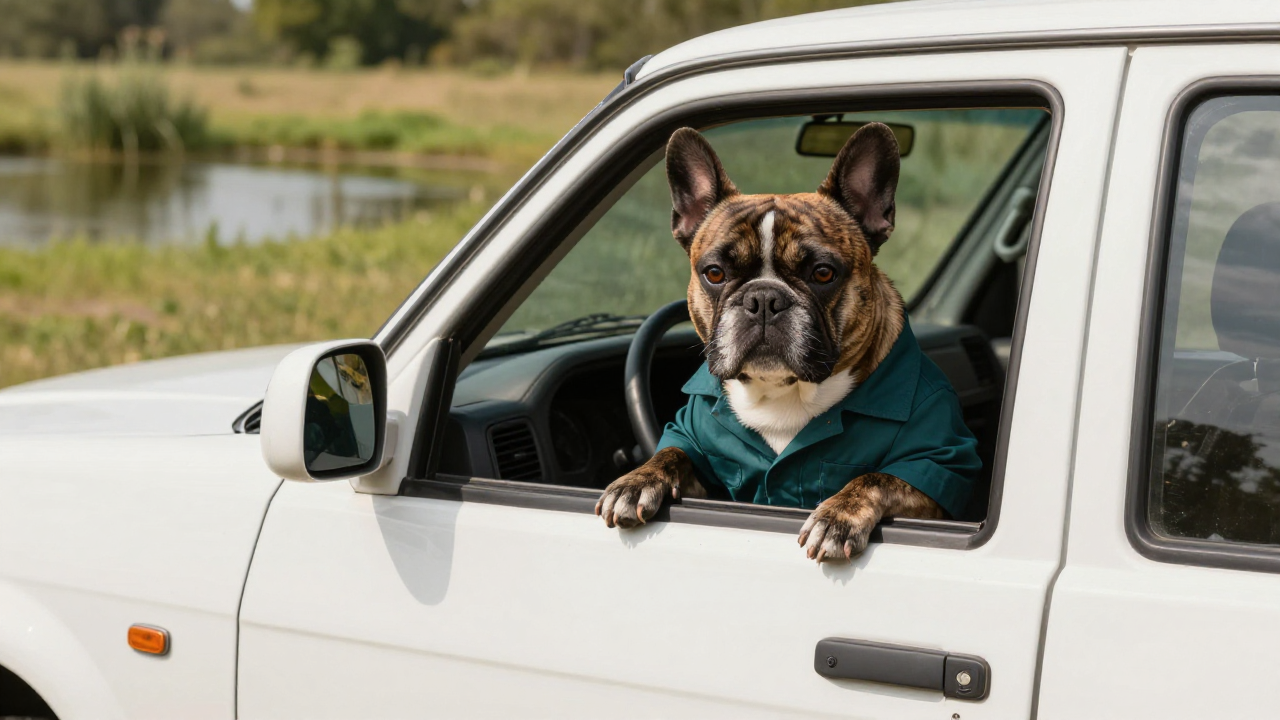
An invented brindle dog in a blank teal workshirt at a pickup window. No original meme frame is supplied.
Prepare the identities and framing before opening a new take in EveryGen AI.
Use a clear dog or adult character scene with an unobstructed face and space for a small gesture.
A window, porch or gate is enough. Describe a single encounter instead of several locations.
Leave time for the pause and ending. A long speech can crowd out the expression.
Understand what the source brief controls before you edit it in EveryGen AI.
A skeptical look, a deliberate pause and one dismissive paw gesture give this pickup reaction its rhythm. Keep the camera close enough to read the dog’s face.
Use the original starting frame or upload an authorized scene image. Edit the short spoken line and voice direction in the prompt; generated speech and lip timing can vary.
The example uses standard Seedance 2.0, native 720p and original character dialogue. Click to play with sound; the same full-quality file is used in fullscreen.
Start with the recorded prompt, choose your inputs and inspect the new take.
Play the video above and review the full scene, including its ending. Fullscreen uses the same native-quality file.
Sign in to import the original image, or upload an authorized replacement. The prompt is already filled and remains editable.
Check the model, duration, resolution, sound and quote. Generate a new take, track it in Creations, and download it before its displayed expiry.
Use the finished video to choose one useful change for your next EveryGen AI take.
Watch the whole generated clip before sharing. Adjust one motion or timing instruction when creating a new attempt.
Prompts, reference inputs, source models and your new video.
It is a comic private-property reaction: a character notices a visitor, pauses in disbelief and sends them away. This Every Gen AI version uses a newly generated dog and fictional pickup with original dialogue.
No. The displayed example starts from a newly generated image and uses a new AI voice. No original footage, recording or real vehicle branding is provided.
Yes. Sign in to import the original first frame, replace it with an authorized image, and edit the prompt. Keep the subject, gesture and short dialogue clearly described.
The example is a 15-second native 720p Seedance 2.0 video with original sound. The detail player and fullscreen use the same full-quality file. Supported settings and your quote are shown before a new generation.