Frame the whole presenter
Keep the hands and both cards visible, with open space beside the person for the car.
AI TRENDS / CAR REVEALS
Make an Unforgettable Car AI video with Every Gen AI. Show the 2 and 4 cards, cover the camera and reveal an entirely fictional sports coupe. Edit the ready-filled prompt or replace the original first frame to create your own 15-second reveal.
Generated videos are stored for 24 hours, then deleted. Download files you want to keep.
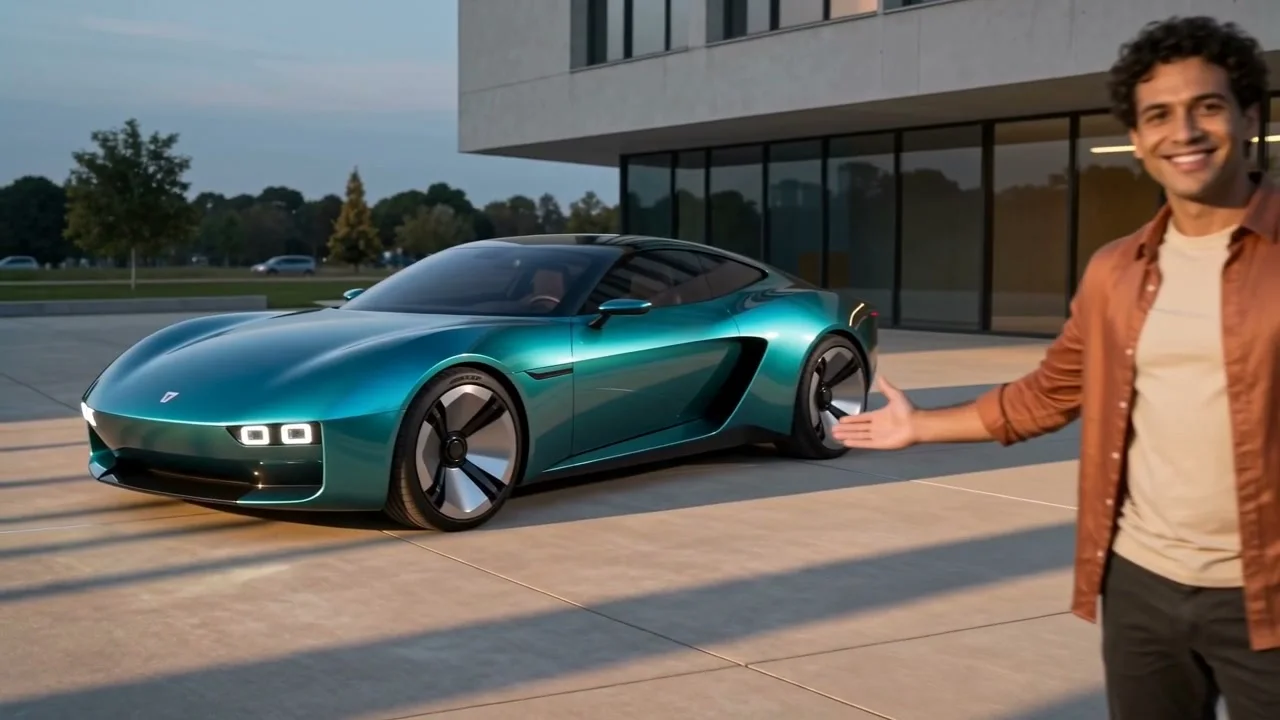
Unforgettable Car · 15s · 1280 × 720 original · Sound on play. Fullscreen keeps the same quality.Recorded source demo · Seedance 2.0 workspace
No generated videos yet.
Your inputs are saved while you work.Original Every Gen AI demonstration generated with standard Seedance 2.0 at native 720p for 15 seconds with original audio. The exact prompt and newly generated first frame are preserved below. No competitor footage is used.
One newly generated original first frame, included below. No competitor video, existing song, real vehicle photo or real athlete is supplied.
Generate an original fictional 15-second 16:9 car-reveal video from the starting frame. Preserve this same adult, face, copper overshirt, cream T-shirt, trousers, plaza and evening lighting in every visible shot. 0-4s: the person calmly shows exactly two plain cards, number 2 on the viewer's left and number 4 on the right, clearly reading 24 without mirroring. 4-7s: bring the cards forward until they completely cover the lens edge to edge for a brief fully opaque moment. Use that occlusion as the only transition. 7-10s: lower the cards to reveal one newly invented metallic petrol-teal two-door sports coupe parked behind and to the left. Its original body has a rounded closed nose, three small rectangular headlamp pods per side, a gently arched roof, a broad curved rear shoulder and plain geometric wheels. Invent all vehicle geometry; do not recreate any real manufacturer, model, grille, signature lighting or reference vehicle. The car appears only after full occlusion; never show it forming or morphing. 10-15s: the person steps slightly right, presents the whole stationary coupe with an open palm and smiles; hold the clean three-quarter car view. Keep the same identity before and after the wipe. Natural grounded tires, stable wheels, consistent reflections and shadows. Native audio: entirely original upbeat instrumental and a crisp reveal accent when the lens clears, no existing song or recognizable melody. No badges, emblems, brand lettering, plate text, game logos, captions, watermark, duplicated car or extra person. The complete vehicle body is AI-generated, never taken from the original trend clip.
The generator above starts with Seedance 2.0 at 15s / 16:9 / 720p with audio. Review the quote before generating. Original prompts do not guarantee identical results.
THE SCENE / YOUR CREATIVE DIRECTION
Two cards establish 24 before they move toward the lens. Full lens coverage gives the model a clear transition point between the empty plaza and the parked car.
The presenter shows a 2 on the left and a 4 on the right.
The cards move forward and obscure the lens.
The lens clears to show the invented coupe.
The presenter steps aside so the car is visible.
These are the original fictional reference images used in the recorded request. The workspace imports them after sign-in; replace them with your own authorized images if desired.
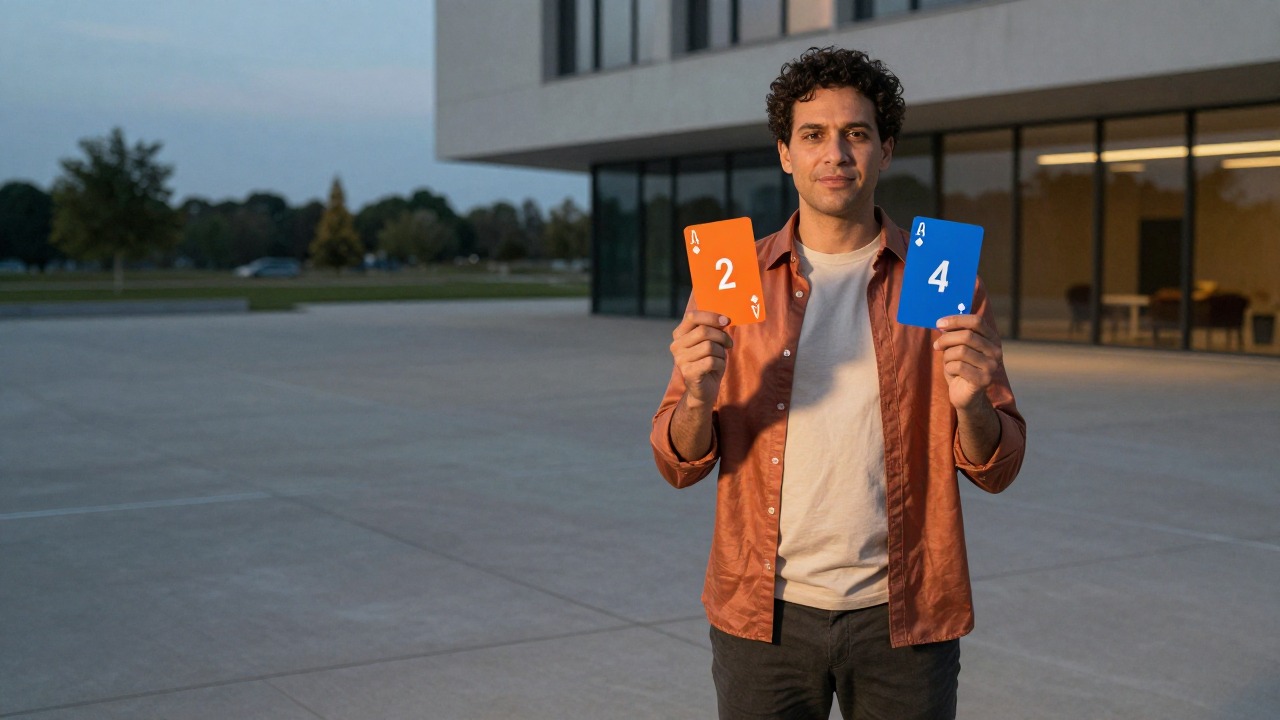
A fictional adult holding two independently designed numbered cards in an empty blue-hour plaza. The car is generated later from the text brief.
Prepare the identities and framing before opening a new take in EveryGen AI.
Keep the hands and both cards visible, with open space beside the person for the car.
Use invented body details and plain surfaces. Avoid real emblems, models or manufacturer references.
Keep the card cover as one clear motion. Adding multiple effects can make the reveal hard to follow.
Understand what the source brief controls before you edit it in EveryGen AI.
Two cards establish 24 before they move toward the lens. Full lens coverage gives the model a clear transition point between the empty plaza and the parked car.
The prompt describes a new petrol-teal coupe, original body geometry, plain wheels and blank surfaces. It does not use a real car photo, manufacturer, emblem or existing vehicle design as a reference.
Change the fictional paint, invented shape or plaza lighting in the prompt. Keep one stationary car and a stable presenter so the reveal remains easy to read.
Start with the recorded prompt, choose your inputs and inspect the new take.
Play the video above and review the full scene, including its ending. Fullscreen uses the same native-quality file.
Sign in to import the original image, or upload an authorized replacement. The prompt is already filled and remains editable.
Check the model, duration, resolution, sound and quote. Generate a new take, track it in Creations, and download it before its displayed expiry.
Use the finished video to choose one useful change for your next EveryGen AI take.
Watch the whole generated clip before sharing. Adjust one motion or timing instruction when creating a new attempt.
Prompts, reference inputs, source models and your new video.
The familiar structure is a 2-and-4 card display, a lens-cover transition and a car reveal. Every Gen AI generates a new version from an original first frame and an editable action prompt.
No. Our brief uses an entirely invented coupe with a generated body, unmarked wheels and no real badge. No original trend vehicle or real car photo is used as input.
No. It includes a newly generated instrumental and reveal accent. Add a properly licensed sound in your publishing app if you want different music.
Yes. Edit the paint, invented geometry and lighting while preserving the presenter, 24 cards and lens-cover transition. Review the generated vehicle and hands before sharing.