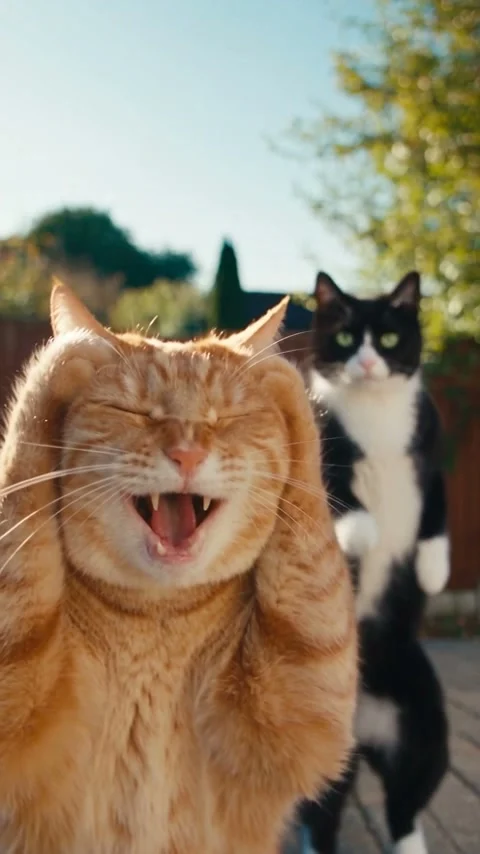
Seedance 2.5 · 480p · about 21 seconds · original audio
Try Smalltown Boy AI with Every Gen AISmalltown Boy AI works because two performers seem to be living in different emotional worlds. One reacts to the phone as if something unbelievable has happened, while the other carries on with a stiff, cheerful dance. Then they exchange roles. The shared dance and final approach give the short a satisfying ending.
In Every Gen AI’s Smalltown Boy AI tool, that structure becomes a practical starting point for your own cast. EveryGen Mode supplies the action clip and built-in direction. You bring a photo for dancer A and a photo for dancer B, or open Custom Mode to adapt the idea.
Why the reaction-and-dance contrast is funny
The scene gives the viewer two things to notice at once: a big foreground reaction and a quieter performance behind it. The position swap rewards a second look, because the same characters suddenly take the opposite parts. Their personalities matter as much as the steps.
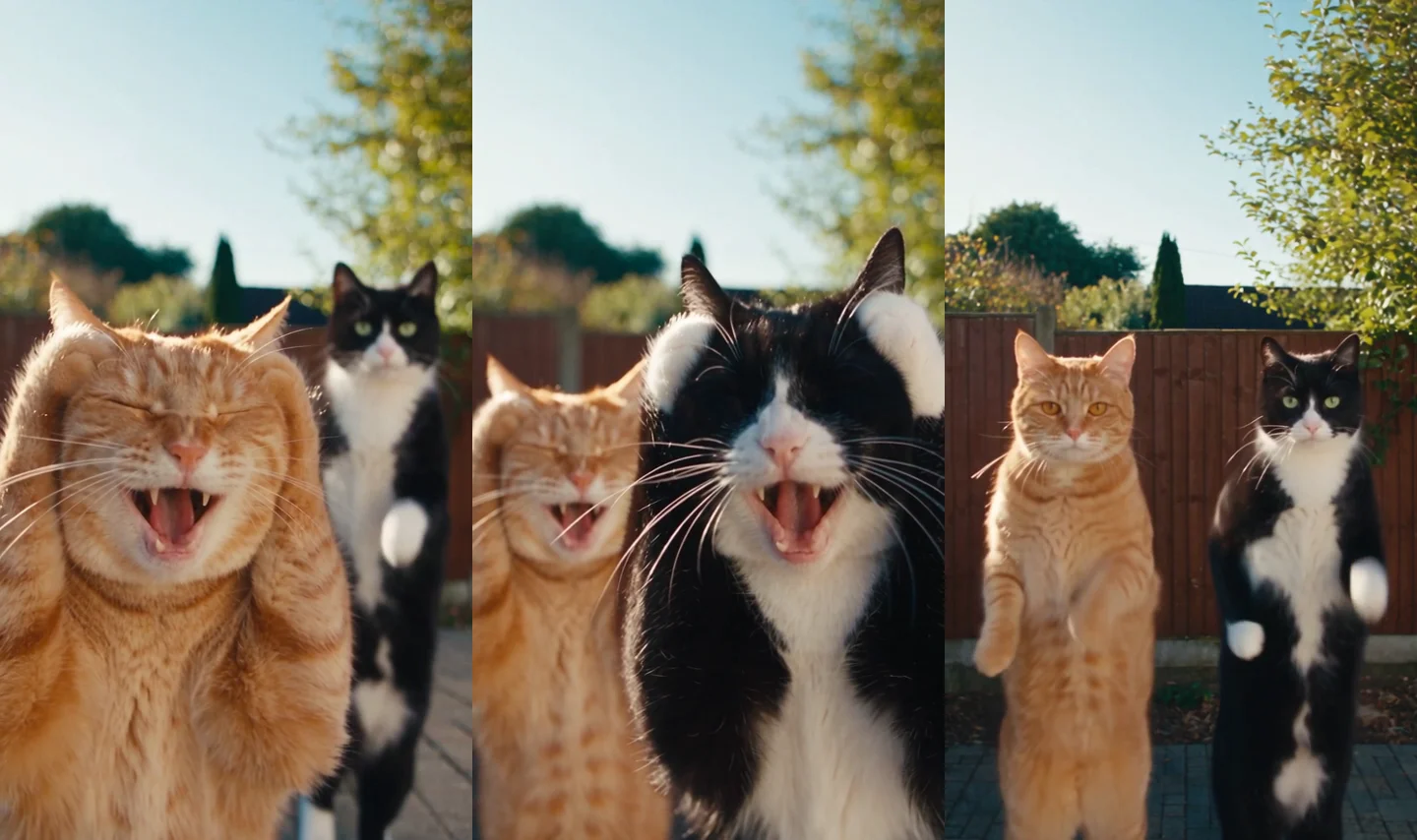
Our cat example makes that contrast easy to read. Orange fur identifies one performer, while the black-and-white coat identifies the other. Casting pets, friends or original characters with noticeably different appearances helps the joke stay understandable when the framing changes.
What Every Gen AI gives your Smalltown Boy AI version
The useful part of the tool is the prepared creative structure. You do not need to describe an entire multi-shot routine from an empty prompt or supply your own dance video just to begin.
- EveryGen Mode includes an original action and camera template, plus the scene direction.
- Dancer A and dancer B have separate photo groups, so appearance and performance roles are communicated independently.
- The first photo in each group stays Image 1 or Image 2 even when you add more views of the same character.
- Custom Mode lets you edit the direction while retaining the grouped references and action clip.
- Optional environment photos let you request a new setting or blend locations, with a quote before you submit.
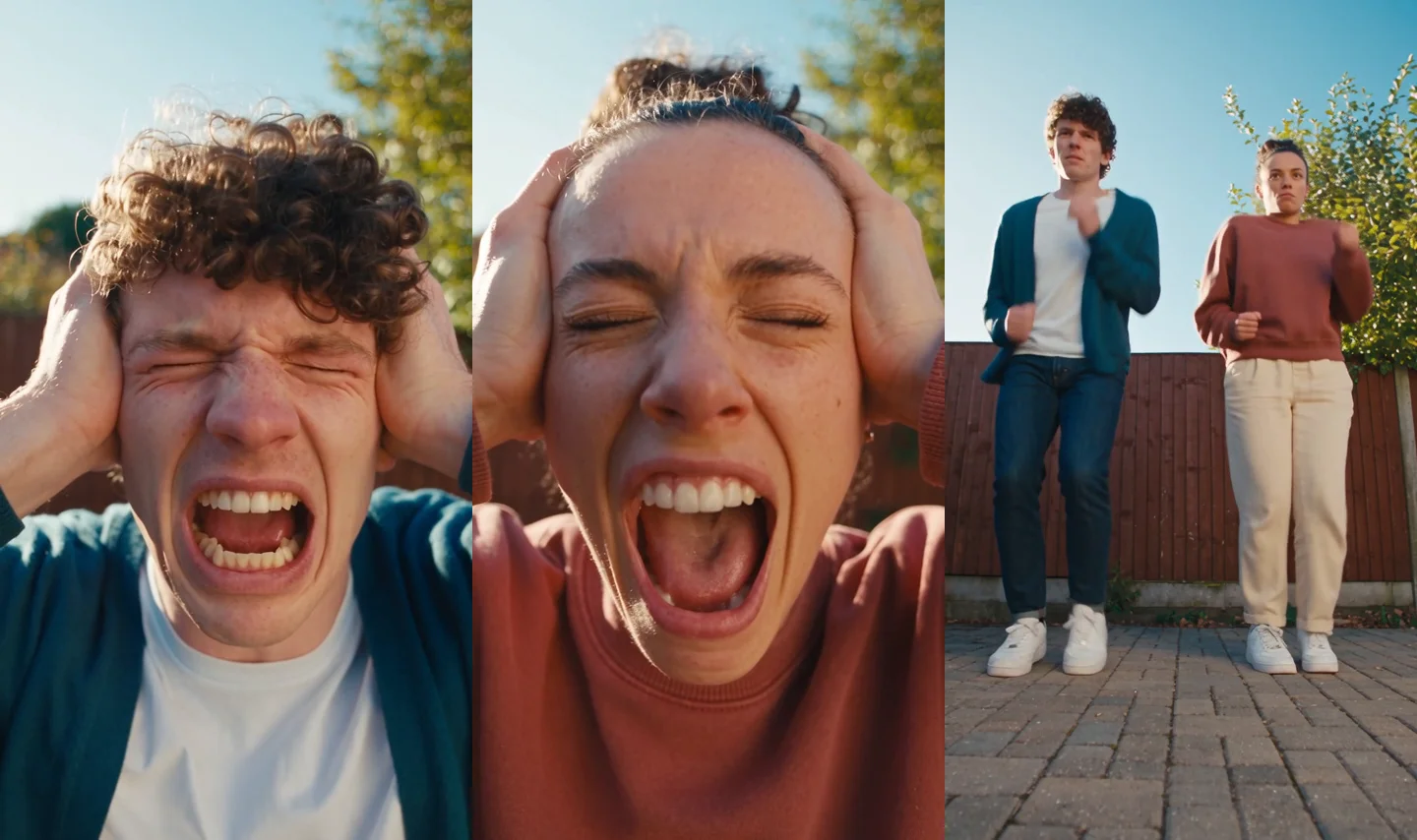
You can watch both the cat and human examples before spending generation credits. This makes it easier to judge the style and choose a cast that fits the routine.
Choose two identities and keep their roles clear
Start with one clear photo of each character. Dancer A takes the opening left or foreground part and reacts first. Dancer B starts on the right or in the background and dances first. The built-in prompt asks the model to track those assigned performers through the depth swap and cuts, instead of assigning identity again from screen position.
| Photo group | What to add | What it controls |
|---|---|---|
| Dancer A | One clear first photo, with optional extra views of that same identity. | The first foreground reaction and that performer’s later dance. |
| Dancer B | A separate first photo of the second character. | The opening background dance and later foreground reaction. |
| Environment | Optional location photos, kept outside the appearance groups. | A requested setting replacement or blend. |
A complete body reference helps communicate proportions, footwear or paws as well as the face. Contrasting clothing or fur makes the two identities easier to follow. Avoid putting both subjects into one appearance photo when you want a separate assignment for each.
Give Custom Mode a clear comic direction
If you customize the scene, keep the readable sequence: A reacts while B dances, B takes the foreground, both share the dance, then they approach the phone. Make the character or setting change specific rather than adding unrelated shots.
Keep dancer A assigned to Image 1 and dancer B to Image 2 throughout the supplied action clip. A reacts first while B dances behind, then they swap depth roles. Preserve their distinct faces or fur, complete outfits and the shared dance timing. End with both approaching the phone; keep one coherent setting.
This is an example of editable direction, not a promise that every generated gesture will match the reference exactly. Keeping the brief focused gives you a clearer result to judge.
Make the familiar routine feel personal
The strongest variation is often a cast with an obvious contrast: two pets with different markings, friends in contrasting outfits, or an original character pair with distinct silhouettes. Let that difference carry the humor while the action structure stays recognizable.
You can also move the idea into a different setting through the environment group. A patio, a rehearsal room or a simple studio can give the same interaction a different mood. Keeping the surroundings uncluttered makes the two performers and their reactions easier to see.
Every Gen AI separates these choices so you can describe the cast, surroundings and direction without mixing location photos into the dancer assignments. Review the updated quote whenever you change the inputs.
Questions about Smalltown Boy AI
How many photos do I need for Smalltown Boy AI?
Start with one photo for dancer A and one for dancer B. Extra views in a group should show that same identity. Environment photos are optional, and the total photo count remains subject to model and plan limits.
Do I need to upload the original dance video?
No. EveryGen Mode includes the original Every Gen AI action template. You supply the appearance photos and can edit the direction in Custom Mode.
Can I watch the examples without paying for generation?
Yes. Playing the existing cat and human examples uses no generation credits. A new generated clip requires an eligible funded account and its displayed quote.
Is the Smalltown Boy song included?
The example contains original generated audio, not the named song recording. Add a licensed sound separately and review its timing with your video.
Try Smalltown Boy AI with Every Gen AI
Bring your idea and the reference photos for your chosen tool. Choose your settings, check the quote and create a clip you can review.