PET REMIX / 21s · 480p
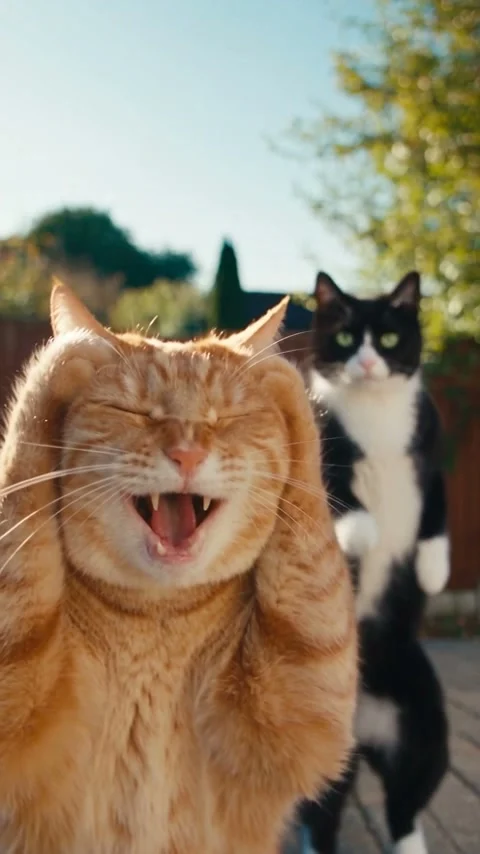
Two cats, one Smalltown Boy routine
A ginger tabby and a tuxedo cat take the two assigned roles: the close-up reactions, the position swap and the shared dance.
Seedance 2.5 · 480 × 854 · Original generated audio
AI TRENDS / DANCE & PETS
Make the Smalltown Boy AI dance with your cats or friends in Every Gen AI. Add a photo for dancer A and dancer B; EveryGen Mode supplies the action video and prompt. Keep the scream, the swap, the duet and the final rush, or edit the direction in Custom Mode.
Generated videos are stored for 24 hours, then deleted. Download files you want to keep.
Smalltown Boy AI · 21s · 480 × 854 original · Sound on play. Fullscreen keeps the same quality.Recorded source demo · Seedance 2.5 workspace
No generated videos yet.
Your inputs are saved while you work.Watch both original Every Gen AI examples before creating your own. Press play for sound; fullscreen uses the same native 480p video.
PET REMIX / 21s · 480p
A ginger tabby and a tuxedo cat take the two assigned roles: the close-up reactions, the position swap and the shared dance.
Seedance 2.5 · 480 × 854 · Original generated audio
HUMAN MOTION TEMPLATE / 21s · 480p
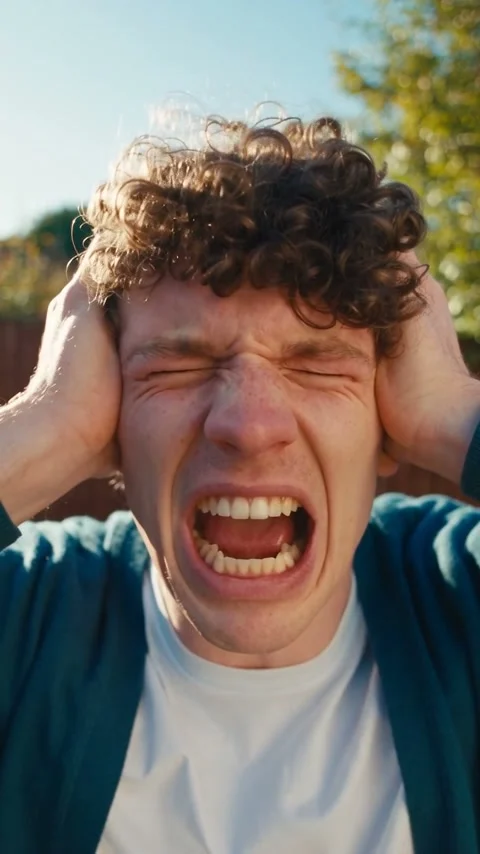
Two fictional adults demonstrate the original Every Gen AI action template, with a red-fence backyard and contrasting outfits.
Seedance 2.5 · 480 × 854 · Original generated audio
These original Every Gen AI examples were generated with Seedance 2.5 at native 480p. The animal remix uses two original cat appearance photos and a separately generated human action template. The human clip is the original motion template, not a customer upload. No competitor footage or song recording is used.
Two original cat appearance photos, one assigned to each dancer, and a separately generated original EveryGen motion template. EveryGen Mode includes the action clip.
Edit @Video1 (@视频1), the supplied original motion template. Dancer A (opening left/foreground) uses @Image1 (@图片1); dancer B (opening right/background) uses @Image2 (@图片2). Extra photos within each group show that SAME identity, never extra cast. Ignore photo backgrounds. Track each source performer through swaps, cuts and occlusion. Keep the source environment, lighting, camera path and props unchanged. Reinterpret the selected dance in @Video1 with the characters from @Image1 and @Image2. @Image1 replaces the opening left dancer A; @Image2 replaces the opening right dancer B. Track the assigned source performer through every shot and depth swap, never reassign by screen position. SAME IDENTITY: retain each face, silhouette, colors, proportions, complete outfit or fur markings and distinctive features. Copy each performer's expressions, head-clutching scream, gestures, body sways, steps, pauses and interaction timing. A screams while B dances behind, then B screams while A dances behind; both dance side by side, continue in the low-angle shot and rush the lens at the end. Adapt human gestures to whole furry paws for animals, retaining the choreography and rhythm. Preserve the source setting, lighting, framing, camera movement and cut order. Keep costumes, paws or hands, feet and ground contact stable, with clear separation. NO DUPLICATE, character fusion, identity swaps, source-performer reappearance, extra subjects or limbs, background flicker or black corners. NO NEW SCENES. Match the full source length and crop. Keep only original source audio; add a licensed song separately.
The generator above starts with Seedance 2.5 at 21s / 9:16 / 480p with audio. Review the quote before generating. Original prompts do not guarantee identical results.
THE SCENE / YOUR CREATIVE DIRECTION
The fun comes from a serious-looking reaction at the lens while the other performer keeps dancing behind. Recasting those two roles with your own cats or friends makes the contrast personal. Every Gen AI keeps appearance photos separate from the original action clip so you can change the cast without rewriting the whole scene.
A holds its head and reacts toward the phone while B keeps dancing behind.
B takes the foreground reaction and A moves behind, with identities kept separate.
Both performers share a full-body view with readable steps and shoulder movement.
The reference introduces a lower view of the same pair and setting.
Both move toward the phone to end the routine at the lens.
These are the appearance photos used for the demonstration. Upload your own subject in the generator above; the original motion template is included automatically.
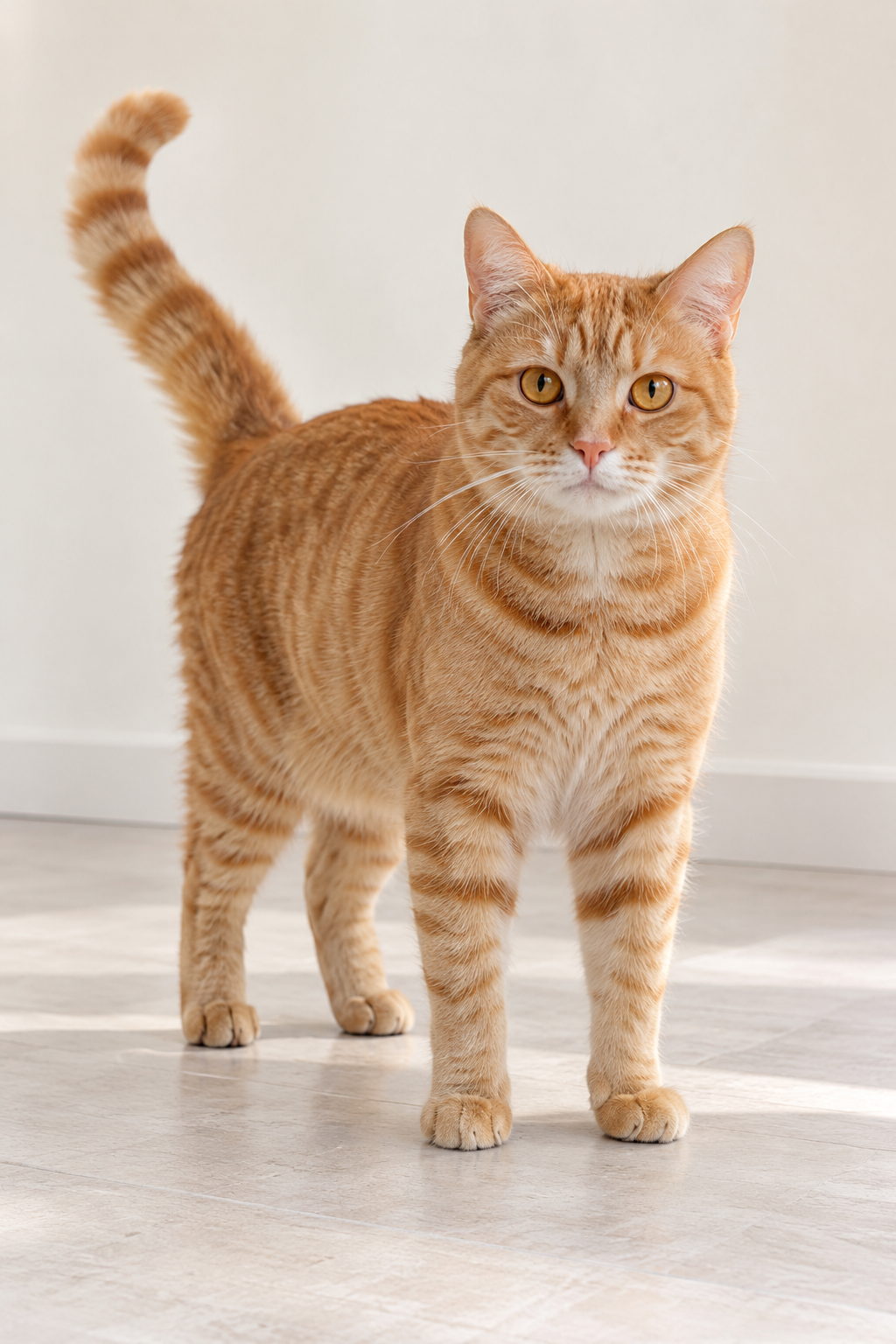
The ginger tabby supplies the opening left / foreground identity. A keeps that identity when moving to the background and joining the duet.
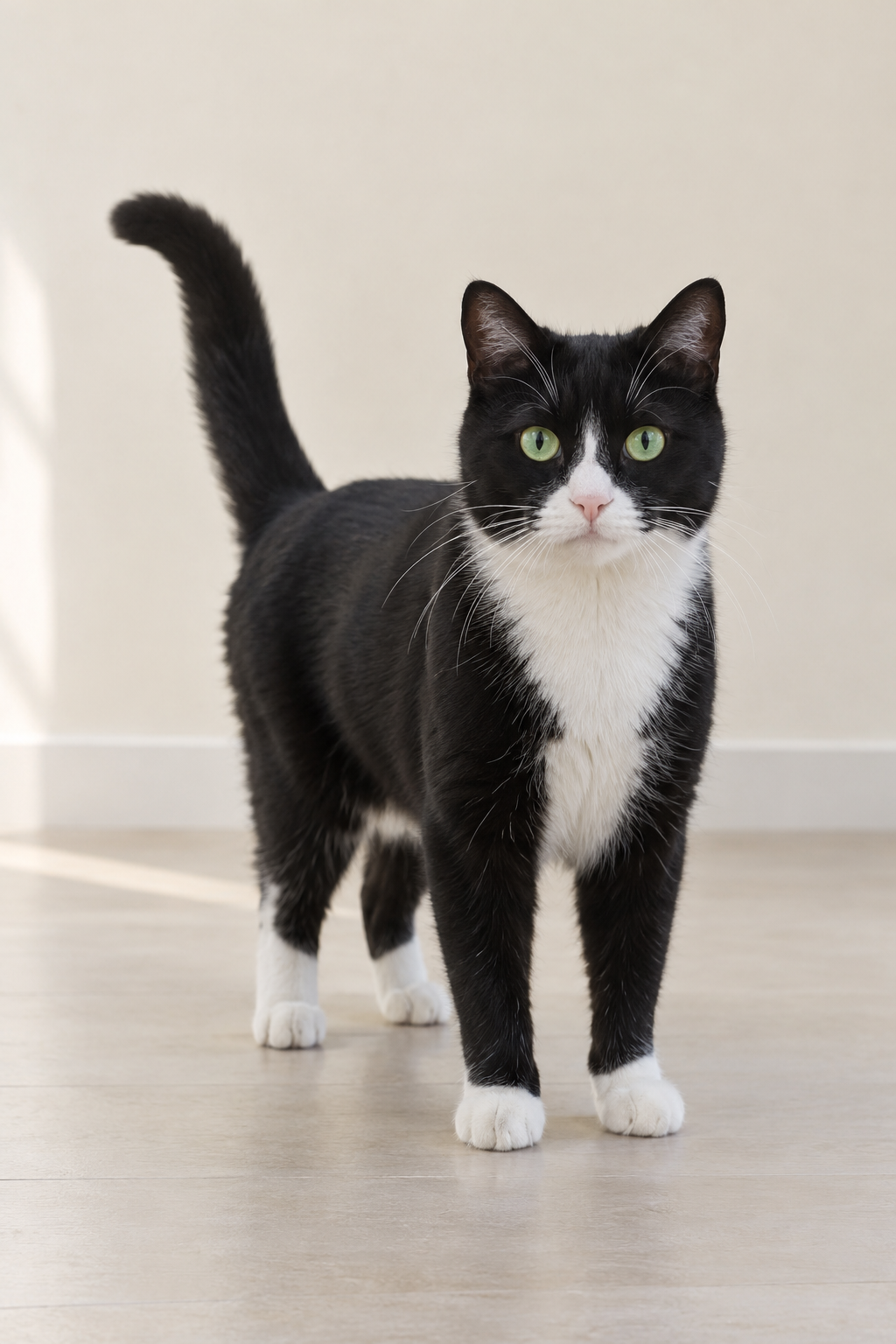
The tuxedo cat supplies the opening right / background identity. B later takes the close-up while A dances behind.
This separate video guides the action, camera and timing. Your subject photos change the featured character; optional environment photos direct the setting.
Prepare the identities and framing before opening a new take in EveryGen AI.
Use a separate image for each subject. Keep faces, fur markings and the complete outfit clear; avoid group photos.
Different fur patterns or contrasting clothing help you inspect whether A and B remain consistent after the swap.
A full-body reference gives the model more information about proportions, footwear and animal anatomy.
Use the environment group for setting changes. Do not mix location references into the dancer photos.
Understand what the source brief controls before you edit it in EveryGen AI.
Dancer A and dancer B have their own upload groups. Their first photos stay Image 1 and Image 2, even when you add more angles. A change in screen position does not change who follows each performer.
The included motion video directs the head-clutching reactions, alternating foreground roles, shared footwork and final approach to the lens. A named trend alone would not specify these movements.
Use the built-in direction for a quick start, or open Custom Mode to change the performance. Your subject photos and the motion template remain attached while you edit.
Keep the reference yard or supply separate environment photos. Choose replacement or blending; location references are not treated as additional dancers. Review the credit quote after changing your inputs.
Start with the recorded prompt, choose your inputs and inspect the new take.
Upload a clear photo of each pet or authorized adult. A takes the opening left / foreground role; B begins on the right in the background. Extra photos in a group must show that same identity.
The original action clip is included automatically. Use Custom Mode to edit the prompt, or add environment photos to request a different setting. The prepared clip is 21 seconds, 9:16 and 480p with original audio.
The quote includes source-video processing and output duration. Check each identity after the swap, hands or paws, foot contact and the ending. Download your video and add a licensed Smalltown Boy sound in your publishing app if desired.
Use the finished video to choose one useful change for your next EveryGen AI take.
Follow each face or fur pattern from the opening through the second close-up. Changing screen position should not create a third identity.
Look for merged silhouettes, extra limbs or human fingers on animals, especially during head gestures and the final approach.
If you choose to make another take later, change one part of the direction at a time. Each submitted generation has its own quote.
Prompts, reference inputs, source models and your new video.
It is the two-performer scream-and-swap format: one subject reacts close to the phone while the other dances behind, they trade roles, then share the dance and approach the lens. Every Gen AI provides an original motion template for this workflow.
You can assign a person, pet or original character to each group. Choose distinct, clear references and review anatomy carefully when combining different species or body proportions.
No. EveryGen Mode includes the original Every Gen AI motion template. You supply the two appearance identities, and environment photos are optional.
The groups preserve the two assignments. A follows the opening left / foreground performer and B follows the opening right / background performer across swaps, cuts and close-ups. Multiple photos in one group describe one identity.
The prepared setup uses Seedance 2.5, a 21-second motion reference, vertical 9:16 and native 480p output. Your plan must support the duration and photo count. The generation quote includes reference processing; existing credits are charged only through the normal approval flow.
The demonstrations use original generated audio. The Bronski Beat recording is not bundled. Add a licensed sound available to your account in the platform where you post, and check its timing.
The reference guides shot order and motion, but generation can vary. Review close-ups, the swap, paws or hands and grounded footwork before sharing. EveryGen AI does not promise frame-identical choreography.