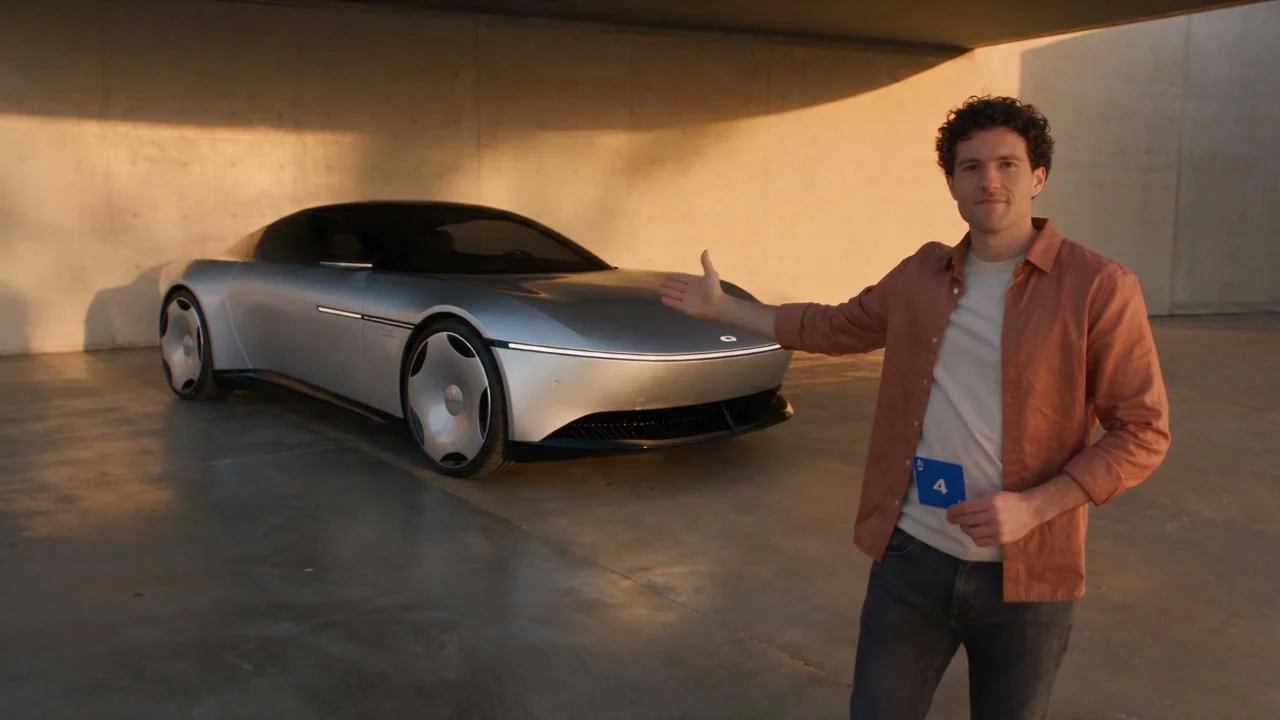
Seedance 2.5 · 720p · about 15 seconds · original audio
Try Unforgettable Car with Every Gen AIAn Unforgettable Car video makes a small gesture feel like an event. The presenter shows two cards, the lens briefly disappears behind a hand and a car becomes the surprise. The viewer has just enough time to wonder what the cards are setting up before the reveal answers the question.
With the Every Gen AI Unforgettable Car tool, you can work from that visual rhythm while making the presenter and setting your own. Our example uses a fictional car design and an original motion reference. EveryGen Mode supplies the reference sequence; your subject photo guides who appears in it.
Why the simple reveal is satisfying
The appeal comes from a short chain of anticipation. The cards direct attention, the hand creates a clean visual interruption and the car provides a payoff that is larger than the action that caused it. The viewer understands the idea before needing a caption or a long explanation.
- Establish the presenter and show two cards: 2 on the viewer’s left and 4 on the right.
- Give the audience a moment to read 24.
- Use one deliberate lens-covering gesture.
- Let the car appear as the lens clears, with the same presenter still in the scene.
Continuity is what makes the trick feel connected. The face, outfit and camera direction should seem to belong to one shot. If the presenter changes or the background jumps for no clear reason, the transition loses the little sense of magic that made it interesting.
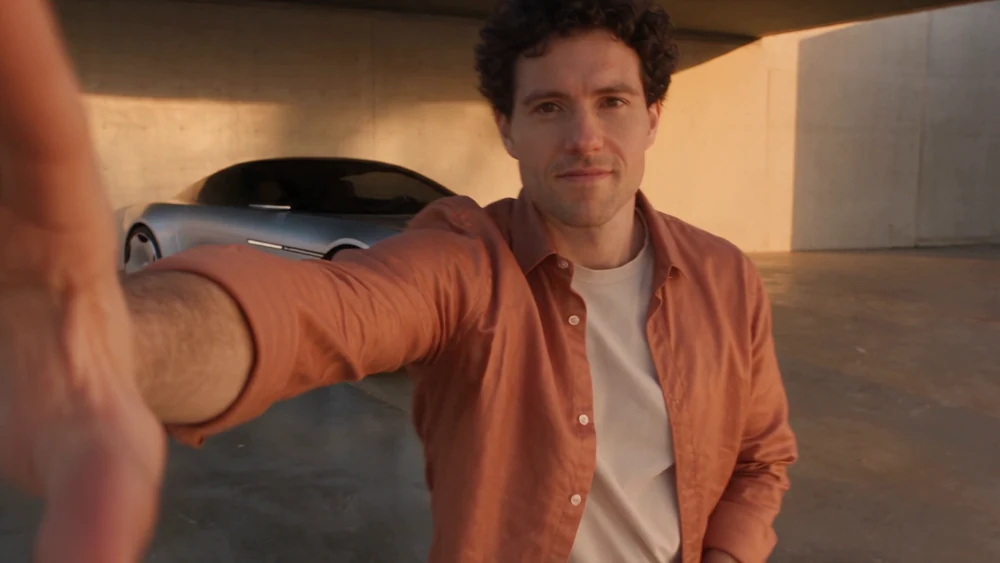
An original presenter, car and setting
Every Gen AI gives you a prepared structure for the reveal without requiring you to produce a source performance. The supplied EveryGen Mode motion template carries the intended action and camera direction; your photo carries the presenter’s appearance. You can keep the original setting or guide a change with environment images.
- Replace the presenter with your chosen adult subject, using clear appearance references.
- Use an original fictional car concept rather than borrowing a real vehicle’s branding or exact design.
- Keep the prepared setting for a focused first attempt, or request a different environment through the separate image controls.
- Switch to an editable prompt when you want to specify the color, mood or reveal direction in more detail.
The result is useful for an imaginative reveal, a personal creative post or a visual concept for a story. When you describe a car, give it original features: a sculpted body, a distinctive invented light pattern or a color palette. There is no need to name a real manufacturer to make the scene feel polished.
Prepare the presenter before the surprise
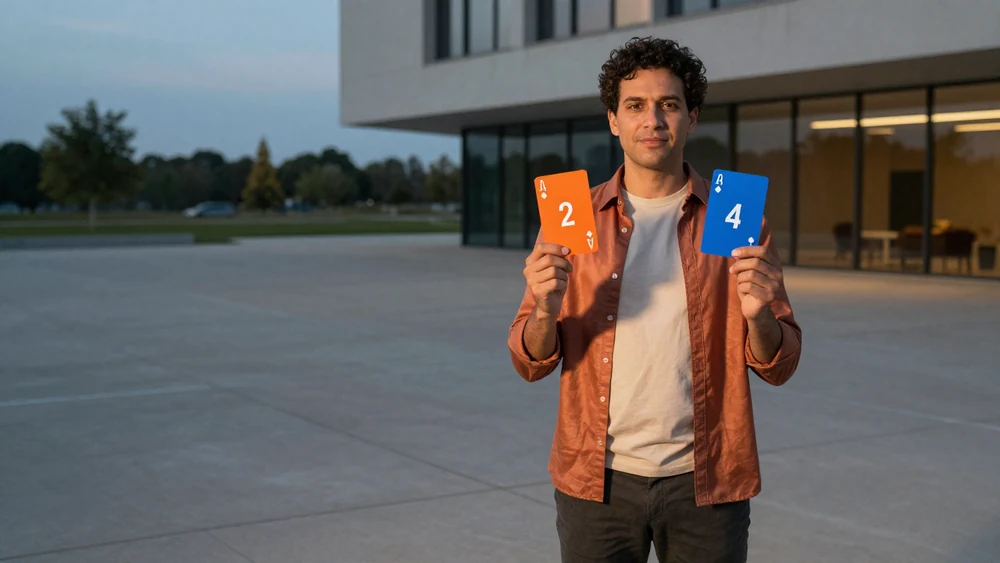
Choose a photo with a clear face, visible hair and an outfit you want to keep. If you attach more than one subject image, use views of the same person. A separate environment image can describe a courtyard, a quiet studio or an invented architectural setting without confusing it with the person reference.
- Open the Unforgettable Car workspace and select EveryGen Mode.
- Upload the presenter photo in the subject group. Add environment references only when you want the setting to change.
- Keep the intended card order and one hand-swipe action in the scene direction.
- Review the supported framing and quote, generate a take, then watch the complete transition before downloading.
Our embedded example is a roughly 15-second landscape clip. Framing should leave room for the cards, the hand and the revealed vehicle. If you develop a different format in the editable workflow, check that the important action remains visible rather than merely cropping a finished shot.
Write the reveal as one connected action
A useful prompt explains what stays consistent as clearly as what changes. Keep the same presenter before and after the hand crosses the lens, and ask for one transition instead of mixing a swipe, a card drop and a new camera angle into the same moment.
Use my adult subject photo to guide the presenter’s face, hair, build, outfit and accessories. Follow the supplied original action reference: show exactly two cards, 2 on the viewer’s left and 4 on the right, then make one hand swipe that briefly covers the lens. Reveal an original fictional silver coupe as the lens clears. Keep the same presenter and outfit before and after the occlusion. Preserve the camera direction and scene continuity. No duplicated people, real vehicle brands, logos, captions or copied music.
This is a suggested direction for your own variation, not the recorded generation request for the video above. The tool exposes its prepared prompt so you can inspect it and decide which details deserve changing. A different color or setting is often enough to make the result feel personal while preserving the clear reveal rhythm.
Make the payoff worth waiting for
- A warm architectural reveal: use an understated courtyard and a fictional coupe with a clean silhouette.
- A night-studio concept: build the mood around reflections and a restrained original lighting design.
- A playful future vehicle: describe an invented shape and unusual color, while keeping the presenter’s action grounded and simple.
The environment can support the reveal instead of competing with it. A readable background gives the eye a place to notice the car. A small amount of consistent camera movement can add energy, but a different location or extra cast at the reveal may weaken the connection.
The Hit the Road Dude guide uses a character reaction as its payoff. The Ozil Goal dog football guide builds anticipation through a sequence of actions. These are different ways to make one short idea feel complete within the Every Gen AI workspace.
Review the details that sell the trick
Check the card order, the hand movement and the presenter’s face on both sides of the lens cover. Then inspect the car’s wheels and body, the background and the timing of the reveal. These details are more useful measures of a finished take than assuming any template will guarantee a perfect transition.
EveryGen Mode uses studio credits and supported video-reference access. The quote can account for the supplied reference as well as the output, so check the current workspace and pricing options before submitting. Guest one-time passes cover eligible standard text/photo generation and do not include EveryGen Mode’s video-reference workflow. Download the finished video within its 24-hour storage window.
Questions about Unforgettable Car
Why are there two cards, 2 and 4?
The prepared reveal uses two separate cards that read 24 from the viewer’s left to right. Keep the numbers and order explicit in the direction, and review the generated result for mirroring or unexpected text.
Can I change only the person holding the cards?
That is the default intent of the reference-led workflow: use your appearance photo for the presenter while retaining the supplied action and setting. Optional environment references let you request a setting change separately. Identity consistency still needs review.
Does an Unforgettable Car video need a real car brand?
No. An original fictional vehicle is enough to create the reveal. Describe its shape, color and invented details, and ask for no real badges or logos. Review the output before using it publicly.
Can I use a one-time pass for EveryGen Mode?
EveryGen Mode uses studio credits and video-reference permissions. One-time passes are separate offers for their eligible standard text/photo settings; they do not unlock the supplied motion-video reference.
Try Unforgettable Car with Every Gen AI
Bring one idea or a reference photo. Choose your settings, check the quote and create a clip you can review.